Learning how to set up the perfect home office on a budget starts with planning instead of spending. A well-designed budget home office improves comfort, productivity, and organization without requiring expensive furniture or premium equipment. Before buying anything, reviewing a practical home office essentials checklist helps you focus on what truly matters.
This guide explains how to create an affordable home office, choose the right workspace, set a realistic budget, and organize everything efficiently. You’ll also learn how to avoid unnecessary purchases while building a workspace that supports remote work, studying, or running a business from home.
How Can You Set Up the Perfect Home Office on a Budget?
The best way to set up the perfect home office on a budget is to plan your workspace before making any purchases. A budget home office should prioritize comfort, productivity, lighting, and organization rather than filling the room with expensive accessories. Careful planning often saves more money than searching for the lowest prices.
A practical home office begins with identifying the available space, deciding how the workspace will be used, and setting a spending limit. For example, someone working eight hours a day will have different requirements than someone attending occasional online meetings. Matching the workspace to daily tasks prevents overspending on unnecessary items.
Budget-friendly home office setups also benefit from gradual upgrades. Instead of purchasing everything at once, focus on the essentials first and improve the workspace over time. Consequently, every purchase has a clear purpose and fits within your budget.
What Do You Need Before Setting Up Your Home Office?
Setting up the perfect home office on a budget requires preparation before furniture or equipment enters the room. Planning the workspace, understanding daily work habits, and allocating money wisely create a stronger foundation than buying items on impulse. Additionally, preparing first reduces clutter and prevents costly mistakes later.
Choose the Right Space
The first step in creating a budget home office is choosing the most suitable location in your home. A dedicated workspace improves concentration because it separates work from personal activities, even if the available area is only a corner of a bedroom or living room.
Natural light should receive priority whenever possible. Positioning the workspace near a window reduces eye strain during daytime hours while making the room feel larger and more comfortable. However, direct sunlight on a computer screen can create glare, so adjust the desk placement carefully.
Noise also affects productivity. Selecting a quieter part of the home minimizes distractions during video meetings, writing sessions, or focused tasks. If several people work from home, establishing clear workspace boundaries becomes equally important.
Set a Realistic Budget
A realistic budget prevents unnecessary spending and helps prioritize essential workspace improvements. The perfect home office on a budget does not require buying every accessory immediately. Instead, divide spending into essential items, helpful upgrades, and optional additions.
| Budget Range | Suitable For | Main Priority |
|---|---|---|
| Under $300 | Students and occasional remote work | Basic workspace and comfort |
| $300 to $600 | Regular remote workers | Improved ergonomics and organization |
| $600 to $1,000 | Full-time professionals | Long-term productivity and flexibility |
Planning purchases in stages makes budgeting easier. Furthermore, reviewing common home office setup mistakes before shopping helps avoid buying items that add cost without improving productivity.
Identify Your Daily Work Needs
Your daily workload determines what your budget home office should include. Someone who mainly writes documents has different workspace requirements than a graphic designer, programmer, teacher, or customer support representative.
Begin by listing the tasks performed every day. For example, frequent video meetings require good lighting and a quiet environment, while spreadsheet work often benefits from additional screen space. Identifying these needs first prevents unnecessary purchases and helps allocate the budget where it delivers the greatest value.
If your current computer struggles with your workload, replacing the device may be more important than upgrading furniture. In that case, comparing options in a laptop buying guide provides a practical starting point before planning the rest of the workspace.


Plan Your Workspace Layout
A thoughtful workspace layout improves efficiency without increasing costs. The perfect home office on a budget should leave enough room for movement, comfortable seating, and essential equipment while keeping frequently used items within easy reach.
Start by deciding where the desk will sit in relation to windows, electrical outlets, and internet access. A layout that minimizes extension cords and cable crossings creates a cleaner, safer workspace and simplifies future upgrades.
Storage should also be planned early. Keeping documents, chargers, notebooks, and office supplies organized reduces distractions and saves valuable desk space. Consequently, the workspace remains easier to maintain even as work demands grow.
Finally, consider future expansion before arranging furniture. Leaving room for an external monitor, printer, or additional accessories makes later upgrades much easier without requiring a complete workspace redesign. If you’ll eventually add peripherals, understanding how to choose computer accessories now can help ensure future purchases remain compatible with your setup.
How to Set Up a Comfortable and Productive Workspace
A comfortable and productive workspace starts with proper ergonomics, adequate lighting, and an organized layout. Setting up the perfect home office on a budget is not about buying expensive equipment. Instead, the goal is to create a workspace that supports good posture, reduces distractions, and helps you work efficiently throughout the day.
Small improvements often make the biggest difference. Furthermore, arranging existing furniture correctly before purchasing new items can improve comfort while keeping costs under control. Guidance from the Occupational Safety and Health Administration (OSHA) recommends adjusting your workstation to reduce strain and encourage healthy working habits.
Position Your Desk and Chair Correctly
The desk and chair should support a neutral sitting posture throughout the workday. Your elbows should rest close to a 90-degree angle, your feet should stay flat on the floor or a footrest, and the top of the monitor should sit at or slightly below eye level.
Even a budget home office benefits from simple adjustments. Raising a monitor with sturdy books, adjusting chair height, or moving the keyboard closer can reduce neck, shoulder, and wrist strain without additional expense.
If your laptop is your primary computer, raising the screen to eye level improves posture considerably. Pairing the setup with an external keyboard and mouse creates a more ergonomic workstation. If you’re considering an upgrade later, a quality laptop stand provides a more permanent solution.
Improve Lighting Without Overspending
Good lighting improves comfort and reduces eye fatigue during long working hours. Natural daylight remains the best option because it produces balanced illumination while reducing dependence on artificial lighting.
Position the desk beside a window instead of directly facing or backing it. This arrangement minimizes screen glare while maintaining consistent brightness across the workspace. However, curtains or blinds may still be necessary during bright afternoons.
Artificial lighting should supplement natural light instead of replacing it. A simple adjustable desk lamp with a daylight-colored LED bulb often provides enough focused illumination for reading documents, taking notes, and attending virtual meetings.
Reduce Cable Clutter
Cable management improves both safety and productivity. Organizing power cords, charging cables, and peripheral connections prevents accidental disconnections while creating a cleaner workspace that is easier to maintain.
Begin by routing cables along the back of the desk and securing them with reusable cable ties or adhesive clips. Consequently, cleaning becomes easier and fewer cables remain exposed where they could become tangled or damaged.
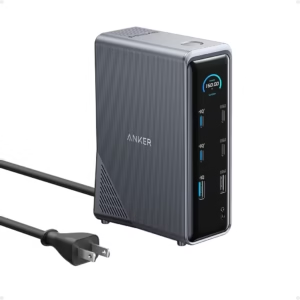
Remote workers who connect multiple devices may eventually need additional ports instead of several separate adapters. In that situation, a USB-C docking station can simplify cable management while reducing desktop clutter.
Create a Distraction-Free Environment
A distraction-free workspace helps maintain concentration and improves productivity. The perfect home office on a budget should reduce unnecessary interruptions while keeping essential work materials within easy reach.
Start by removing unrelated items from the desk. Keeping only frequently used equipment nearby creates a cleaner environment that supports focused work sessions and reduces visual distractions.
Background noise should also be managed whenever possible. Closing doors, using soft furnishings to absorb sound, or scheduling focused work during quieter hours can improve concentration without increasing your budget.
A reliable internet connection also supports uninterrupted work, especially during cloud collaboration and video conferencing. If slow connectivity becomes a recurring issue, upgrading to a better Wi-Fi router for remote work may provide more noticeable productivity improvements than buying additional desk accessories.
How to Prioritize Your Home Office Budget
Prioritizing your budget ensures every dollar contributes to a more functional workspace. Instead of purchasing everything immediately, focus on improvements that directly affect comfort, efficiency, and daily productivity. Building a home office gradually often results in better long-term value than making impulse purchases.
Spend More on Comfort
Comfort should receive the largest share of your budget because poor ergonomics can affect health and productivity over time. Investing first in supportive seating and an appropriate desk height often delivers greater benefits than decorative accessories.
Long work sessions become easier when your body remains properly supported. Additionally, reducing physical discomfort allows you to maintain focus without taking frequent breaks caused by neck, shoulder, or back strain.
Reuse What You Already Own
Reusing existing furniture and equipment is one of the easiest ways to build the perfect home office on a budget. Many dining tables, bookshelves, lamps, and storage units can serve as temporary office furniture until future upgrades become necessary.
Look around your home before shopping. A sturdy table, adjustable chair, or unused storage cabinet may already meet your immediate needs while allowing your budget to cover higher-priority improvements later.
Buy Only What Improves Productivity
Every purchase should solve a specific problem instead of simply filling space. A budget home office becomes more effective when each item supports your daily workflow rather than following popular setup trends.
For example, someone who spends hours typing each day may benefit more from upgrading input devices than purchasing decorative desk accessories. Choosing the right wireless keyboard or a comfortable productivity mouse can improve efficiency during long work sessions.
Similarly, professionals who regularly multitask may gain more value from an additional display. Exploring different home office monitor options helps determine whether expanding screen space would improve your workflow.
Upgrade Over Time
Building the perfect home office on a budget is usually an ongoing process rather than a one-time project. Gradual upgrades allow you to identify genuine needs before spending additional money.
Start with the essentials and monitor how your workspace performs over several weeks. Consequently, future purchases become easier to prioritize because they address real limitations instead of assumptions.
As your work requirements evolve, you may eventually add better internet equipment, a printer, improved lighting, or enhanced video conferencing tools. Planning upgrades in stages keeps spending manageable while ensuring every addition contributes meaningful value to your workspace.
Common Home Office Setup Mistakes to Avoid
A budget home office can still deliver excellent comfort and productivity if you avoid common planning mistakes. Most problems occur because people buy equipment before understanding how they work, how much space they have, or what they actually need each day.
Avoiding these mistakes saves money, reduces frustration, and creates a workspace that remains comfortable as your workload grows. Additionally, making small adjustments early is usually less expensive than replacing furniture or reorganizing an entire room later.
Buying Before Planning
Buying equipment before planning the workspace often leads to wasted money. The perfect home office on a budget should begin with measuring the available space, identifying daily work requirements, and setting spending priorities before any purchases are made.
For example, a large desk may not leave enough room for comfortable movement, while unnecessary accessories can consume a limited budget that would have been better spent elsewhere. Planning first helps every purchase serve a clear purpose.
Ignoring Ergonomics
Ignoring ergonomics can reduce productivity and increase physical discomfort over time. An affordable home office should support healthy posture by keeping the monitor at eye level, the keyboard within easy reach, and the chair adjusted to support the lower back.
According to the Occupational Safety and Health Administration (OSHA), proper workstation positioning helps reduce the risk of musculoskeletal strain during computer work. Even simple adjustments to desk height, monitor placement, and seating can make a noticeable difference.
Choosing Style Over Function
A modern-looking workspace is appealing, but functionality should always come first. Choosing furniture or accessories based only on appearance may create an attractive office that becomes uncomfortable during long working hours.
Instead, focus on practical features such as stability, comfort, storage, lighting, and ease of organization. A simple workspace that supports daily tasks will usually outperform a stylish setup that lacks functionality.
Overcrowding Your Workspace
An overcrowded workspace makes it harder to stay organized and focused. Every item placed on the desk should have a practical purpose because unnecessary accessories quickly consume valuable working space.
Keeping only frequently used equipment within reach creates a cleaner environment and makes daily work more efficient. Furthermore, regular decluttering helps maintain productivity as new equipment is added over time.
Frequently Asked Questions
How much should a budget home office cost?
A budget home office can cost anywhere from under $300 to around $1,000, depending on your work requirements and existing equipment. Most people can create a comfortable workspace by prioritizing essential furniture first and upgrading gradually as needs change.
Can I build a home office in a small room?
Yes. A small room, bedroom corner, or unused space can become an effective home office with thoughtful planning. Choosing compact furniture, maximizing natural light, and keeping the workspace organized helps even limited areas remain productive and comfortable.
What should I buy first for a home office?
Start with the items that directly affect your daily work, such as a reliable computer, a suitable desk, and a comfortable chair. After those essentials are in place, consider upgrading accessories based on how you work each day. If you’re replacing your computer, comparing the best laptops for working from home can help you make a cost-effective decision.
How do I make my workspace more comfortable?
The easiest way to improve comfort is by adjusting your chair, monitor, keyboard, and lighting to support good posture. Small ergonomic improvements often provide greater benefits than purchasing additional accessories, especially when working for several hours each day.
Is natural lighting better than artificial lighting?
Yes. Natural lighting generally reduces eye strain and creates a more pleasant working environment. However, balanced artificial lighting remains important during evenings or cloudy days, so combining both light sources usually provides the best results.
How can I improve productivity while working from home?
Productivity improves when your home office remains organized, comfortable, and free from distractions. Creating a dedicated workspace, maintaining reliable internet access, scheduling focused work periods, and keeping only essential items on your desk all contribute to better daily performance.
Final Thought
Learning how to set up the perfect home office on a budget is about making thoughtful decisions rather than spending as much as possible. A well-planned workspace supports productivity, protects your health, and adapts as your work evolves without placing unnecessary pressure on your budget.
Start with the available space, invest in comfort where it matters most, and improve your setup one step at a time. As your needs grow, adding the right accessories, networking equipment, or workspace upgrades becomes much easier because the foundation has already been planned carefully.
Finally, maintaining an organized workspace is just as important as choosing the right equipment. Reviewing your setup regularly and making small improvements will help your budget home office remain comfortable, efficient, and ready for years of productive remote work.
Related Articles

5 Best Student Laptops of 2026: Top Picks for Every Budget
February 22, 2026