A wireless keyboard for working from home improves comfort, reduces cable clutter, and makes long typing sessions more efficient. This guide compares the best wireless keyboards for working from home based on ergonomics, typing experience, battery life, wireless reliability, and overall value so you can choose the right model for your workspace.
Choosing the best wireless keyboard for working from home is only one part of building an efficient desk setup. A practical home office essentials checklist helps ensure every accessory works together, while a well-planned workspace improves comfort and productivity throughout the day.
What Is the Best Wireless Keyboard for Working From Home?
The Logitech Wave Keys Wireless Ergonomic Keyboard is the best wireless keyboard for working from home because it combines excellent typing comfort, an ergonomic wave-shaped layout, reliable wireless connectivity, and long-term comfort for people who spend several hours at a desk. Additionally, the other recommended keyboards excel in specific areas such as affordability, quiet typing, portability, and overall value.
Every wireless keyboard in this guide was selected based on practical home office needs rather than marketing features alone. Factors such as typing comfort, battery life, build quality, wireless stability, compatibility with Windows and macOS, and overall user experience were prioritized because these qualities directly affect daily productivity.
Our Top Wireless Keyboard Picks for Working From Home
These are the five wireless keyboards that stood out during our evaluation based on typing comfort, ergonomics, wireless reliability, battery life, build quality, compatibility, and overall value. Whether you need an ergonomic keyboard for all-day typing, a budget-friendly office keyboard, or a quiet model for video meetings, these recommendations cover the best options for most home office setups.
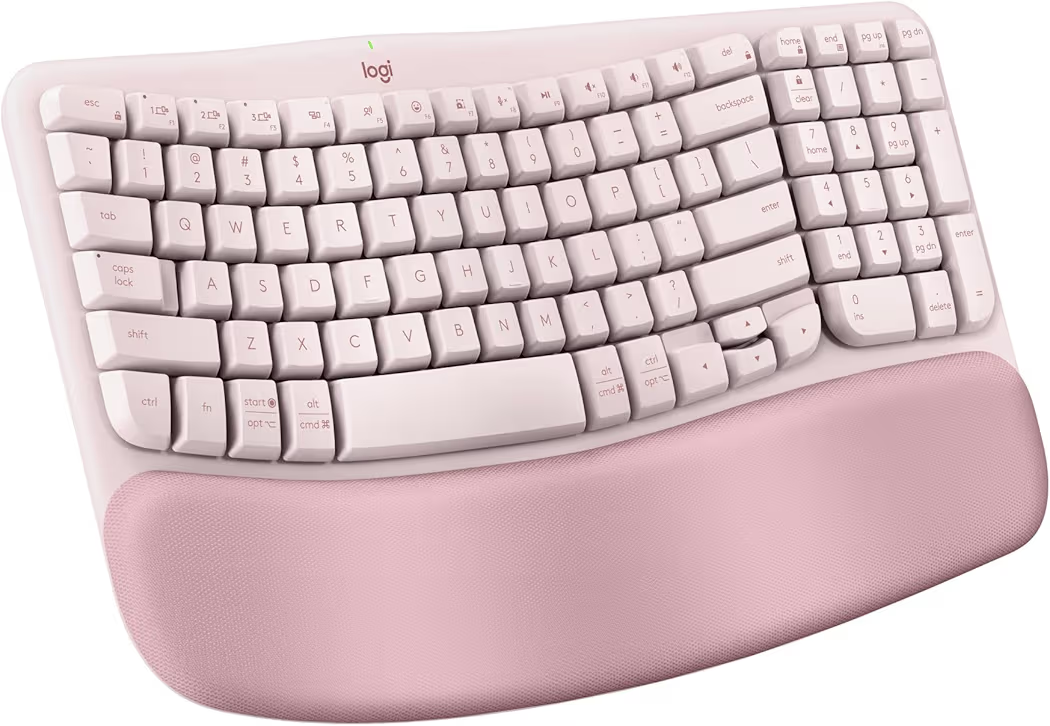
Logitech Wave Keys Wireless Ergonomic Keyboard — Best Overall
Why we picked it: Delivers the best combination of ergonomic comfort, wireless flexibility, and typing experience for professionals working from home every day.
 Click image to enlarge
|
From $69.99
|
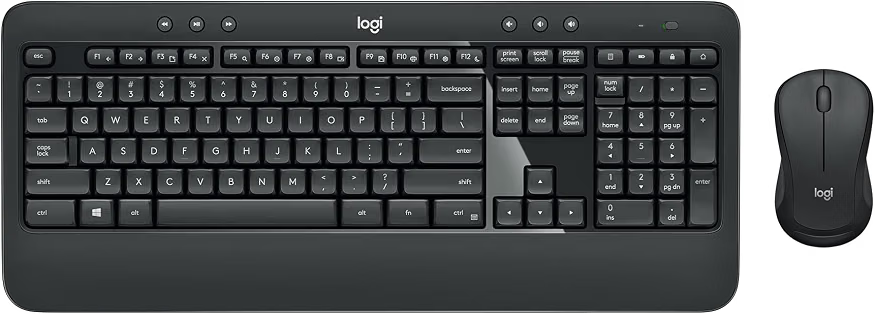
Logitech MK540 Advanced Wireless Keyboard & Mouse Combo — Best Value
Why we picked it: Offers a comfortable full-size keyboard, dependable wireless performance, and an included mouse at a price that represents excellent overall value.
 Click image to enlarge
|
From $39.99
|
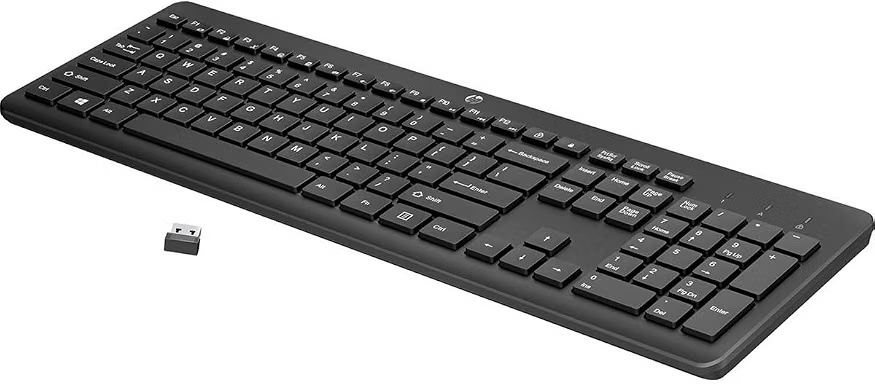
HP 230 Wireless Keyboard — Best Budget
Why we picked it: Combines a full-size layout, quiet low-profile keys, and dependable wireless performance at one of the lowest prices in this guide.
 Click image to enlarge
|
From $18.99
|
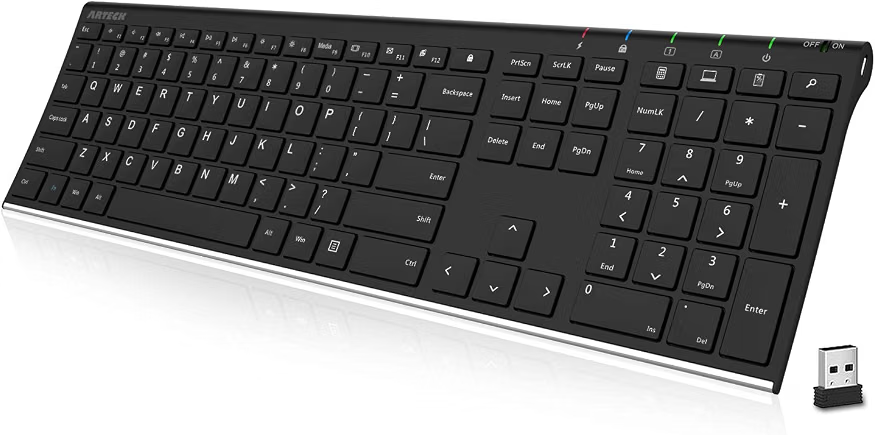
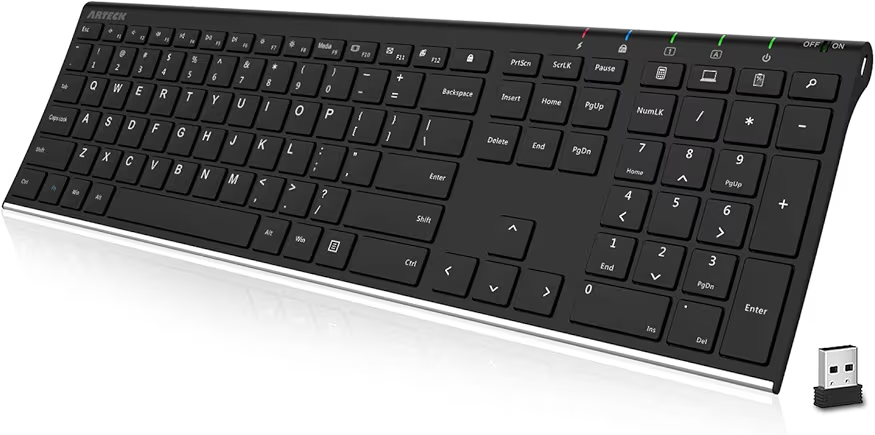
Arteck 2.4G Wireless Keyboard — Best Slim Design
Why we picked it: A sleek stainless steel keyboard with a rechargeable battery that saves desk space while providing a comfortable typing experience.
 Click image to enlarge
|
From $30.59
|
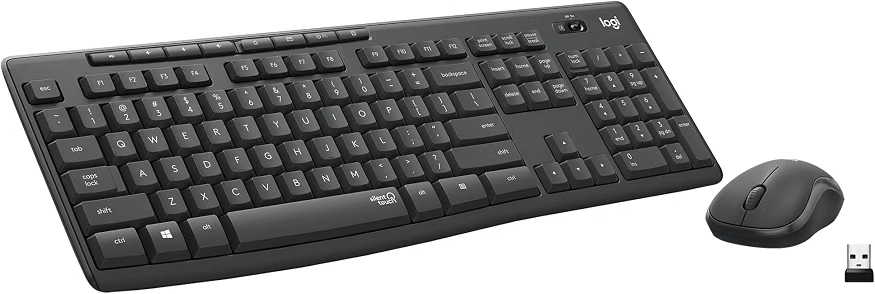
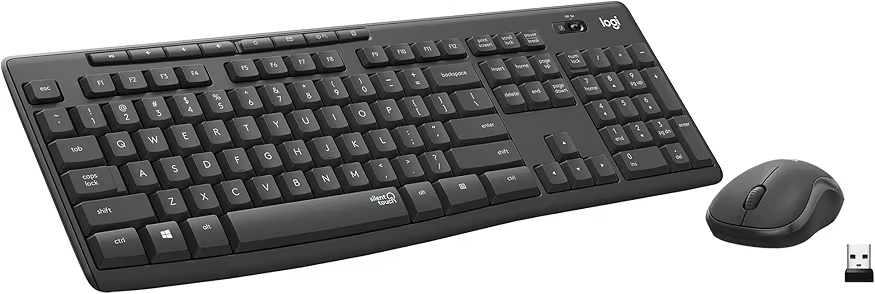
Logitech MK295 Wireless Keyboard & Mouse Combo — Best Quiet Keyboard
Why we picked it: SilentTouch technology dramatically reduces typing noise, making it ideal for shared workspaces and frequent video meetings.
 Click image to enlarge
|
Price varies
|
Prices may change over time. We may earn a commission if you purchase through our links, at no extra cost to you.
Each wireless keyboard serves a different type of remote worker. For example, the Logitech Wave Keys Wireless Ergonomic Keyboard suits professionals who type all day, while the HP 230 Wireless Keyboard offers excellent value for everyday office work. Meanwhile, users building a complete workstation may also benefit from selecting a matching wireless mouse that complements their keyboard.
Quick Comparison Table
| Product | Best For | Amazon | Connectivity | Battery | Numeric Keypad | Ergonomic Design | Multi-Device Support | Noise Level | Approx. Price |
|---|---|---|---|---|---|---|---|---|---|
| Logitech Wave Keys Wireless Ergonomic Keyboard | Overall Productivity | Check Price | Bluetooth + Logi Bolt | Long-lasting | Yes | Excellent | Yes | Very Quiet | $69.99 |
| Logitech MK540 Advanced Wireless Keyboard & Mouse Combo | Best Value | Check Price | 2.4GHz USB Receiver | Up to 3 Years | Yes | Good | No | Quiet | $39.99 |
| HP 230 Wireless Keyboard | Budget Buyers | Check Price | 2.4GHz USB Receiver | Long-lasting | Yes | Basic | No | Quiet | $18.99 |
| Arteck 2.4G Wireless Keyboard | Slim Desk Setups | Check Price | 2.4GHz USB Receiver | Rechargeable | Yes | Good | No | Quiet | $30.59 |
| Logitech MK295 Wireless Keyboard & Mouse Combo | Quiet Offices | Check Price | 2.4GHz USB Receiver | Long-lasting | Yes | Good | No | SilentTouch | Varies |
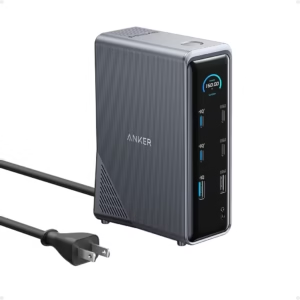
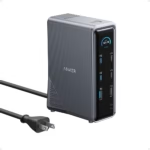
The comparison table highlights the strengths of each wireless keyboard so you can quickly narrow down the best option. If your workstation also includes multiple displays or several USB accessories, planning your setup alongside a USB-C docking station can improve both cable management and everyday workflow.
Best Wireless Keyboards for Working From Home
Best Overall: Logitech Wave Keys Wireless Ergonomic Keyboard
List Price: Around $69.99
Why We Recommend It
The Logitech Wave Keys Wireless Ergonomic Keyboard is the best wireless keyboard for working from home because it prioritizes long-term comfort without sacrificing productivity. The ergonomic wave-shaped layout and cushioned palm rest help maintain a more natural hand position, making the keyboard ideal for professionals who type for several hours every day.
Key Features
- Ergonomic wave-shaped keyboard layout
- Integrated cushioned palm rest
- Bluetooth and Logi Bolt wireless connectivity
- Easy-Switch support for multiple devices
- Compatible with Windows and macOS
- Compact layout that keeps the mouse closer to your body
| Pros | Cons |
|---|---|
|
|
During long writing sessions, the Logitech Wave Keys Wireless Ergonomic Keyboard helps reduce wrist strain because the curved key layout encourages a more relaxed typing position. Additionally, switching between a work laptop and a personal computer is simple with the Easy-Switch feature, making the keyboard practical for hybrid work environments.
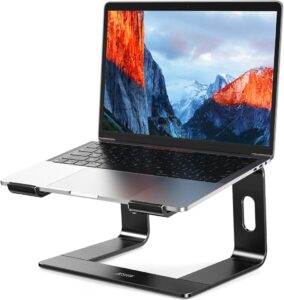
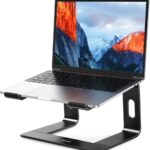
The Logitech Wave Keys Wireless Ergonomic Keyboard is best for writers, programmers, accountants, and remote workers who value comfort more than gaming features. Pairing an ergonomic keyboard with a proper laptop stand can further improve posture and reduce neck strain throughout the workday.
Best Value: Logitech MK540 Advanced Wireless Keyboard & Mouse Combo
List Price: Around $39.99
Why We Recommend It
The Logitech MK540 Advanced Wireless Keyboard & Mouse Combo delivers excellent value by combining a comfortable full-size keyboard with a dependable wireless mouse. The familiar key layout and long battery life make the combo suitable for home offices that need reliable performance without spending premium prices.
Key Features
- Full-size keyboard with numeric keypad
- Wireless mouse included
- Dedicated multimedia shortcut keys
- 2.4GHz USB receiver
- Long battery life
- Comfortable key travel
| Pros | Cons |
|---|---|
|
|
The Logitech MK540 Advanced Wireless Keyboard & Mouse Combo feels familiar from the first day because the full-size layout requires almost no adjustment. Furthermore, the included mouse creates a consistent desktop setup for users upgrading from wired accessories.
The Logitech MK540 Advanced Wireless Keyboard & Mouse Combo is an excellent choice for students, office workers, and anyone replacing an older keyboard and mouse together. Users shopping for a complete workstation should also consider a high-productivity wireless mouse if they prefer purchasing accessories separately.
Best Budget: HP 230 Wireless Keyboard
List Price: Around $18.99
Why We Recommend It
The HP 230 Wireless Keyboard offers dependable everyday performance at an affordable price. The slim design, quiet keys, and full-size layout make the keyboard suitable for remote workers who need a reliable office keyboard without paying for advanced ergonomic features.
Key Features
- Low-profile quiet keys
- Full-size layout with numeric keypad
- Wireless USB receiver
- Long battery life
- Windows and Mac compatibility
- Slim, lightweight design
| Pros | Cons |
|---|---|
|
|
The HP 230 Wireless Keyboard performs well for email, spreadsheets, online meetings, and document editing. As a result, the keyboard suits users who want dependable wireless performance without paying for features they may never use.
Best Slim Design: Arteck 2.4G Wireless Keyboard
List Price: Around $30.59
Why We Recommend It
The Arteck 2.4G Wireless Keyboard stands out for its slim stainless-steel construction and rechargeable battery. The keyboard fits modern minimalist desks while remaining comfortable enough for everyday office work.
Key Features
- Rechargeable battery
- Ultra-slim stainless-steel body
- Full-size layout
- Numeric keypad
- Quiet membrane keys
- Plug-and-play USB receiver
| Pros | Cons |
|---|---|
|
|
The Arteck 2.4G Wireless Keyboard is easy to move between desks because of its lightweight design. Additionally, the rechargeable battery eliminates the need to replace disposable batteries, making long-term ownership more convenient.
Best Quiet Keyboard: Logitech MK295 Wireless Keyboard & Mouse Combo
List Price: Price varies by retailer.
Why We Recommend It
The Logitech MK295 Wireless Keyboard & Mouse Combo is designed for quieter workspaces thanks to SilentTouch technology, which significantly reduces typing and clicking noise. The keyboard is an excellent choice for shared home offices and frequent video meetings where quieter input devices help minimize distractions.
Key Features
- SilentTouch technology
- Full-size keyboard with number pad
- Wireless mouse included
- Reliable 2.4GHz wireless connection
- Spill-resistant design
- Long battery life
| Pros | Cons |
|---|---|
|
|
The Logitech MK295 Wireless Keyboard & Mouse Combo keeps background noise low during conference calls and virtual meetings. Consequently, colleagues are less likely to hear keystrokes through your microphone, making the keyboard well suited for remote professionals who spend much of the day on Zoom or Microsoft Teams.
How to Choose the Best Wireless Keyboard for Working From Home
The best wireless keyboard for working from home depends on how long you type each day, the devices you use, and the level of comfort you need. Focusing on ergonomics, connectivity, battery life, and typing experience helps you choose a keyboard that improves productivity rather than simply adding another accessory to your desk.
Choose the Right Layout and Typing Comfort
A wireless keyboard should match the way you work. Full-size keyboards are ideal for accounting, spreadsheets, and data entry because they include a numeric keypad. Meanwhile, compact keyboards save desk space and allow your mouse to stay closer, reducing shoulder movement during long work sessions.
Typing comfort matters more than appearance if you spend several hours at your desk. Ergonomic layouts, low-profile keys, and cushioned palm rests help reduce wrist fatigue and encourage a more natural hand position. Additionally, pairing your keyboard with a proper laptop stand creates a more comfortable workstation by improving screen height and posture.
Bluetooth vs. 2.4 GHz Wireless Connectivity
Bluetooth and 2.4 GHz wireless connections are both reliable, but each suits different users. Bluetooth works well for laptops, tablets, and multi-device setups because it eliminates the need for a USB receiver. In contrast, a 2.4 GHz USB receiver often provides a stable plug-and-play connection for desktop computers.
Many premium wireless keyboards support both connection methods, allowing you to switch between devices with a single button. For example, the Logitech Wave Keys Wireless Ergonomic Keyboard supports Bluetooth and Logi Bolt, making it convenient for users who regularly move between work and personal devices.
Battery Life, Ergonomics, and Quiet Keys
Long battery life reduces interruptions and maintenance. Many wireless keyboards operate for several months or even years on replaceable batteries, while rechargeable models eliminate the recurring cost of disposable batteries.
Ergonomics should remain a priority for anyone working from home full time. Features such as wrist rests, curved key layouts, and low-profile keys help reduce fatigue during extended typing sessions. Furthermore, quiet keys make a noticeable difference during video conferences because microphones are less likely to pick up distracting typing sounds.
Features Worth Paying Extra For
Some premium features genuinely improve daily productivity. Multi-device switching, programmable shortcut keys, backlit keys, and rechargeable batteries offer practical benefits for professionals who spend most of their workday at a keyboard.
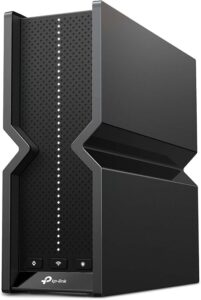
A complete home office includes more than just a wireless keyboard. For example, a reliable Wi-Fi 7 router keeps video calls stable, while a quality webcam improves virtual meetings. If your laptop has limited ports, a USB-C docking station makes it easier to connect a keyboard, monitor, storage devices, and other accessories through a single connection.
Frequently Asked Questions
What is the best wireless keyboard for working from home?
The Logitech Wave Keys Wireless Ergonomic Keyboard is the best wireless keyboard for working from home because it combines ergonomic comfort, reliable wireless connectivity, and excellent typing performance. However, the best choice still depends on your budget, preferred layout, and whether you need features such as multi-device support or an included mouse.
Are ergonomic keyboards worth buying?
Yes, ergonomic keyboards are worth buying if you type for several hours each day. Ergonomic designs help position your hands and wrists more naturally, which may reduce fatigue during long work sessions. Choosing an ergonomic keyboard becomes even more beneficial when combined with a properly adjusted desk and monitor.
Is Bluetooth better than a USB wireless receiver?
Bluetooth is better for users who frequently switch between laptops, tablets, and multiple devices because it eliminates the need for a receiver. A USB wireless receiver is often the better choice for desktop computers because it provides a simple and reliable plug-and-play connection with minimal setup.
Should I buy a keyboard and mouse combo?
Yes, a keyboard and mouse combo offers good value if you need both accessories. Matching peripherals usually share the same wireless receiver, reduce setup time, and create a consistent user experience. Purchasing separate devices makes more sense when you want specialized features or different brands.
How long should a wireless keyboard battery last?
A quality wireless keyboard battery should last several months under normal office use, while some models continue working for years before needing replacement batteries. Rechargeable keyboards vary depending on usage, backlighting, and wireless technology, so checking the manufacturer’s battery estimate remains worthwhile before purchasing.
Which wireless keyboard is best for typing all day?
The Logitech Wave Keys Wireless Ergonomic Keyboard is one of the best choices for all-day typing because its wave-shaped layout and integrated palm rest improve comfort during extended work sessions. Users who prefer a traditional full-size keyboard can also consider the Logitech MK540 Advanced Wireless Keyboard & Mouse Combo for its comfortable key travel and familiar layout.
Final Thought
The best wireless keyboard for working from home is the one that fits your workflow rather than simply offering the most features. The Logitech Wave Keys Wireless Ergonomic Keyboard is the strongest overall recommendation for comfort, the Logitech MK540 Advanced Wireless Keyboard & Mouse Combo provides outstanding value, the HP 230 Wireless Keyboard is ideal for budget-conscious buyers, the Arteck 2.4G Wireless Keyboard suits minimalist desk setups, and the Logitech MK295 Wireless Keyboard & Mouse Combo is the top choice for quieter workspaces.
A productive home office combines the right keyboard with reliable accessories that support everyday work. Choosing compatible equipment, maintaining good posture, and investing in quality peripherals can improve comfort and efficiency for years. If you’re still building your workspace, reviewing a home office essentials checklist and exploring a laptop for remote work can help you create a setup that matches your needs without overspending.