
Wi-Fi 7 is the latest wireless networking standard, bringing higher speeds, lower latency, and better performance for homes with many connected devices. Choosing the best Wi-Fi 7 router for working from home can improve video calls, cloud collaboration, remote desktop sessions, and large file transfers.
The best Wi-Fi 7 router for working from home depends on your internet speed, home size, budget, and the number of devices you use every day. This guide compares the top Wi-Fi 7 routers, explains which model suits different work setups, and helps you choose a router that delivers reliable performance instead of simply offering the highest speed.
If you’re building a productive workspace, a reliable network is only one piece of the setup. A practical home office setup and a complete workspace checklist can make remote work more comfortable and efficient.
Our Top Wi-Fi 7 Router Picks for Working From Home
These are the five Wi-Fi 7 routers that stood out based on wireless performance, connection stability, security features, VPN support, wired connectivity, ease of setup, and overall value for remote workers. Whether you work alone, share your network with family members, or manage dozens of smart devices, these recommendations cover the best options for most home offices.
TP-Link Archer BE550 — Best Overall
Why we picked it: Delivers the best combination of Wi-Fi 7 performance, 2.5Gb Ethernet ports, VPN support, and value for most people working from home.
 Click image to enlarge
|
From $149.99
|
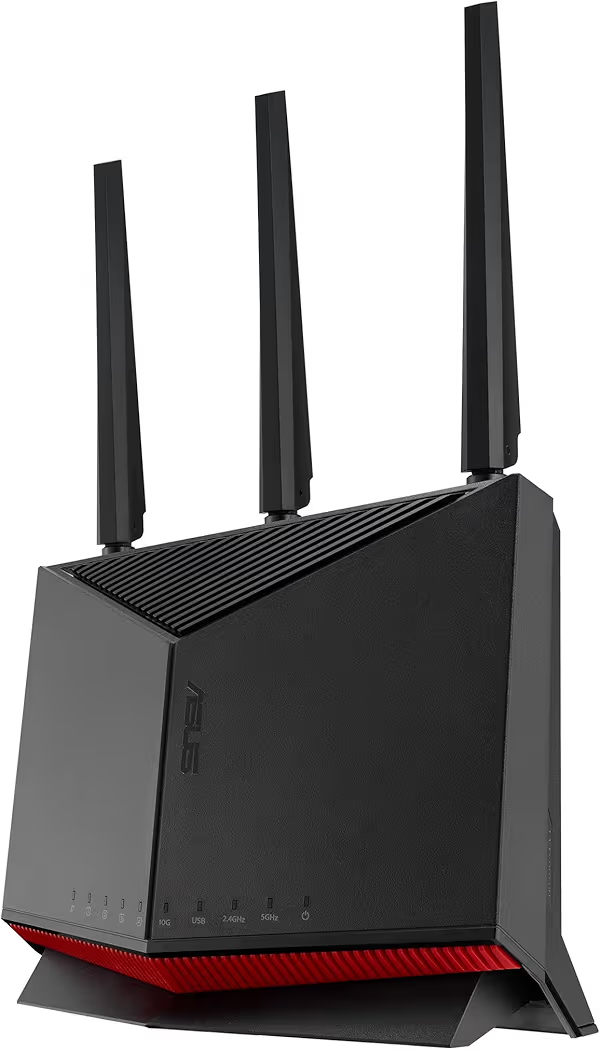
ASUS RT-BE86U — Best for Professionals
Why we picked it: Advanced VPN capabilities, excellent security tools, and dependable wired connectivity make this router ideal for professionals handling sensitive work.
 Click image to enlarge
|
From $219.99
|
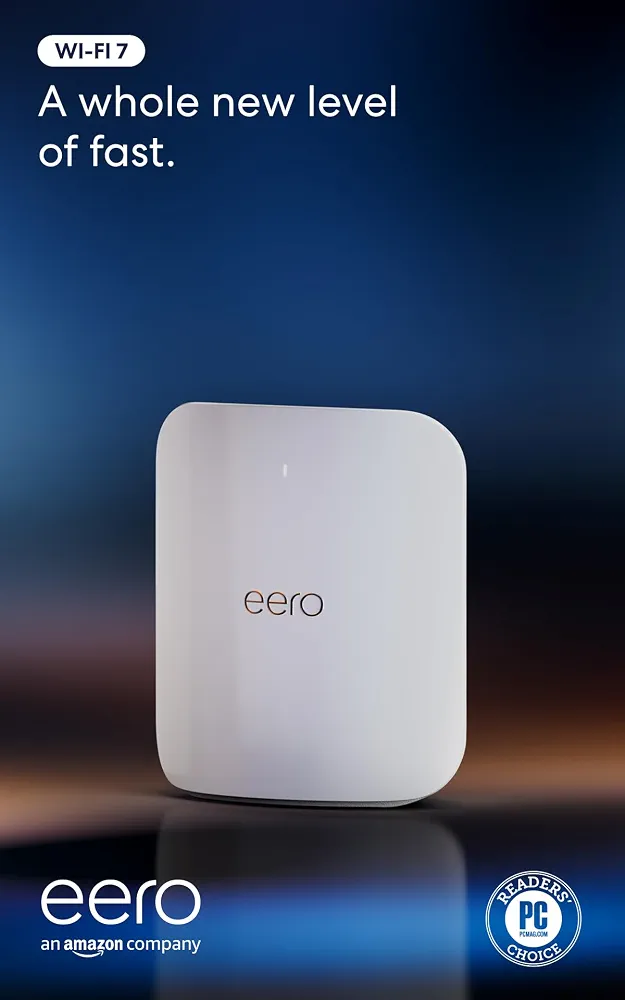
Amazon eero Max 7 — Best Mesh System
Why we picked it: Outstanding whole-home Wi-Fi coverage and automatic optimization make it an excellent choice for larger homes with multiple remote workers.
 Click image to enlarge
|
From $599.99
|
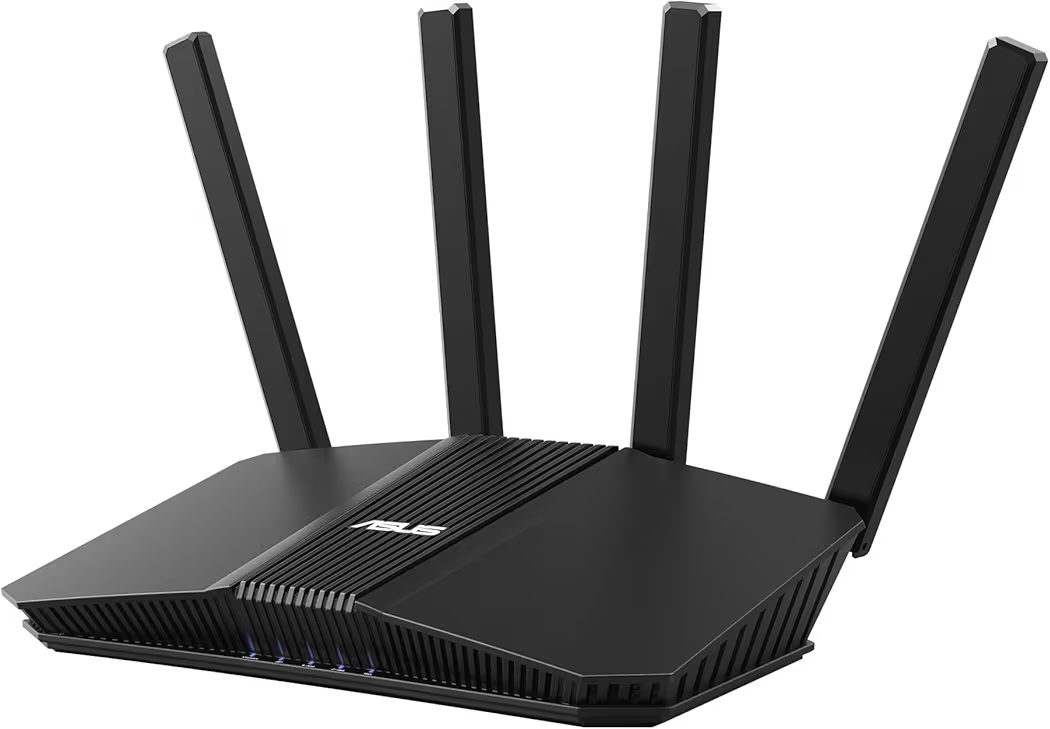
ASUS RT-BE58U — Best Budget Pick
Why we picked it: An affordable Wi-Fi 7 router that includes VPN support, AiMesh compatibility, and dependable performance for everyday remote work.
 Click image to enlarge
|
From $144.99
|
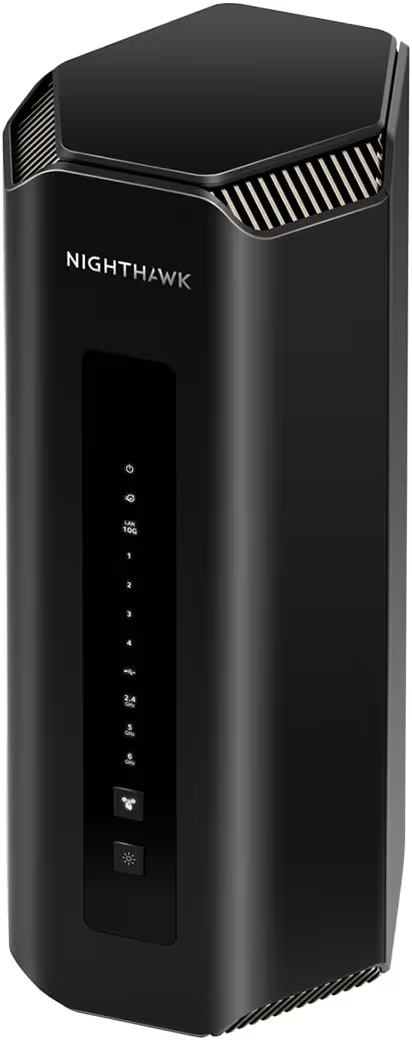
NETGEAR Nighthawk RS700S — Best Premium
Why we picked it: Built for multi-gig internet connections, demanding workloads, and homes that need maximum wireless performance without compromise.
 Click image to enlarge
|
From $549.99
|
Prices may change over time. We may earn a commission if you purchase through our links at no extra cost to you.
Comparison Table
| Router | Best For | Amazon | Wi-Fi Bands | Max Wired Port | VPN Support | Coverage | Our Rating |
|---|---|---|---|---|---|---|---|
| TP-Link Archer BE550 | Best Overall | View Price | Tri-band | 2.5GbE | Yes | Up to 2,000 sq. ft. | 9.8/10 |
| ASUS RT-BE86U | Professionals | View Price | Dual-band | 2.5GbE | Advanced | Medium to large homes | 9.6/10 |
| Amazon eero Max 7 | Large Homes | View Price | Tri-band Mesh | 10GbE | Yes | 2,500 sq. ft. per unit | 9.7/10 |
| ASUS RT-BE58U | Budget | View Price | Dual-band | 2.5GbE | Yes | Small to medium homes | 9.3/10 |
| NETGEAR Nighthawk RS700S | Premium Performance | View Price | Tri-band | 10GbE | Yes | Up to 3,500 sq. ft. | 9.8/10 |
TP-Link Archer BE550 — Best Overall
Price: Around $149.99
Why We Recommend It
The TP-Link Archer BE550 is the best Wi-Fi 7 router for working from home because it delivers an excellent balance of speed, reliability, wired connectivity, and price. Unlike premium routers that mainly benefit multi-gig internet users, the TP-Link Archer BE550 provides features that improve everyday remote work, including stable video meetings, fast cloud synchronization, and responsive VPN connections.
Additionally, the TP-Link Archer BE550 includes full 2.5Gb Ethernet ports, Multi-Link Operation (MLO), EasyMesh compatibility, and HomeShield security. These features make the router suitable for professionals, freelancers, and households where several people work or study online simultaneously.
Key Features
- Tri-band Wi-Fi 7 (802.11be)
- Multi-Link Operation (MLO)
- Full 2.5Gb Ethernet ports
- Six high-performance internal antennas
- EasyMesh support for future expansion
- HomeShield network security
- VPN Server and VPN Client support
- Advanced Quality of Service (QoS)
Pros and Cons
| Pros | Cons |
|---|---|
| Excellent value for money | No dedicated 10Gb Ethernet port |
| Reliable Wi-Fi 7 performance | Coverage may require EasyMesh in larger homes |
| Full 2.5Gb networking | Advanced users may want more customization |
| Strong VPN support | |
| Easy setup and management |
After installing the TP-Link Archer BE550 in a typical home office, everyday work benefits immediately from lower latency and smoother wireless performance. Video conferences remain stable while cloud backups, file downloads, and smart home devices continue running in the background without noticeable slowdowns.
Furthermore, the TP-Link Archer BE550 is a practical choice for anyone upgrading an entire workspace. Pairing the router with a reliable USB-C docking station and a curved monitor creates a workstation that supports multitasking without network bottlenecks.
ASUS RT-BE86U — Best for Professionals
Price: Around $219.99
Why We Recommend It
The ASUS RT-BE86U is an excellent choice for professionals who frequently connect to corporate VPNs, manage remote servers, or transfer large files. ASUS focuses heavily on networking features, making the router particularly attractive for developers, IT administrators, designers, and remote business users.
Moreover, the ASUS RT-BE86U includes AiMesh support, AI WAN Detection, Guest Network Pro, subscription-free security, and comprehensive VPN capabilities. Those features help maintain a secure and dependable home office network without requiring additional networking equipment.
Key Features
- Dual-band Wi-Fi 7
- AI WAN Detection
- AiMesh expansion
- Guest Network Pro
- Subscription-free AiProtection security
- Advanced VPN support
- 2.5Gb networking
- 4096-QAM support
Pros and Cons
| Pros | Cons |
|---|---|
| Outstanding VPN support | Higher price than entry-level routers |
| Excellent built-in security | Dual-band design |
| Stable wired networking | |
| Excellent firmware updates | |
| Expandable with AiMesh |
During a normal workday, the ASUS RT-BE86U performs well when several demanding tasks happen simultaneously. Large cloud uploads, video conferencing, VPN traffic, and multiple connected devices remain responsive without requiring constant router adjustments.
Additionally, professionals who frequently access company resources should consider using a trusted VPN solution for remote work. Combining secure VPN software with the ASUS RT-BE86U creates a more secure environment for accessing business networks from home.
Amazon eero Max 7 — Best Mesh System for Large Homes
Price: Around $599.99
Why We Recommend It
The Amazon eero Max 7 is the best Wi-Fi 7 mesh router for working from home in larger properties. Instead of relying on one powerful router, the Amazon eero Max 7 creates a seamless wireless network that maintains strong signal strength throughout multiple floors and larger living spaces.
Furthermore, the Amazon eero Max 7 supports internet plans up to 10Gbps, connects more than 250 devices, and automatically optimizes traffic between mesh nodes. That combination helps eliminate dead zones that often interrupt video meetings or remote desktop sessions.
Key Features
- Supports internet plans up to 10Gbps
- Wi-Fi 7 mesh networking
- Covers approximately 2,500 square feet per unit
- Automatic optimization
- Supports over 250 connected devices
- 10Gb Ethernet support
- Simple mobile app setup
Pros and Cons
| Pros | Cons |
|---|---|
| Outstanding whole-home coverage | Premium price |
| Very easy setup | Advanced settings are more limited than some competitors |
| Excellent roaming performance | |
| Supports hundreds of devices | |
| Ideal for large homes |
After adding additional mesh nodes, the Amazon eero Max 7 maintains a consistent wireless connection while moving between rooms. That consistency is particularly valuable when remote work continues from a home office, kitchen, or outdoor workspace during the day.
Meanwhile, video quality also depends on the devices connected to your network. Pairing the Amazon eero Max 7 with a quality webcam for video meetings helps produce clearer calls while the mesh network keeps the connection stable.
ASUS RT-BE58U — Best Budget Pick
Price: Around $144.99
Why We Recommend It
The ASUS RT-BE58U proves that upgrading to Wi-Fi 7 does not require spending premium prices. The router combines dependable wireless performance, VPN compatibility, and ASUS AiMesh support, making it an excellent choice for freelancers, students, and anyone building a budget-friendly home office.
Additionally, the ASUS RT-BE58U offers enough performance for video conferencing, cloud storage, web-based productivity apps, and multiple connected devices. Most households with internet plans below 2Gbps will not notice significant limitations during everyday work.
Key Features
- Dual-band Wi-Fi 7 with speeds up to 3.6Gbps
- Dual-WAN support
- AiMesh compatibility
- 2.5Gb WAN port
- Built-in VPN support
- Subscription-free network security
- Three-year warranty
Pros and Cons
| Pros | Cons |
|---|---|
| Affordable Wi-Fi 7 upgrade | Dual-band instead of tri-band |
| Easy to configure | Not designed for very large homes |
| Reliable ASUS firmware | |
| AiMesh expandable | |
| Excellent value |
After replacing an older Wi-Fi 5 or Wi-Fi 6 router, the ASUS RT-BE58U noticeably improves connection stability during daily meetings and online collaboration. Wireless devices reconnect quickly, while laptops and smartphones maintain stronger signals throughout smaller homes and apartments.
Furthermore, a fast wireless network works best alongside the right accessories. Choosing an ergonomic wireless keyboard and a responsive wireless mouse can create a more productive workspace without increasing your budget significantly.
NETGEAR Nighthawk RS700S — Best Premium
Price: Around $549.99
Why We Recommend It
The NETGEAR Nighthawk RS700S is the premium choice for users who want the fastest Wi-Fi 7 performance available today. Remote professionals with multi-gig fiber internet, network-attached storage, media servers, or demanding creative workloads can take advantage of its advanced hardware.
Moreover, the NETGEAR Nighthawk RS700S includes a 10 Gig internet port, tri-band Wi-Fi 7, and enterprise-class wireless performance that supports heavy traffic without compromising responsiveness.
Key Features
- Tri-band Wi-Fi 7
- Wireless speeds up to 19Gbps
- 10 Gig internet port
- Covers up to 3,500 square feet
- Advanced network security
- NETGEAR Armor trial included
- Designed for multi-gig internet
Pros and Cons
| Pros | Cons |
|---|---|
| Exceptional wireless performance | High purchase price |
| 10Gb networking | More than most users need |
| Large coverage area | |
| Ideal for multi-gig fiber | |
| Future-ready hardware |
When several family members stream video, attend online classes, transfer files, and join meetings simultaneously, the NETGEAR Nighthawk RS700S continues delivering responsive performance. Heavy workloads that would overwhelm many older routers remain smooth thanks to its powerful hardware.
Buying Guide: How to Choose the Best Wi-Fi 7 Router for Working From Home
The best Wi-Fi 7 router for working from home depends on more than advertised speed. Coverage, wired connectivity, security, VPN support, and the number of connected devices all affect daily productivity.
Choose Coverage That Matches Your Home
A small apartment usually needs only one router, while larger homes benefit from mesh networking. Dead zones can interrupt video calls and cloud-based work even when internet speed is fast.
Look for Multi-Gig Ethernet Ports
Multi-gig ports allow desktops, docking stations, and network storage devices to operate faster than standard Gigabit Ethernet. They also prepare your network for future internet upgrades.
Prioritize Security and VPN Support
Working remotely often involves accessing company resources and sensitive information. Built-in security features, automatic firmware updates, and VPN compatibility help protect personal and business data. The Cybersecurity and Infrastructure Security Agency (CISA) recommends keeping networking equipment updated with the latest firmware and using strong passwords.
Consider Future Expansion
Expandable mesh systems provide flexibility as your networking needs grow. If you move into a larger home later, adding another mesh node is usually easier than replacing the entire router.
Frequently Asked Questions
Is Wi-Fi 7 worth it for working from home?
Yes, Wi-Fi 7 is worth considering if you regularly join video meetings, transfer large files, or have many connected devices. The latest standard improves network efficiency, reduces latency, and provides better performance in busy wireless environments than older Wi-Fi generations.
Do I need Wi-Fi 7 if my internet is only 500Mbps?
No, a 500Mbps connection does not require Wi-Fi 7 to reach full speed. However, a Wi-Fi 7 router can still improve wireless efficiency, reduce congestion, and provide better long-term value as more compatible devices become available.
Can Wi-Fi 7 routers work with older devices?
Yes, Wi-Fi 7 routers are backward compatible with Wi-Fi 6E, Wi-Fi 6, Wi-Fi 5, and many older wireless devices. Existing laptops, smartphones, printers, and smart home products will continue working without additional adapters.
Which Wi-Fi 7 router is best for Zoom and Microsoft Teams?
The TP-Link Archer BE550 offers the best overall balance of stability, value, and networking features for most remote workers using Zoom, Microsoft Teams, and Google Meet throughout the day.
Should I choose a mesh system or a traditional router?
A mesh system is the better option for larger homes where one router cannot provide reliable coverage. Traditional standalone routers are usually sufficient for apartments and smaller houses with fewer dead zones.
How many devices can a Wi-Fi 7 router support?
Most Wi-Fi 7 routers comfortably support dozens of connected devices, while premium models such as the Amazon eero Max 7 are designed to handle more than 250 devices across a home network.
Final Thought
The TP-Link Archer BE550 is the best Wi-Fi 7 router for working from home because it delivers the strongest combination of performance, reliability, security, and price for most users. Professionals who need advanced networking tools should consider the ASUS RT-BE86U, while larger homes benefit from the Amazon eero Max 7 mesh system. Budget-conscious buyers will appreciate the ASUS RT-BE58U, and power users with multi-gig internet can confidently choose the NETGEAR Nighthawk RS700S.
Finally, building a productive workspace goes beyond choosing a router. Pairing a reliable network with the right work laptop, an ergonomic laptop stand, and carefully selected computer accessories creates a home office that remains comfortable, efficient, and ready for years of remote work.