The best laptop for working from home under $800 should deliver fast everyday performance, reliable battery life, a comfortable keyboard, and a clear display without exceeding your budget. This guide compares the strongest options for remote work, explains why each laptop stands out, and helps you choose the right model based on how you work.
Besides comparing the best laptop for working from home under $800, this guide also explains the most important buying factors for remote workers. If you’re also planning a complete workspace, creating a comfortable home office on a budget can improve productivity without spending much more.
What Is the Best Laptop for Working From Home Under $800?
Quick answer: The HP 17 Inch Laptop for Business & Students is the best laptop for working from home under $800 because it combines an AMD Ryzen 5 processor, 20GB RAM, a 512GB SSD, and a large Full HD display. Additionally, the other two recommendations provide excellent value for buyers who prioritize either maximum performance or affordability.
Our Top Laptop Picks for Working From Home Under $800
These are the three laptops that stood out during our evaluation based on processor performance, multitasking capability, display quality, storage, battery life, and overall value for remote work. Whether you need a reliable business laptop, maximum performance for demanding workloads, or an affordable everyday work machine, these recommendations offer the best options under an $800 budget.
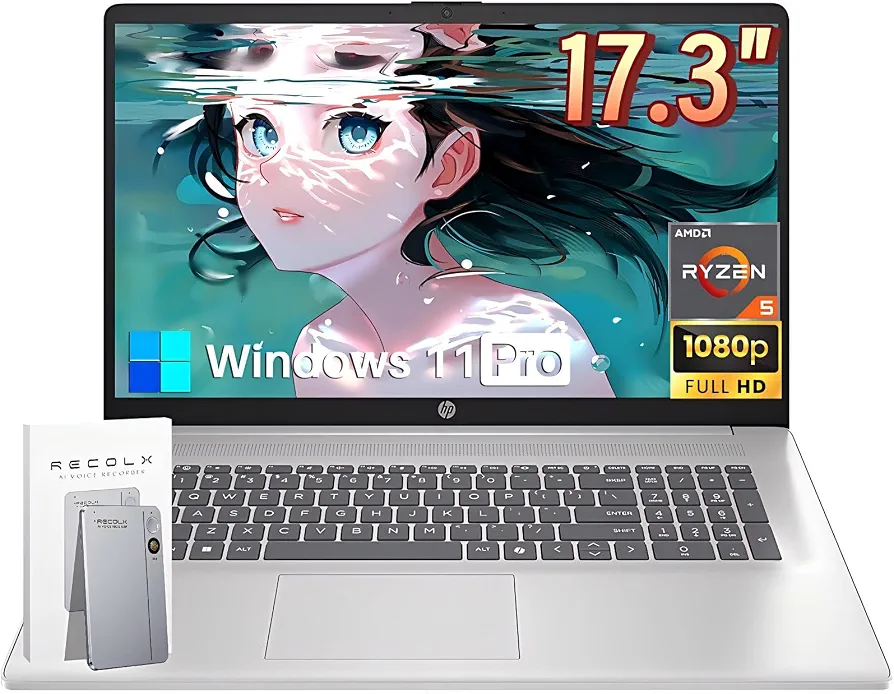
HP 17 Inch Laptop for Business & Students — Best Overall
Why we picked it: Delivers the best balance of Ryzen 5 performance, 20GB RAM, a large Full HD display, and excellent multitasking for most remote workers.
 Click image to enlarge
|
Around $729.99
|
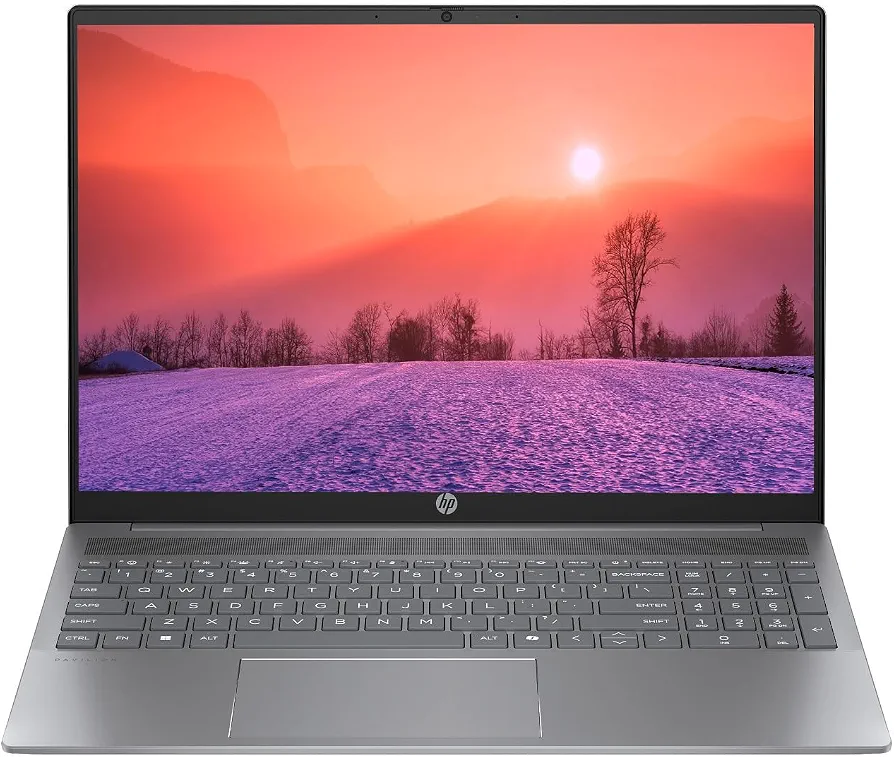
HP Pavilion Lightweight 16-inch 2K Laptop (Renewed) — Best Performance Value
Why we picked it: The Ryzen 7 8840U processor delivers outstanding computing power for demanding multitasking, making it the best performance value in this price range.
 Click image to enlarge
|
Around $399.99
|
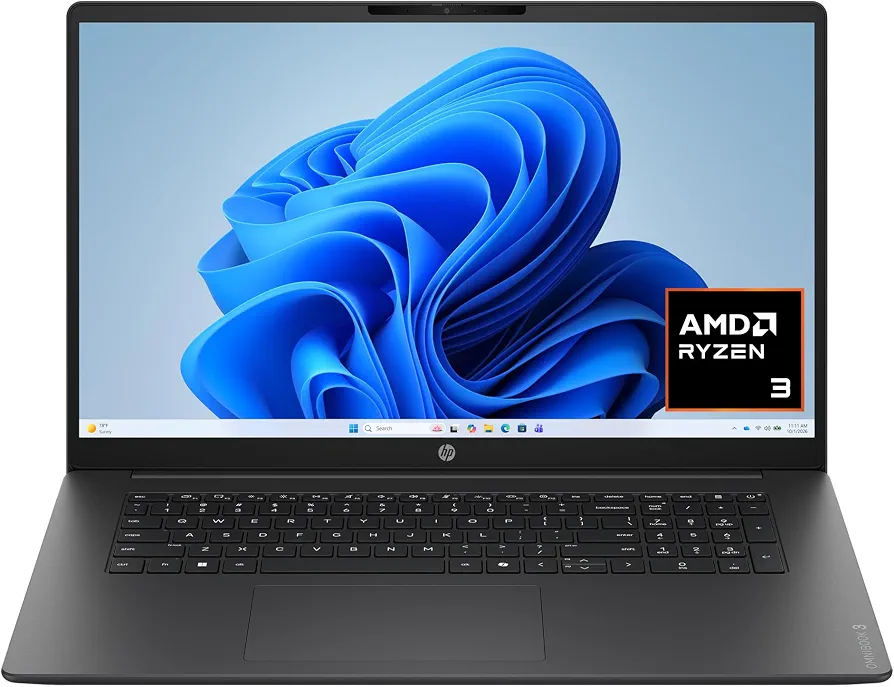
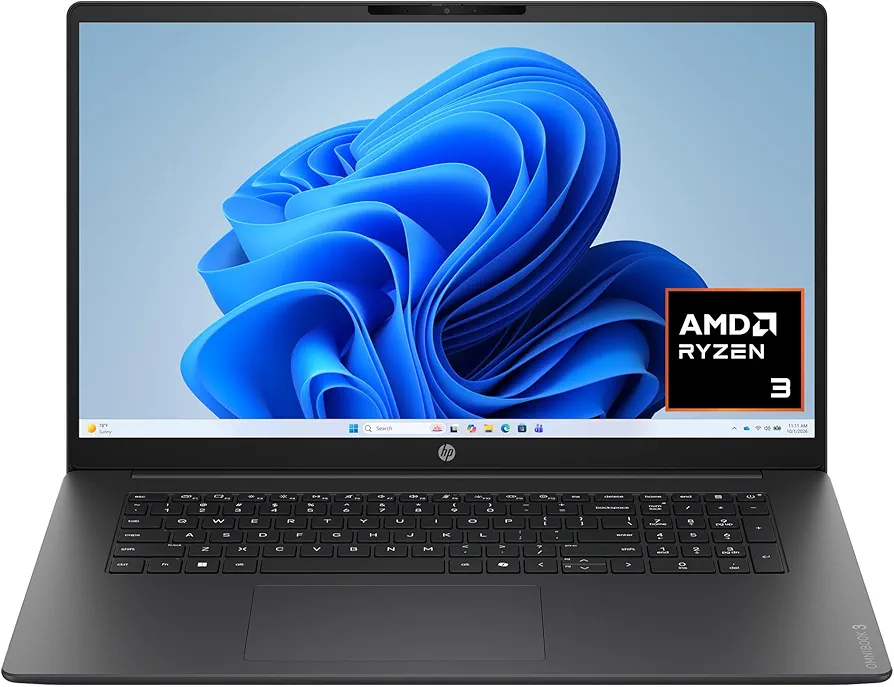
HP OmniBook 3 17.3-inch Laptop — Best Budget Pick
Why we picked it: Offers dependable everyday productivity with a large Full HD display and fast SSD storage while staying comfortably below the $800 budget.
 Click image to enlarge
|
Around $449.99
|
Prices may change over time. We may earn a commission if you purchase through our links, at no extra cost to you.

Quick Picks at a Glance
| Category | Laptop | Processor | RAM | Storage | Display | Price |
|---|---|---|---|---|---|---|
| Best Overall | HP 17 Inch Laptop for Business & Students | AMD Ryzen 5 7430U | 20GB | 512GB SSD | 17.3-inch FHD IPS | Around $729.99 |
| Best Performance Value | HP Pavilion Lightweight 16″ 2K Laptop (Renewed) | AMD Ryzen 7 8840U | 8GB LPDDR5 | 512GB SSD | 16-inch 2K | Around $399.99 |
| Best Budget Pick | HP OmniBook 3 17.3″ | AMD Ryzen 3 | 8GB | 512GB SSD | 17.3-inch FHD | Around $449.99 |
Best Overall
The HP 17 Inch Laptop for Business & Students is the best laptop for working from home under $800 for most people. The AMD Ryzen 5 7430U processor, 20GB of memory, and 512GB SSD handle video meetings, Microsoft Office, web research, and multitasking smoothly throughout a typical workday.
Furthermore, the large 17.3-inch IPS display makes spreadsheets, documents, and multiple browser windows easier to manage. Remote workers who spend long hours in front of the screen often appreciate the extra workspace because it reduces the need to constantly switch between applications.
Best Performance Value
The HP Pavilion Lightweight 16-inch 2K Laptop offers the highest processing performance among these recommendations. The AMD Ryzen 7 8840U processor easily handles demanding multitasking, large Excel files, photo editing, and dozens of browser tabs while remaining comfortably below the $800 budget.
Although this model includes 8GB of RAM and is sold as a renewed device, the powerful Ryzen 7 processor and sharp 2K display make the HP Pavilion an outstanding value for professionals who need additional computing power without paying premium prices.
Best Budget Option
The HP OmniBook 3 17.3-inch Laptop is the best budget laptop for working from home under $800 if your daily tasks focus on Microsoft Word, Excel, email, Zoom meetings, and web browsing. The AMD Ryzen 3 processor provides dependable everyday performance while keeping the overall cost low.
Additionally, the large Full HD display offers a comfortable viewing experience for extended work sessions. Buyers who mainly perform office tasks rather than creative workloads can save money without sacrificing essential productivity features.
Comparison Table
The best laptop for working from home under $800 depends on your workload, preferred screen size, and multitasking needs. The comparison below highlights the most important specifications that affect everyday remote work performance.
Side-by-Side Specifications
| Laptop | Processor | Amazon | RAM | Storage | Display | Graphics | Battery | Best For |
|---|---|---|---|---|---|---|---|---|
| HP 17 Inch Laptop for Business & Students | AMD Ryzen 5 7430U | View on Amazon | 20GB | 512GB SSD | 17.3-inch FHD IPS | AMD Radeon Graphics | Long battery life | Remote professionals |
| HP Pavilion Lightweight 16″ 2K Laptop | AMD Ryzen 7 8840U | View on Amazon | 8GB LPDDR5 | 512GB SSD | 16-inch 2K | AMD Radeon Graphics | All-day use | Power users |
| HP OmniBook 3 17.3″ | AMD Ryzen 3 | View on Amazon | 8GB | 512GB SSD | 17.3-inch FHD | AMD Radeon 610M | Good everyday battery life | Students and office work |
Performance Comparison
The HP Pavilion Lightweight 16-inch 2K Laptop delivers the fastest processor performance because the AMD Ryzen 7 8840U includes newer architecture and stronger multitasking capabilities. Consequently, demanding productivity software and heavier workloads run more efficiently than on the other two laptops.
The HP 17 Inch Laptop for Business & Students offers the best balance between processor speed, memory capacity, and overall value. Meanwhile, the HP OmniBook 3 remains an excellent choice for everyday office tasks, online meetings, document editing, and cloud-based applications.
Best Use Cases
| Work Type | Recommended Laptop | Reason |
|---|---|---|
| Remote employee | HP 17 Inch Laptop for Business & Students | Excellent multitasking with 20GB RAM |
| Freelancer | HP Pavilion Lightweight 16″ 2K Laptop | Powerful Ryzen 7 processor for demanding workloads |
| Virtual assistant | HP 17 Inch Laptop for Business & Students | Smooth handling of multiple browser tabs and Office apps |
| Student | HP OmniBook 3 | Affordable with a large Full HD display |
| Customer support | HP 17 Inch Laptop for Business & Students | Comfortable screen size for long shifts |
| General office work | HP OmniBook 3 | Reliable everyday productivity |
Choosing the best laptop for working from home under $800 is only one part of an efficient workspace. Additionally, using the right wireless keyboard and a comfortable laptop stand can improve posture and reduce fatigue during long work sessions.
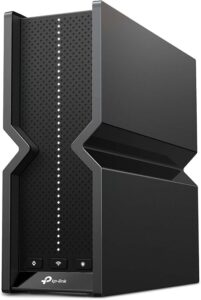
Reliable internet also plays a major role in remote productivity. If frequent video meetings are part of your job, upgrading to a modern Wi-Fi router helps maintain stable Zoom and Microsoft Teams calls while supporting multiple connected devices.
Product Reviews
Best Overall: HP 17 Inch Laptop for Business & Students
List Price: Around $729.99
Why We Recommend It
The HP 17 Inch Laptop for Business & Students is the best laptop for working from home under $800 because it balances performance, multitasking, display size, and storage better than the other options in this guide. The AMD Ryzen 5 7430U processor and 20GB RAM comfortably handle remote work software without slowing down during a busy workday.
Key Features
- AMD Ryzen 5 7430U processor
- 20GB RAM
- 512GB SSD
- 17.3-inch Full HD IPS anti-glare display
- AMD Radeon Graphics
- Wi-Fi 6 connectivity
- Windows 11 Pro
- Copilot key
Pros and Cons
| Pros | Cons |
|---|---|
| Excellent multitasking performance | Large size reduces portability |
| 20GB RAM handles demanding workloads | Not designed for serious gaming |
| Large Full HD IPS display | Takes up more desk space |
| 512GB SSD offers fast storage | |
| Very good value under $800 |
The HP 17 Inch Laptop for Business & Students performs particularly well during everyday office work. Running Microsoft Word, Excel, dozens of browser tabs, Microsoft Teams, and Zoom meetings at the same time remains smooth because the generous memory prevents constant slowdowns.
Additionally, the large 17.3-inch display makes multitasking more comfortable. Reviewing spreadsheets while keeping a video meeting open beside a document becomes much easier than on smaller displays, reducing the need to constantly switch between windows.
Storage is another strength of the HP 17 Inch Laptop for Business & Students. The 512GB SSD provides fast boot times and enough space for documents, presentations, downloaded files, and business applications while keeping the operating system responsive.
Remote workers who plan to connect additional accessories can also benefit from a USB-C docking station, especially when using an external monitor, keyboard, and mouse together.
Best Performance Value: HP Pavilion Lightweight 16-inch 2K Laptop (Renewed)
List Price: Around $399.99
Why We Recommend It
The HP Pavilion Lightweight 16-inch 2K Laptop delivers exceptional performance for the money. Although this renewed model includes 8GB of memory, the AMD Ryzen 7 8840U processor offers significantly stronger computing power than most laptops available below the $800 price point.
Key Features
- AMD Ryzen 7 8840U processor
- 8GB LPDDR5 RAM
- 512GB SSD
- 16-inch 2K display
- Backlit keyboard
- AMD Radeon Graphics
- Windows 11 Home
Pros and Cons
| Pros | Cons |
|---|---|
| Very powerful Ryzen 7 processor | Renewed product |
| Sharp 2K display | 8GB RAM may limit heavy multitasking |
| Fast 512GB SSD | Windows 11 Home instead of Pro |
| Excellent value | |
| Backlit keyboard |
The HP Pavilion Lightweight 16-inch 2K Laptop suits professionals who regularly open many browser tabs, edit large spreadsheets, or use creative applications alongside office software. The Ryzen 7 processor responds quickly when switching between multiple workloads throughout the day.
Furthermore, the higher-resolution 2K display provides sharper text and additional workspace. Long editing sessions, detailed spreadsheets, and multiple side-by-side documents become easier to view, helping reduce eye strain during extended work hours.
Because this laptop is sold as renewed, buyers should review the warranty details before purchasing. However, renewed business laptops often provide outstanding value for professionals who prioritize performance over having a factory-sealed device.
Many professionals also improve productivity by pairing a second display with a curved monitor, especially when working with multiple documents or communication apps throughout the day.
Best Budget Pick: HP OmniBook 3 17.3-inch Laptop
List Price: Around $449.99
Why We Recommend It
The HP OmniBook 3 17.3-inch Laptop is a practical choice for buyers who want a dependable work-from-home laptop without spending close to the full $800 budget. The combination of an AMD Ryzen 3 processor, 512GB SSD, and large Full HD display covers the needs of most everyday office users.
Key Features
- AMD Ryzen 3 processor
- 8GB RAM
- 512GB SSD
- 17.3-inch Full HD display
- AMD Radeon 610M Graphics
- Windows 11 Home
Pros and Cons
| Pros | Cons |
|---|---|
| Affordable price | Processor is slower than Ryzen 5 and Ryzen 7 |
| Large Full HD display | 8GB RAM limits demanding multitasking |
| 512GB SSD | Not suitable for heavy creative workloads |
| Good everyday performance | |
| Comfortable for office work |
The HP OmniBook 3 17.3-inch Laptop handles common productivity tasks such as Microsoft Office, email, cloud storage, web browsing, and video conferencing with consistent performance. Consequently, students, customer support representatives, and administrative professionals receive reliable performance without paying for hardware they may never fully use.
The large Full HD display also benefits users who spend several hours reading documents or working with spreadsheets. Although the processor targets everyday productivity instead of demanding workloads, the laptop remains a solid option for typical remote office responsibilities.
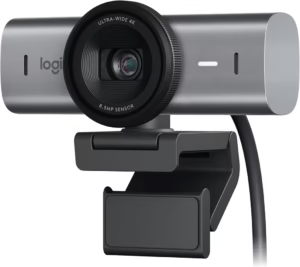
Video meetings depend on more than laptop performance. Pairing any of these laptops with a quality external webcam can noticeably improve image quality during Zoom or Microsoft Teams calls, particularly in home offices with limited lighting.
Buying Guide – How to Choose the Best Laptop for Remote Work
The best laptop for working from home under $800 should match your daily workload rather than simply offer the highest specifications. Processor performance, memory, storage, display quality, battery life, and connectivity all affect productivity during remote work, so understanding these features helps you spend your budget wisely.
Choose the Right Processor
The processor is the most important component because it determines how quickly the laptop completes everyday tasks. For most remote workers, an AMD Ryzen 5, AMD Ryzen 7, or Intel Core i5 processor provides an excellent balance of speed, efficiency, and long-term value.
Additionally, processor choice depends on your workload. A Ryzen 5 processor easily handles Microsoft Office, Zoom, Google Meet, and web applications, while a Ryzen 7 processor offers more headroom for creative software, larger spreadsheets, and heavier multitasking.
Entry-level processors such as the Intel N150 can still manage basic office work. However, buyers planning to keep a laptop for several years will generally receive better long-term performance from Ryzen 5 or Ryzen 7 processors.
How Much RAM and Storage Do You Need?
Memory and storage directly affect how responsive the best laptop for working from home under $800 feels during everyday use. For most professionals, 16GB RAM and a 512GB SSD provide the ideal balance between multitasking and storage capacity.
Additionally, more RAM allows multiple browser tabs, Microsoft Teams, spreadsheets, and email applications to remain open without slowing the system. Remote workers who frequently switch between applications benefit more from additional memory than from a slightly faster processor.
A solid-state drive, commonly called an SSD, stores files while dramatically improving boot times and application loading speeds. Compared with older hard drives, SSDs are quieter, faster, and more reliable for everyday productivity. Microsoft also recommends SSD-based systems for the best Windows 11 experience according to Microsoft’s Windows documentation.
Display, Webcam, Keyboard, and Battery Life
A comfortable display becomes increasingly important when working several hours each day. Full HD IPS screens produce sharper text and wider viewing angles, making documents, spreadsheets, and video calls easier to view throughout the workday.
Furthermore, keyboard quality has a greater impact on productivity than many buyers expect. Comfortable key travel reduces typing fatigue, while a backlit keyboard improves visibility during evening work sessions. Choosing the right wireless keyboard can also improve ergonomics if you frequently work from a desk.
Webcam quality matters for virtual meetings because clients and colleagues often judge professionalism through video calls. Although built-in webcams continue to improve, an external webcam can deliver noticeably clearer images for frequent Zoom or Microsoft Teams meetings.
Battery life should comfortably cover a typical workday, especially if you regularly move between rooms or work outside your home office. Manufacturers measure battery life under controlled conditions, so actual runtime depends on screen brightness, wireless usage, and running applications.
Essential Ports and Connectivity
The best laptop for working from home under $800 should include enough ports for current and future accessories. USB-C, USB-A, HDMI, Wi-Fi 6, Bluetooth, and a headphone jack remain the most useful connections for remote work.
Additionally, many modern laptops include fewer built-in ports than older models. A USB-C docking station expands connectivity for external monitors, wired networking, storage devices, and charging through a single cable.
Reliable internet is equally important because unstable wireless connections interrupt video meetings and cloud-based work. Upgrading to a modern Wi-Fi router can improve connection stability when multiple people or smart devices share the same network.
Frequently Asked Questions
Is $800 enough for a good work-from-home laptop?
Yes. An $800 budget is enough to buy a capable work-from-home laptop with a modern processor, at least 16GB RAM in many models, fast SSD storage, and a Full HD display. Buyers who prioritize productivity over gaming can comfortably find laptops that handle Microsoft Office, Zoom, web browsing, and multitasking for several years.
Is 8GB RAM enough for remote work?
Yes, 8GB RAM is enough for basic remote work involving email, Microsoft Office, video meetings, and moderate web browsing. However, 16GB RAM offers a smoother experience if you frequently keep many browser tabs, spreadsheets, or communication apps open at the same time.
Should I buy a renewed laptop?
Yes, a renewed laptop can provide excellent value when purchased from a reputable seller. Many renewed business laptops include higher-performance processors than similarly priced new models, making them attractive for professionals who prioritize computing power over brand-new packaging.
Which laptop is best for Zoom and Microsoft Teams?
The HP 17 Inch Laptop for Business & Students is the best choice among these recommendations for Zoom and Microsoft Teams because the Ryzen 5 processor, 20GB RAM, and large display comfortably support long video meetings while allowing multiple productivity applications to remain open.
Can these laptops connect to multiple monitors?
Yes. Most modern laptops support at least one external display through HDMI or USB-C. Additionally, a compatible docking station makes connecting multiple monitors, wired internet, and USB accessories much easier for permanent desk setups.
Which processor is better for office work, AMD or Intel?
Both AMD and Intel produce excellent processors for office work. However, within this price range, AMD Ryzen 5 and Ryzen 7 processors often provide stronger multitasking performance and better value than many entry-level Intel alternatives. The right choice ultimately depends on the specific processor model rather than the brand alone.
Final Thought
Which Laptop Should You Choose Based on Your Needs?
The HP 17 Inch Laptop for Business & Students is the best laptop for working from home under $800 for most buyers because it combines strong processing power, 20GB RAM, fast SSD storage, and a spacious Full HD display at a competitive price. Remote employees, freelancers, and professionals who multitask throughout the day will benefit most from its balanced specifications.
The HP Pavilion Lightweight 16-inch 2K Laptop is the better choice if processor performance is your highest priority. Meanwhile, the HP OmniBook 3 17.3-inch Laptop remains an excellent budget option for everyday office work, online classes, customer support, and general productivity.
Finally, remember that the laptop is only one part of an efficient workspace. A comfortable home office setup, a quality wireless mouse, reliable internet, and good ergonomics can improve productivity just as much as upgrading your computer. For additional security when accessing company resources or public Wi-Fi, using a trusted VPN for remote work is also worth considering.