A curved monitor can make multitasking easier by keeping more of the screen within your natural field of view. For many people working from home, a curved display also improves comfort during long work sessions by reducing excessive head movement and making large screens easier to scan.
This guide compares the best curved monitor for home office use based on display quality, productivity features, connectivity, ergonomics, and overall value. You’ll also learn which curved monitor suits different work styles, from everyday office tasks to creative projects and remote meetings. If you’re building a complete workspace, choosing the right home office essentials early can improve both comfort and productivity.
Our Top Curved Monitor Picks for Home Office
These are the five curved monitors that stood out during our evaluation based on display quality, multitasking performance, eye comfort, connectivity, ergonomic features, and overall value. Whether you need an affordable monitor for everyday office work or a premium ultrawide display for demanding productivity, these recommendations cover the best options for most home office setups.
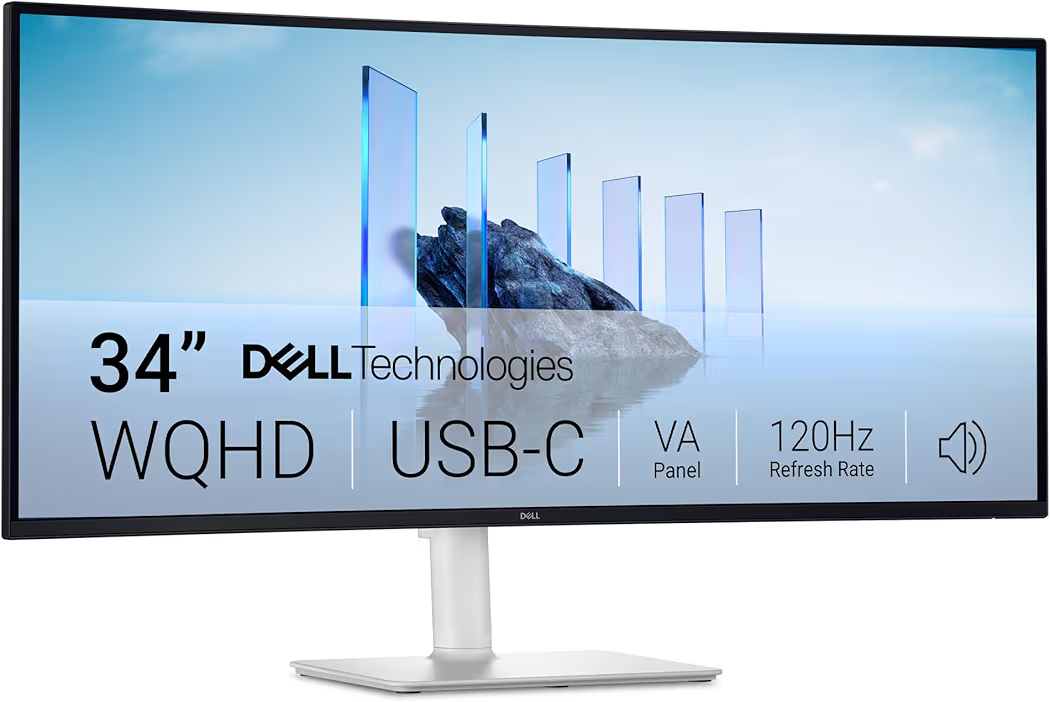
Dell 34 Plus USB-C Curved Monitor S3425DW — Best Overall
Why we picked it: Delivers the best balance of ultrawide workspace, USB-C connectivity, color accuracy, and productivity features for most home office users.
 Click image to enlarge
|
Around $419.99
|
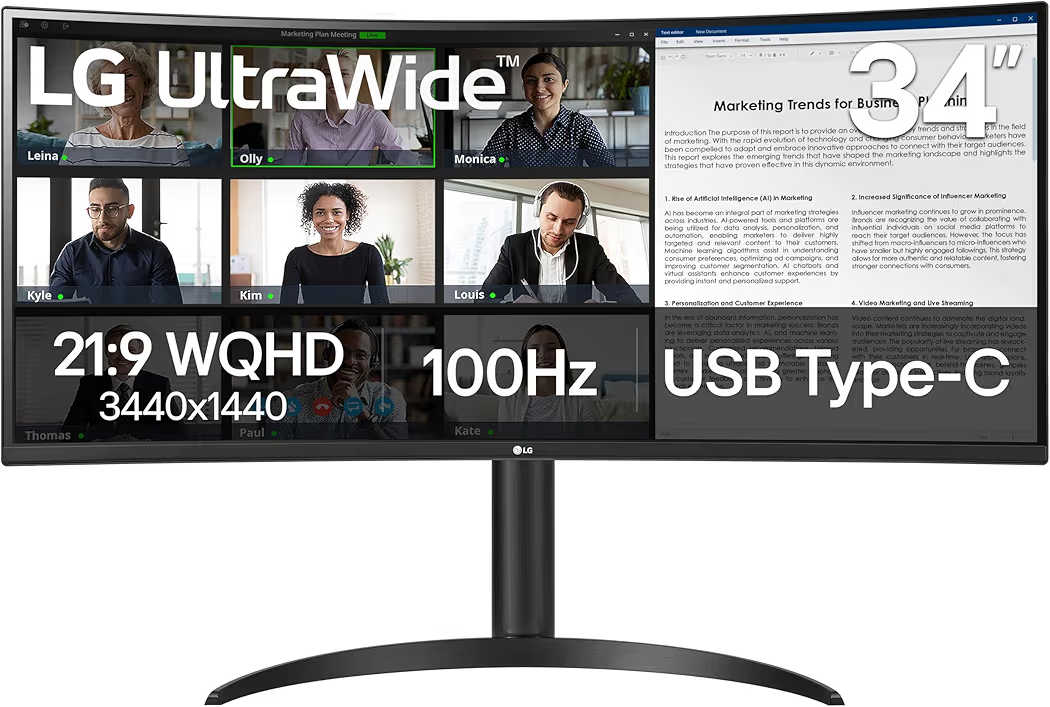
LG 34WR55QK-B UltraWide Curved Monitor — Best Value
Why we picked it: Combines a sharp WQHD ultrawide display, USB-C connectivity, HDR10 support, and ergonomic adjustments at a competitive price.
 Click image to enlarge
|
Around $332.99
|
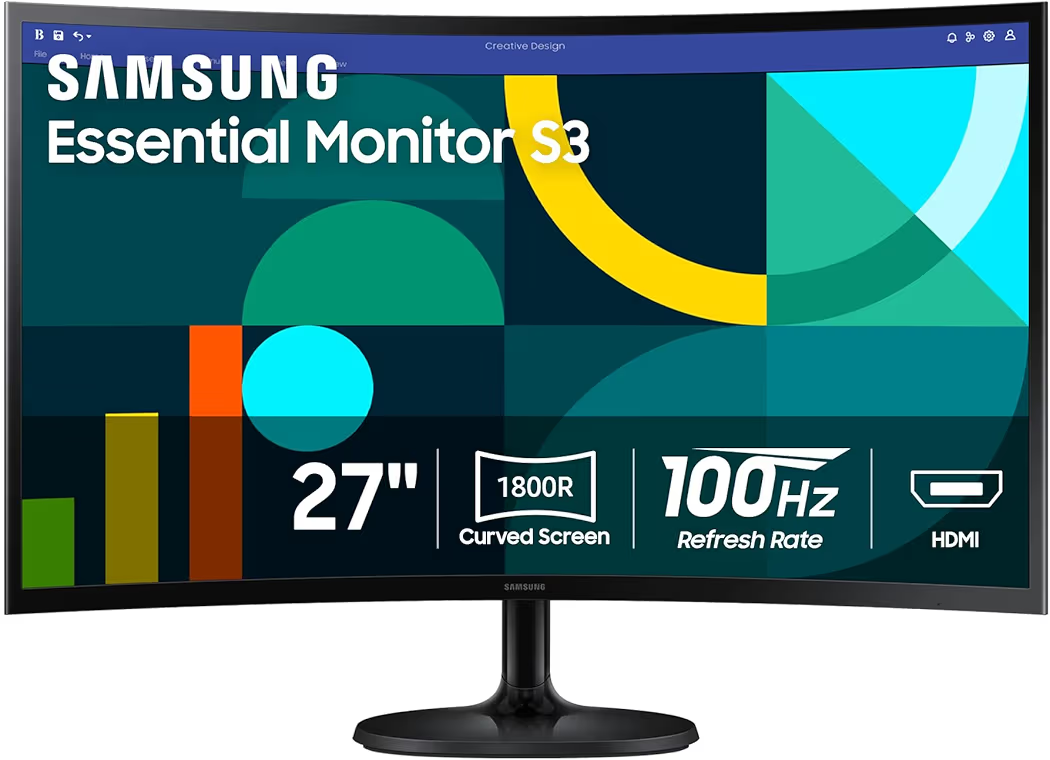
Samsung 27-inch Essential S3 Curved Monitor — Best Budget Pick
Why we picked it: Offers dependable Samsung display quality, Eye Saver Mode, and a smooth 100Hz refresh rate at an affordable price for everyday office work.
 Click image to enlarge
|
Around $119.99
|
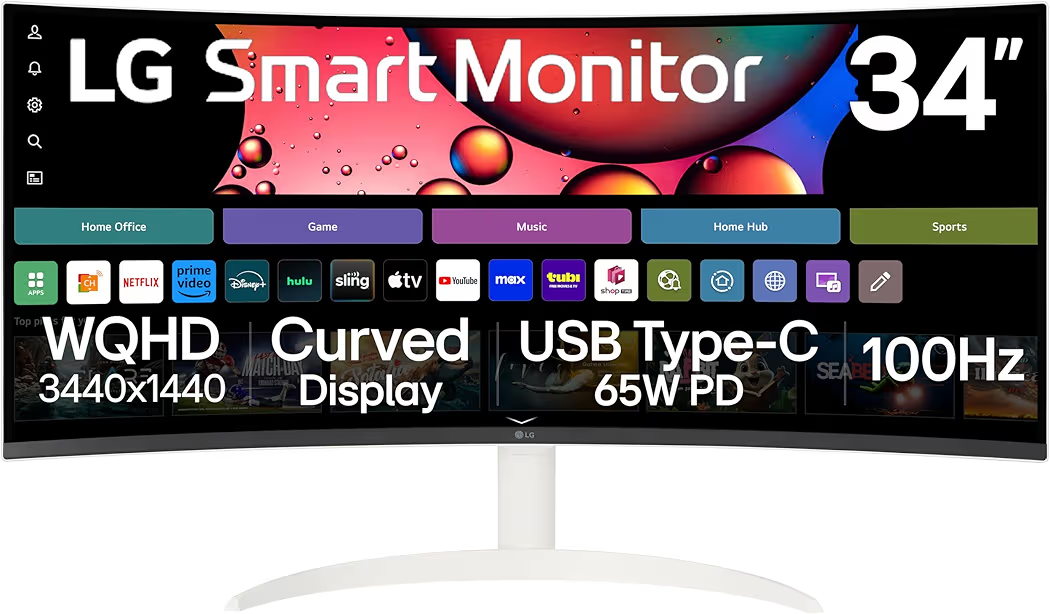
LG 34SR63QA-W Smart Curved Monitor — Best Smart Productivity Monitor
Why we picked it: Adds built-in smart features, USB-C charging, and an ultrawide QHD display for users who want both productivity and entertainment in one monitor.
 Click image to enlarge
|
Around $394.83
|
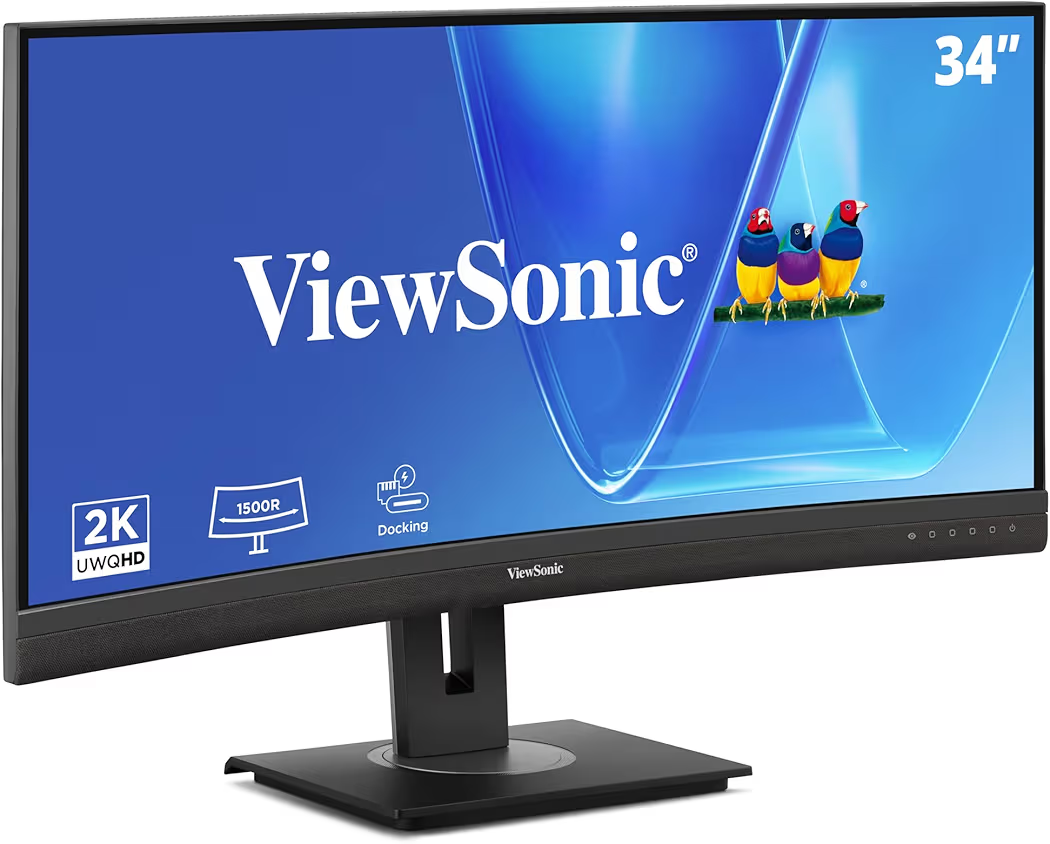
ViewSonic VG3456CA Docking Monitor — Best Premium Productivity Monitor
Why we picked it: Built specifically for professional workspaces with an IPS panel, integrated docking features, 100W USB-C charging, Ethernet, and a fully adjustable ergonomic stand.
 Click image to enlarge
|
Around $496.95
|
Prices may change over time. We may earn a commission if you purchase through our links, at no extra cost to you.
Compare the Best Curved Monitors for Home Office
The best curved monitor for home office depends on your workspace, budget, and daily tasks. A larger ultrawide monitor improves multitasking, while a compact curved monitor works well for smaller desks. The table below compares the key productivity features to help you narrow down the right option before reading the detailed reviews.
| Monitor | Screen Size | Price | Resolution | Panel | USB-C | Refresh Rate | Best For |
|---|---|---|---|---|---|---|---|
| Dell 34 Plus USB-C Curved Monitor S3425DW | 34-inch | Around $419.99 | 3440 × 1440 | VA | Yes | 120Hz | Overall productivity |
| LG 34WR55QK-B | 34-inch | Around $332.99 | 3440 × 1440 | VA | Yes | 100Hz | Best value |
| Samsung Essential S3 | 27-inch | Around $119.99 | 1920 × 1080 | VA | No | 100Hz | Budget office setup |
| LG 34SR63QA-W | 34-inch | Around $394.83 | 3440 × 1440 | VA | Yes (65W) | 100Hz | Smart workspace |
| ViewSonic VG3456CA | 34-inch | Around $496.95 | 3440 × 1440 | IPS | Yes (100W) | 100Hz | Professional office |
Best Curved Monitor Reviews
Dell 34 Plus USB-C Curved Monitor S3425DW
Best Overall
List Price: Around $419.99
Why We Recommend It
The Dell 34 Plus USB-C Curved Monitor S3425DW offers the best balance of screen size, productivity features, and connectivity for most home office users. The 34-inch WQHD ultrawide display provides enough space to keep multiple applications visible without needing a second monitor.
Key Features
- 34-inch WQHD 3440 × 1440 display
- 1800R curved VA panel
- 120Hz refresh rate
- USB-C with Power Delivery
- 99% sRGB coverage
- AMD FreeSync Premium
- Integrated speakers
- Height and tilt adjustment
Pros and Cons
| Pros | Cons |
|---|---|
|
|
During a typical workday, the Dell 34 Plus USB-C Curved Monitor S3425DW makes it easy to place spreadsheets, email, and video meetings side by side. Additionally, USB-C reduces cable clutter by carrying video, data, and power through a single cable, making the desk noticeably cleaner.
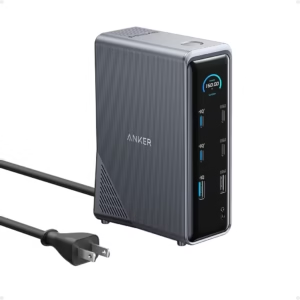
The Dell 34 Plus USB-C Curved Monitor S3425DW is an excellent choice for remote workers, programmers, financial professionals, and anyone replacing a dual-monitor setup with one ultrawide display. If your laptop has limited ports, pairing this monitor with a USB-C docking station expands connectivity even further.
LG 34WR55QK-B UltraWide Curved Monitor
Best Value
List Price: Around $332.99
Why We Recommend It
The LG 34WR55QK-B delivers many premium productivity features without reaching premium pricing. Its ultrawide WQHD display provides plenty of workspace for documents, browsers, and communication apps while maintaining excellent value.
Key Features
- 34-inch UltraWide WQHD display
- 100Hz refresh rate
- HDR10 support
- USB-C connectivity
- Reader Mode
- Height-adjustable stand
- DisplayPort and HDMI
Pros and Cons
| Pros | Cons |
|---|---|
|
|
The LG 34WR55QK-B works especially well for professionals who spend hours reading documents or managing large spreadsheets. Furthermore, Reader Mode and HDR10 improve viewing comfort while maintaining clear text and vibrant visuals throughout the workday.
The LG 34WR55QK-B is a smart choice for anyone upgrading from a standard 24-inch or 27-inch monitor. Combining this display with a comfortable wireless keyboard creates a more productive home office without significantly increasing the overall budget.
Samsung 27-inch Essential S3 Curved Monitor
Best Budget Pick
List Price: Around $119.99
Why We Recommend It
The Samsung 27-inch Essential S3 Curved Monitor is the best choice for buyers who want a reliable curved monitor without spending hundreds of dollars. The 1800R curved display, Eye Saver Mode, and 100Hz refresh rate provide a noticeable upgrade over many entry-level office monitors.
Key Features
- 27-inch Full HD (1920 × 1080) display
- 1800R curved VA panel
- 100Hz refresh rate
- Eye Saver Mode
- Flicker-Free technology
- Game Mode
- HDMI and D-Sub inputs
Pros and Cons
| Pros | Cons |
|---|---|
|
|
The Samsung 27-inch Essential S3 Curved Monitor performs well for web browsing, office applications, online classes, and video conferencing. Additionally, the 27-inch screen fits comfortably on smaller desks while still providing more workspace than many standard laptop displays.
The Samsung 27-inch Essential S3 Curved Monitor is ideal for students, remote workers, and anyone building an affordable workspace. If you’re creating a complete workstation, pairing the monitor with a comfortable wireless mouse can improve productivity during long work sessions.
LG 34SR63QA-W Smart Curved Monitor
Best Smart Productivity Monitor
List Price: Around $394.83
Why We Recommend It
The LG 34SR63QA-W combines a productivity monitor with smart entertainment features. Built-in webOS, AirPlay 2, Bluetooth, and USB-C charging allow the monitor to function as both a work display and a standalone entertainment screen.
Key Features
- 34-inch UltraWide QHD display
- 3440 × 1440 resolution
- 100Hz refresh rate
- USB-C with 65W Power Delivery
- HDR10 support
- Built-in webOS
- AirPlay 2 and Screen Share
- Bluetooth connectivity
- Integrated speakers
Pros and Cons
| Pros | Cons |
|---|---|
|
|
The LG 34SR63QA-W works especially well for hybrid workers who alternate between work and entertainment. After finishing a workday, switching from spreadsheets to streaming apps requires only the included remote instead of another device.
The LG 34SR63QA-W also reduces desk clutter because one display replaces both a computer monitor and a separate smart TV. Furthermore, USB-C charging makes connecting compatible laptops quick and convenient with a single cable.
ViewSonic VG3456CA Docking Monitor
Best Premium Productivity Monitor
List Price: Around $496.95
Why We Recommend It
The ViewSonic VG3456CA is designed specifically for business and professional productivity. Its IPS panel, 100W USB-C docking, wired Ethernet, and fully adjustable ergonomic stand make it one of the most complete office monitors available.
Key Features
- 34-inch UltraWide IPS display
- 3440 × 1440 WQHD resolution
- 100Hz refresh rate
- 100W USB-C Power Delivery
- RJ45 Ethernet port
- KVM Switch
- Picture-by-Picture support
- Height, swivel, tilt, and pivot adjustment
- Integrated USB hub
Pros and Cons
| Pros | Cons |
|---|---|
|
|
The ViewSonic VG3456CA simplifies professional workstations by replacing several accessories with one display. During a typical workday, connecting a compatible laptop through USB-C provides charging, networking, video output, and USB expansion using a single cable.
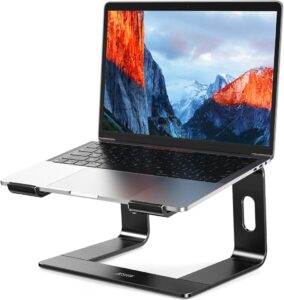
The ViewSonic VG3456CA is best suited to business users, developers, financial professionals, and content creators who spend long hours at a desk. Adding an ergonomic laptop stand alongside the monitor creates a more comfortable dual-screen workspace while helping maintain better posture.
Buying Guide: How to Choose the Best Curved Monitor for Your Home Office
The best curved monitor for home office use depends on your workflow, available desk space, and the devices you connect every day. Focusing on productivity features instead of gaming specifications helps you choose a monitor that remains comfortable and useful for years.
Choose the Right Screen Size
A 27-inch curved monitor works well for everyday office tasks, online meetings, and smaller desks. The Samsung 27-inch Essential S3 is a good example for users who mainly work with documents, email, and web browsers without requiring an ultrawide display.
A 34-inch ultrawide curved monitor offers the best balance for most home offices. Displays such as the Dell 34 Plus USB-C Curved Monitor S3425DW and LG 34WR55QK-B provide enough space to keep spreadsheets, browsers, messaging apps, and video calls open simultaneously, reducing the need to constantly switch between windows.
Larger monitors improve productivity only when the desk is deep enough for a comfortable viewing distance. Before upgrading, planning your workspace layout helps ensure the monitor fits comfortably without overwhelming the desk.
Prioritize Productivity Features
USB-C is one of the most valuable features for a home office monitor because it can carry video, data, and laptop charging through a single cable. Consequently, USB-C reduces cable clutter and makes connecting compatible laptops much faster.
Higher resolutions such as WQHD (3440 × 1440) display more information on screen without sacrificing image sharpness. Additionally, a higher resolution improves multitasking by allowing multiple documents or applications to remain visible at the same time.
Eye comfort technologies such as Flicker-Free displays, low blue light modes, and Reader Mode become increasingly important during long workdays. Features like Samsung Eye Saver Mode and LG Reader Mode help reduce visual fatigue without affecting normal productivity.
An adjustable stand is equally important because proper monitor height improves posture. Height, tilt, and swivel adjustments make it easier to align the screen with your natural eye level, reducing neck strain during extended work sessions.
Match the Monitor to Your Workflow
Remote workers who regularly join video meetings benefit from ultrawide monitors because meeting windows, notes, and project documents can remain open simultaneously. Pairing a quality monitor with a reliable webcam creates a more professional video conferencing setup.
Programmers, analysts, and spreadsheet users usually benefit most from a 34-inch ultrawide display. The additional horizontal workspace reduces scrolling and allows several applications to remain visible, making complex projects easier to manage.
Graphic designers and content creators should prioritize color accuracy alongside screen size. IPS panels generally provide more consistent viewing angles and color reproduction, while high-resolution displays improve editing precision.
Students and general office users often receive better value from a quality 27-inch curved monitor. Spending less on the display may leave room in the budget for other productivity upgrades such as ergonomic accessories or faster networking equipment.
Consider Desk Space and Connectivity
Before buying a curved monitor, measure both the width and depth of your desk. Even the best curved monitor for home office use will feel cramped if the workspace is too small or the viewing distance is uncomfortable.
VESA mount compatibility provides greater flexibility by allowing the monitor to be installed on an adjustable monitor arm. As a result, the desktop remains cleaner while the display can be positioned more ergonomically.
Modern laptops often include only USB-C ports, making connectivity an important consideration. Choosing a monitor with USB-C or pairing it with a USB-C docking station ensures support for additional displays, storage devices, wired networking, and other peripherals.
Finally, consider your complete workstation instead of the monitor alone. Comfortable input devices, reliable internet, and proper ergonomics all contribute to a more productive workspace. If you’re still upgrading your equipment, our guide to the best laptops for working from home can help you build a balanced setup.
Frequently Asked Questions
Is a curved monitor better than a flat monitor for a home office?
Yes, a curved monitor is often better for larger displays because the curve keeps more of the screen within your natural field of view. As a result, ultrawide curved monitors feel more comfortable during multitasking and long work sessions, while smaller 24-inch or 27-inch displays offer less noticeable advantages over flat monitors.
What size curved monitor is best for productivity?
A 34-inch ultrawide monitor is the best choice for most professionals because it provides enough workspace for multiple applications without requiring a dual-monitor setup. However, a 27-inch curved monitor remains an excellent option for smaller desks or lighter office workloads.
Is a 34-inch ultrawide monitor worth buying?
Yes, a 34-inch ultrawide monitor is worth buying if you regularly work with several windows at once. The additional horizontal space improves multitasking, reduces window switching, and often replaces two smaller monitors with one seamless display.
Do curved monitors reduce eye strain?
Curved monitors can reduce eye strain when combined with eye-care features such as Flicker-Free technology, low blue light modes, and appropriate brightness settings. The curved design also reduces excessive head movement on larger displays, making prolonged work more comfortable for many users.
Can I connect a laptop to a curved monitor using USB-C?
Yes, many modern curved monitors support USB-C connectivity. A single USB-C cable can transmit video, charge compatible laptops, and connect USB accessories simultaneously, making the workspace cleaner and easier to manage than traditional HDMI connections.
Which curved monitor offers the best value?
The LG 34WR55QK-B offers one of the strongest value propositions because it combines a WQHD ultrawide display, USB-C connectivity, HDR10 support, and ergonomic adjustments at a price that remains lower than many premium productivity monitors.
Final Thought
The best curved monitor for home office use depends less on having the highest specifications and more on choosing features that support your daily workflow. A budget-friendly 27-inch model is sufficient for general office work, while a 34-inch ultrawide monitor offers clear advantages for multitasking, programming, spreadsheets, and creative projects.
Among the monitors featured in this guide, the Dell 34 Plus USB-C Curved Monitor S3425DW stands out as the best overall choice because it balances display quality, connectivity, ergonomics, and productivity. Meanwhile, the LG 34WR55QK-B delivers outstanding value, the Samsung Essential S3 remains the best affordable option, the LG 34SR63QA-W adds smart features, and the ViewSonic VG3456CA is ideal for demanding professional environments.
Choosing the right monitor is only one part of creating an efficient workspace. Combining a quality display with comfortable accessories, reliable connectivity, and thoughtful ergonomics will help you stay productive throughout every workday.