Video quality plays a major role in how professional you appear during online meetings. While most laptops include a built-in camera, an external webcam for Zoom meetings usually delivers sharper video, better microphones, improved low-light performance, and more reliable autofocus.
The best webcam for Zoom meetings depends on your budget, workspace, and meeting schedule. This guide compares the top webcams for remote work, online classes, business meetings, and hybrid offices while helping you choose the right model for your needs. If you’re building a complete workspace, a practical home office setup can improve both video quality and daily productivity.
What Is the Best Webcam for Zoom Meetings?
The Logitech MX Brio Ultra HD 4K Webcam is the best webcam for Zoom meetings because it combines exceptional 4K image quality, accurate autofocus, excellent low-light performance, and premium microphones in one package. Logitech MX Brio works equally well with Zoom, Microsoft Teams, Google Meet, and other major video conferencing platforms, making it an excellent choice for professionals who spend several hours each week on video calls.
However, the Logitech MX Brio is not the only excellent option. The Logitech C920S HD Pro Webcam remains one of the best values for Full HD meetings, while the Anker PowerConf C200 delivers impressive 2K video for home offices. Meanwhile, the NexiGo N60 offers dependable performance for buyers on a tight budget, and the Insta360 Link 2C together with the OBSBOT Meet 2 add advanced AI features for users who want premium video quality.
Choosing the best webcam also depends on your workspace. Proper lighting, monitor placement, and desk ergonomics often improve video quality as much as upgrading the camera itself. Pairing a webcam with a laptop stand can position the camera closer to eye level for more natural video calls.
Our Top Webcam Picks for Zoom Meetings
These six webcams stood out during our evaluation based on image quality, autofocus accuracy, microphone clarity, low-light performance, ease of setup, compatibility with Zoom and Microsoft Teams, and overall value. Whether you need an affordable webcam for occasional meetings or a premium 4K camera for daily professional calls, these recommendations cover the best options for most users.
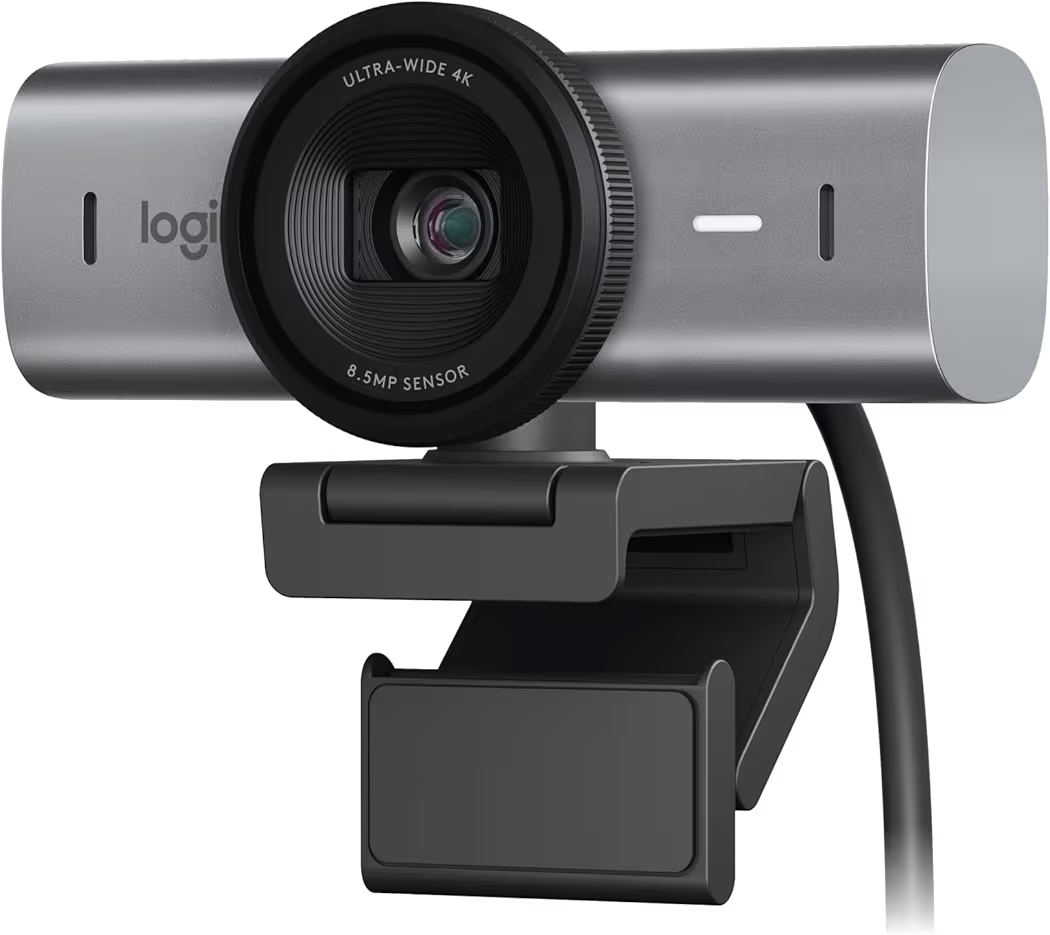
Logitech MX Brio Ultra HD 4K Webcam — Best Overall
Why we picked it: Logitech MX Brio delivers the best balance of 4K image quality, low-light performance, premium microphones, and long-term value for professionals who rely on Zoom meetings every day.
 Click image to enlarge
|
From $197.90
|
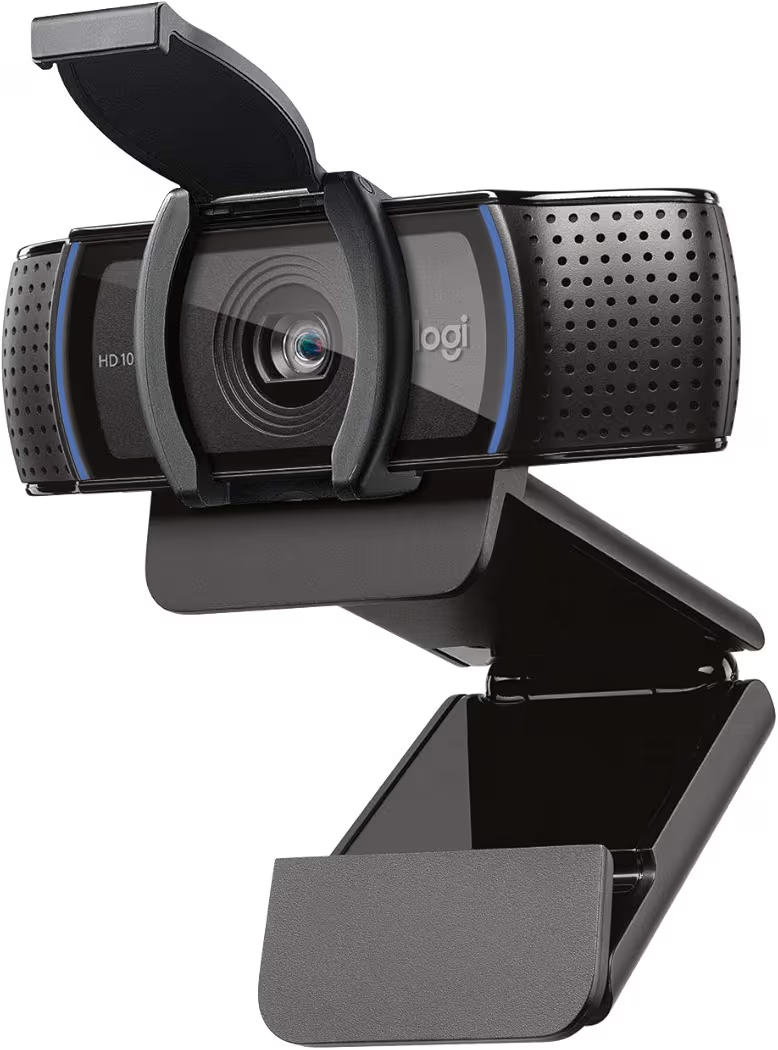
Logitech C920S HD Pro Webcam — Best Value
Why we picked it: Logitech C920S continues to offer excellent Full HD video, dependable microphones, and a built-in privacy shutter at a price that suits most remote workers.
 Click image to enlarge
|
From $63.99
|
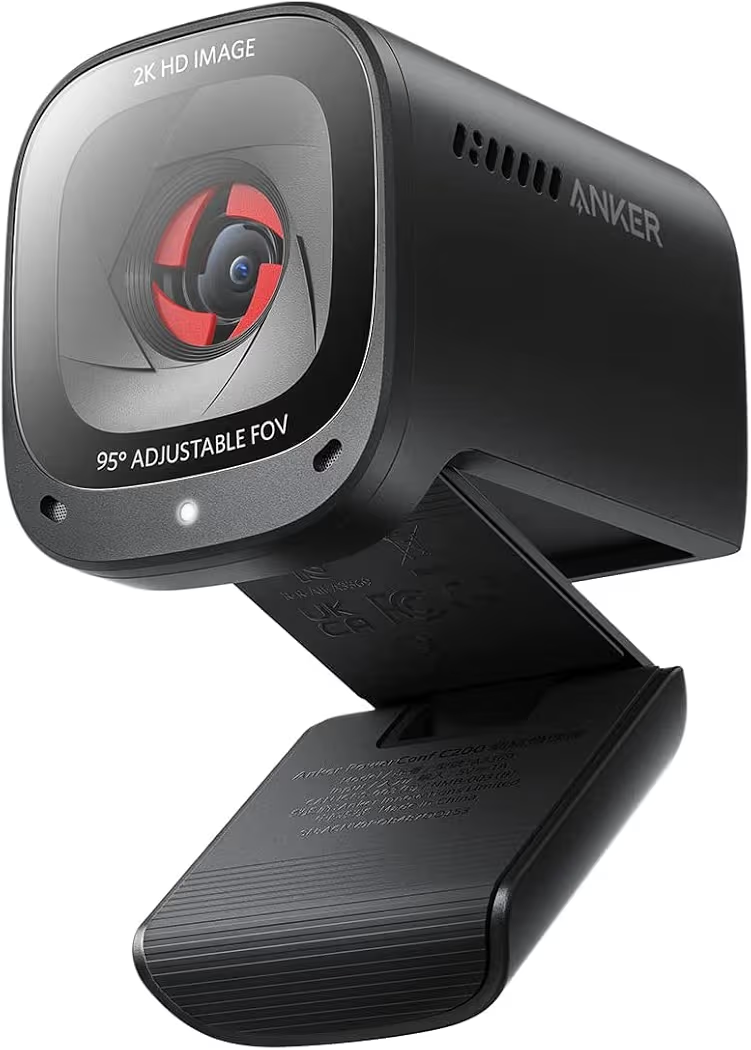
Anker PowerConf C200 — Best for Home Office
Why we picked it: Anker PowerConf C200 combines sharp 2K video, AI noise reduction, adjustable field of view, and excellent value for remote workers with dedicated home office setups.
 Click image to enlarge
|
From $59.99
|
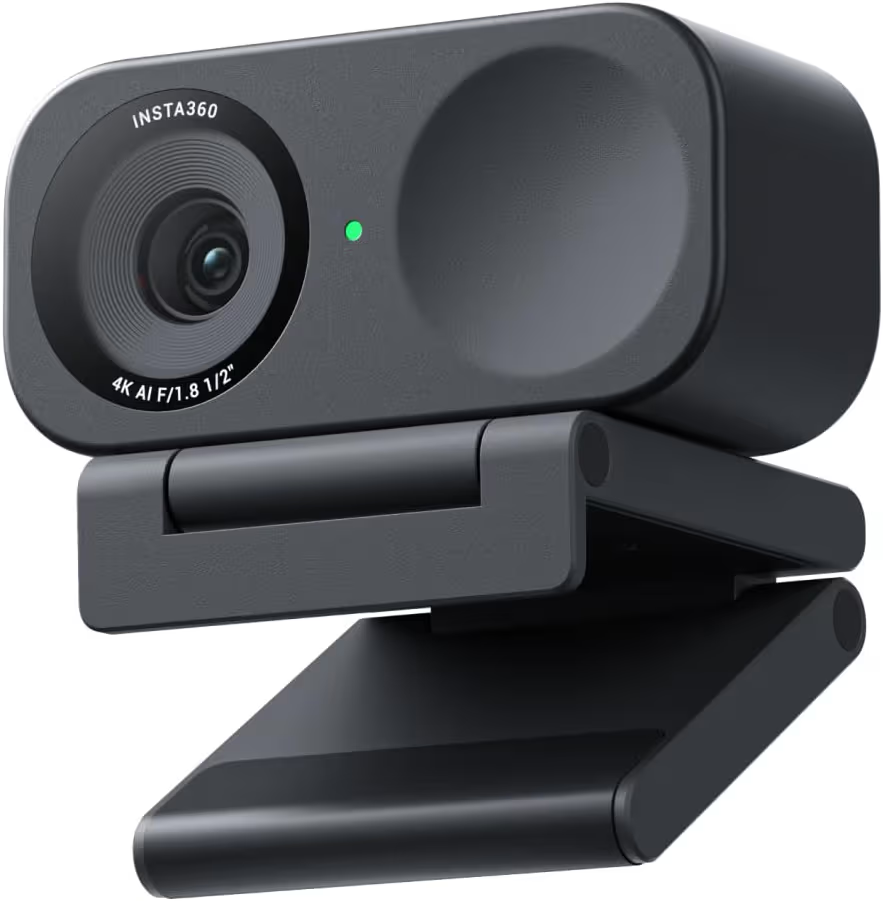
Insta360 Link 2C — Best Premium 4K
Why we picked it: Insta360 Link 2C offers outstanding HDR performance, AI framing, and excellent image quality for professionals who want premium video during meetings.
 Click image to enlarge
|
From $149.99
|
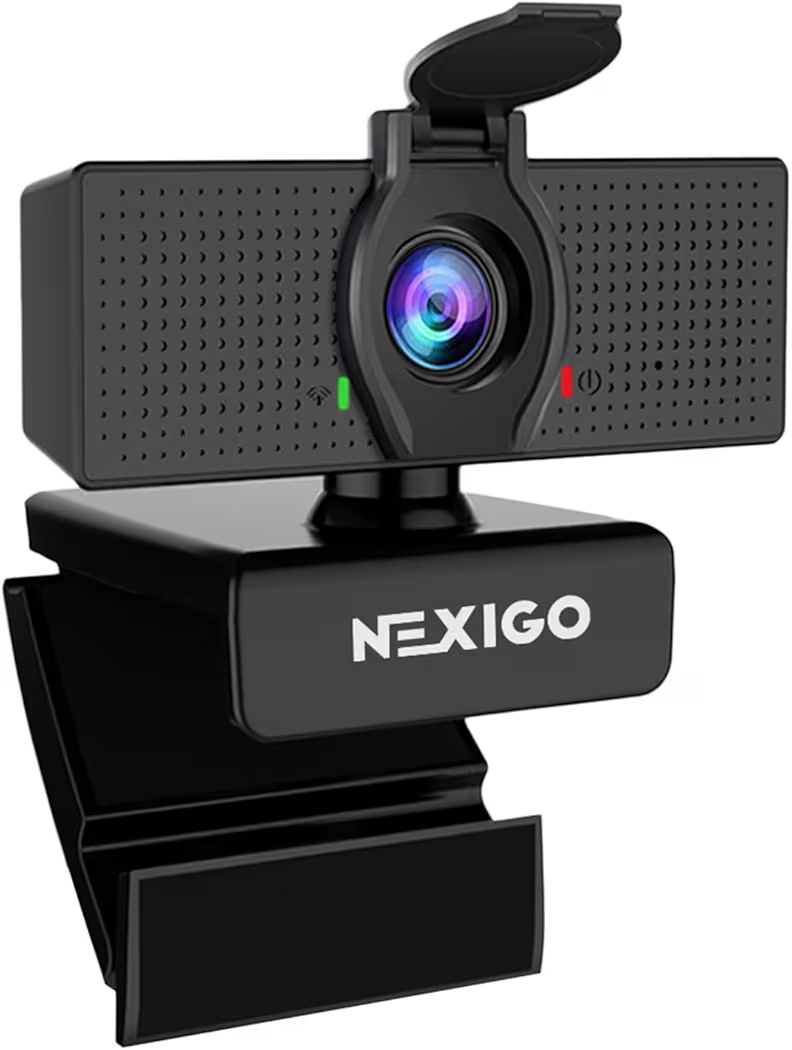
NexiGo N60 — Best Budget Pick
Why we picked it: NexiGo N60 delivers dependable 1080p video, a privacy cover, and simple plug-and-play setup at one of the most affordable prices available.
 Click image to enlarge
|
From $24.99
|
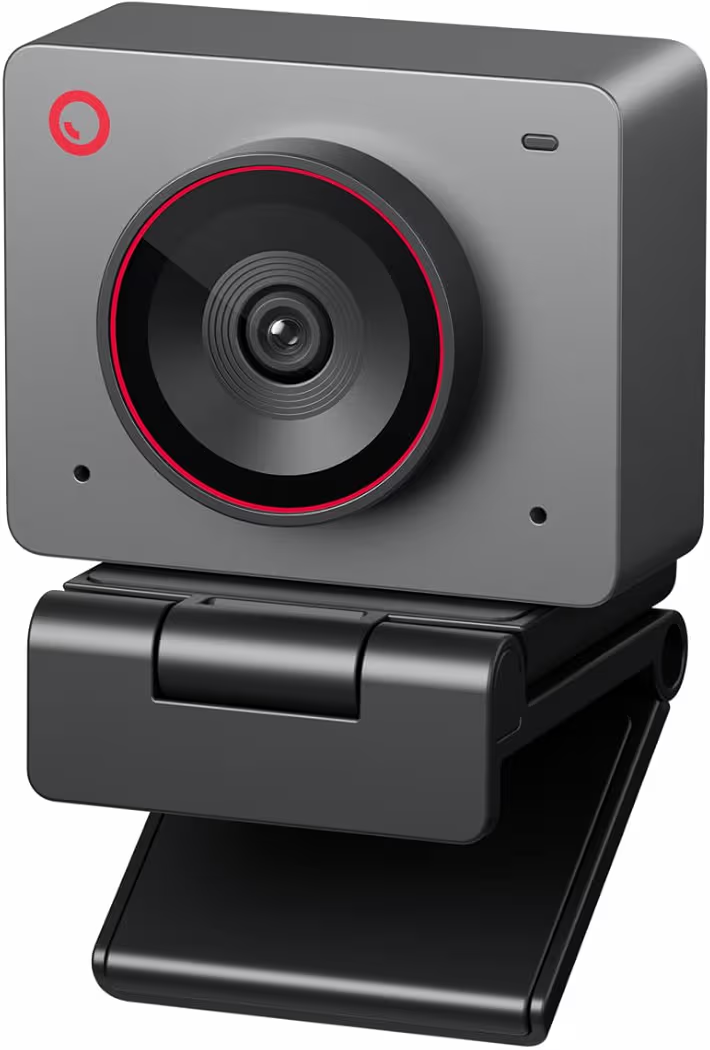
OBSBOT Meet 2 4K Webcam — Best AI Features
Why we picked it: OBSBOT Meet 2 combines AI auto framing, HDR video, gesture controls, and fast autofocus for users who want intelligent camera features during meetings.
 Click image to enlarge
|
From $99.00
|
Prices may change over time. We may earn a commission if you purchase through our links, at no extra cost to you.
Best Webcam for Zoom Meetings at a Glance
| Webcam | Best For | Resolution | Autofocus | Microphones | Privacy Shutter | Price |
|---|---|---|---|---|---|---|
| Logitech MX Brio | Overall Performance | 4K | Yes | Dual Beamforming | Yes | From $197.90 |
| Logitech C920S HD Pro | Best Value | 1080p | Yes | Stereo | Yes | From $63.99 |
| Anker PowerConf C200 | Home Office | 2K | Yes | AI Noise Canceling | Yes | From $59.99 |
| Insta360 Link 2C | Premium 4K | 4K | Yes | AI Noise Canceling | No | From $149.99 |
| NexiGo N60 | Budget | 1080p | Fixed Focus | Built-in | Yes | From $24.99 |
| OBSBOT Meet 2 | AI Features | 4K | AI Autofocus | Dual Microphones | No | From $99.00 |
Best Webcam for Zoom Meetings Reviews
Logitech MX Brio Ultra HD 4K Webcam — Best Overall
|
Price: Around $197.90 |
Why We Recommend It
The Logitech MX Brio is the best webcam for Zoom meetings because it consistently delivers sharp 4K video, accurate autofocus, excellent HDR, and dependable microphone quality. Logitech also provides reliable software support, making the webcam suitable for daily business meetings and long-term remote work.
Key Features
- 4K Ultra HD resolution
- Sony STARVIS image sensor
- 1080p up to 60 FPS
- HDR support
- Dual beamforming microphones
- Show Mode for desk sharing
- USB-C connectivity
- Privacy shutter
- Compatible with Windows, macOS, ChromeOS, Zoom, Microsoft Teams, and Google Meet
| Pros | Cons |
|---|---|
|
|
During daily Zoom meetings, the Logitech MX Brio performs particularly well when room lighting changes throughout the day. HDR helps maintain balanced exposure near bright windows, while autofocus keeps your face sharp even when you lean forward to explain documents.
Additionally, the dual microphones capture voices clearly without requiring an external microphone for most home offices. Pairing the Logitech MX Brio with a larger home office monitor creates a more comfortable video conferencing setup.
Logitech C920S HD Pro Webcam — Best Value
|
Price: Around $63.99 |
Why We Recommend It
The Logitech C920S remains one of the easiest webcams to recommend because it balances Full HD video quality, dependable stereo microphones, and affordability. Logitech C920S continues to appear in professional buying guides because it simply works well for most Zoom users.
Key Features
- 1080p Full HD video
- Automatic light correction
- Stereo microphones
- Privacy shutter
- Glass lens
- USB plug-and-play
| Pros | Cons |
|---|---|
|
|
The Logitech C920S works especially well for remote workers who attend several meetings every week without needing premium 4K video. Automatic light correction helps maintain a clear image even when indoor lighting isn’t ideal.
Furthermore, the built-in privacy shutter offers peace of mind after meetings end. Combining the Logitech C920S with a quality wireless keyboard makes everyday remote work more comfortable.
Anker PowerConf C200 — Best for Home Office
|
Price: Around $59.99 |
Why We Recommend It
The Anker PowerConf C200 offers an excellent balance of price and features. The 2K resolution, AI noise reduction, adjustable field of view, and compact design make the webcam ideal for dedicated home office environments.
Key Features
- 2K resolution
- AI noise-canceling microphones
- Adjustable field of view
- Built-in privacy cover
- Low-light correction
- USB-C support
| Pros | Cons |
|---|---|
|
|
The Anker PowerConf C200 is particularly useful when your desk space is limited. Adjustable field of view allows the webcam to frame either your face or a wider workspace without physically moving the camera.
Additionally, the AI microphones reduce distracting background sounds from fans and keyboards. Users upgrading an older workspace may also benefit from choosing the right computer accessories alongside a new webcam.
Insta360 Link 2C — Best Premium 4K
|
Price: Around $149.99 |
Why We Recommend It
The Insta360 Link 2C is an excellent choice for professionals who want premium 4K quality without stepping up to a motorized PTZ webcam. AI framing and HDR help produce consistently polished video during presentations and client meetings.
Key Features
- 4K Ultra HD
- HDR support
- AI auto framing
- Gesture controls
- Noise-canceling microphone
- Large image sensor
| Pros | Cons |
|---|---|
|
|
During presentations, the Insta360 Link 2C keeps subjects centered automatically, reducing the need to adjust the camera manually. HDR also preserves facial details in challenging lighting conditions, making meetings appear more professional.
NexiGo N60 — Best Budget Pick
|
Price: Around $24.99 |
Why We Recommend It
The NexiGo N60 proves that a reliable webcam for Zoom meetings doesn’t need to be expensive. Full HD video, a privacy cover, and plug-and-play installation make it a practical upgrade over most built-in laptop cameras.
Key Features
- 1080p Full HD
- Built-in microphone
- Privacy cover
- USB plug-and-play
- Software controls
| Pros | Cons |
|---|---|
|
|
OBSBOT Meet 2 4K Webcam — Best AI Features
|
Price: Around $99.00 |
Why We Recommend It
The OBSBOT Meet 2 stands out for users who want AI-powered framing, HDR video, gesture controls, and excellent image quality without paying flagship prices. The intelligent tracking features help presenters remain centered throughout meetings.
Key Features
- 4K resolution
- AI framing
- HDR
- Gesture control
- Dual microphones
- Fast autofocus
| Pros | Cons |
|---|---|
|
|
When giving presentations or teaching online, the OBSBOT Meet 2 automatically keeps the speaker in frame, reducing distractions and creating a smoother meeting experience.
Webcam Feature Comparison
The best webcam for Zoom meetings depends on more than resolution alone. Image quality, autofocus, microphone performance, HDR, and software features all influence how professional you appear during video calls. Comparing these features side by side makes it easier to choose the right webcam for your workspace and budget.
| Feature | Logitech MX Brio | Logitech C920S | Anker PowerConf C200 | Insta360 Link 2C | NexiGo N60 | OBSBOT Meet 2 |
|---|---|---|---|---|---|---|
| Maximum Resolution | 4K | 1080p | 2K | 4K | 1080p | 4K |
| Autofocus | Yes | Yes | Yes | PDAF | Fixed Focus | AI Autofocus |
| HDR | Yes | No | No | Yes | No | Yes |
| Low-Light Performance | Excellent | Good | Very Good | Excellent | Average | Excellent |
| Built-in Microphones | Dual Beamforming | Stereo | AI Noise Reduction | AI Noise Canceling | Single Mic | Dual Microphones |
| Privacy Shutter | Yes | Yes | Yes | No | Yes | No |
| Best For | Professionals | Everyday Meetings | Home Office | Premium Users | Budget Buyers | Presentations |
1080p vs 4K Video Quality
A 1080p webcam remains the best choice for most Zoom meetings because Zoom often compresses video during calls. Models such as the Logitech C920S and NexiGo N60 provide sharp Full HD images that look noticeably better than most built-in laptop cameras while using less bandwidth.
However, a 4K webcam captures more detail before Zoom compresses the video stream. The Logitech MX Brio, Insta360 Link 2C, and OBSBOT Meet 2 produce cleaner images, better color reproduction, and improved clarity when you crop or digitally zoom during presentations.
If you regularly meet clients or attend executive meetings, investing in a 4K webcam makes sense. Otherwise, a quality 1080p or 2K webcam offers excellent value without significantly affecting meeting quality.
Autofocus and Low-Light Performance
Reliable autofocus keeps your face sharp throughout a meeting. Premium webcams such as the Logitech MX Brio, Insta360 Link 2C, and OBSBOT Meet 2 adjust focus quickly when you move naturally, helping you stay clear while speaking.
Low-light performance is equally important for home offices. HDR and larger image sensors preserve facial details when sunlight changes or room lighting is uneven. As a result, premium webcams usually produce cleaner images with less digital noise than entry-level models.
Lighting still matters regardless of webcam quality. Positioning a light source in front of your face generally improves video quality more than placing bright lights behind your monitor.
Built-in Microphones and Noise Reduction
Most modern webcams include microphones, but microphone quality varies considerably. The Logitech MX Brio, Anker PowerConf C200, Insta360 Link 2C, and OBSBOT Meet 2 use advanced microphone systems that reduce background distractions during meetings.
Meanwhile, budget webcams such as the NexiGo N60 work well in quiet rooms but may capture keyboard clicks, fans, or nearby conversations more easily. If your workspace is noisy, consider pairing your webcam with a dedicated headset.
A complete workspace also includes comfortable input devices. Choosing a quality wireless mouse helps reduce fatigue during long workdays without cluttering your desk.
AI Features, Privacy Shutters, and Ease of Setup
AI-powered features improve convenience rather than image quality. The Insta360 Link 2C and OBSBOT Meet 2 automatically keep you centered, while gesture controls simplify camera adjustments during presentations or online teaching.
Privacy shutters provide an additional layer of security by physically covering the lens when meetings end. Logitech MX Brio, Logitech C920S, Anker PowerConf C200, and NexiGo N60 all include integrated privacy covers, making them attractive choices for business users.
Installation is straightforward across all six webcams because each model supports plug-and-play connectivity on Windows and macOS. However, installing the manufacturer’s software unlocks additional controls such as HDR settings, field-of-view adjustments, firmware updates, and image customization.
How to Choose the Best Webcam for Zoom Meetings
Choose the Right Resolution
Resolution should match your actual needs rather than your budget. A 1080p webcam is sufficient for most Zoom meetings, online classes, and remote work because it provides clear video while maintaining stable performance on average internet connections.
Choose a 4K webcam if you frequently present to clients, create professional content, or need the highest possible image quality. Higher-resolution sensors also improve digital zoom and overall image processing.
Look for Reliable Autofocus
Autofocus helps maintain a sharp image as you move naturally during meetings. Fast autofocus reduces distracting blur when leaning toward the camera, demonstrating products, or switching between sitting and standing positions.
If your webcam uses fixed focus, maintaining the correct distance from the camera becomes more important. Therefore, autofocus is worth prioritizing for users who spend several hours each day in video meetings.
Consider Microphone Quality
A webcam with quality microphones reduces the need for separate audio equipment. Dual microphones and AI noise reduction improve voice clarity while minimizing background sounds such as fans, keyboards, and air conditioners.
Business professionals working from shared spaces may still benefit from dedicated audio equipment, but built-in microphones are perfectly adequate for many home offices.
Check Compatibility with Your Computer
Most modern webcams support Windows, macOS, ChromeOS, Zoom, Microsoft Teams, and Google Meet without complicated setup. Nevertheless, checking USB-A or USB-C compatibility before purchasing avoids unnecessary adapters.
If your laptop has limited ports, adding a USB-C docking station makes connecting a webcam, monitor, keyboard, mouse, and other accessories much easier. Remote workers upgrading older hardware may also benefit from a modern work laptop that supports today’s video conferencing software more efficiently.
Frequently Asked Questions
Is a 1080p webcam good enough for Zoom?
Yes. A 1080p webcam is more than sufficient for most Zoom meetings because Zoom compresses video during calls. Models such as the Logitech C920S and NexiGo N60 deliver sharp images that are suitable for remote work, online learning, and business meetings.
Do I need a 4K webcam for Zoom meetings?
No. A 4K webcam is optional rather than essential. Premium models offer better image processing, improved HDR, and superior low-light performance, making them valuable for professionals who spend many hours in video meetings or frequently present to clients.
Which webcam performs best in low light?
The Logitech MX Brio, Insta360 Link 2C, and OBSBOT Meet 2 provide the strongest low-light performance because they combine larger image sensors with HDR and advanced image processing. These features help maintain brighter, cleaner video in challenging lighting conditions.
Can I use a webcam without installing software?
Yes. All six recommended webcams support plug-and-play installation, allowing Zoom to recognize the camera automatically. Installing the manufacturer’s software is still worthwhile because it unlocks firmware updates, image controls, and additional customization options.
Which webcam has the best built-in microphone?
The Logitech MX Brio offers one of the best built-in microphone systems thanks to its dual beamforming microphones. The Anker PowerConf C200 and OBSBOT Meet 2 also provide excellent voice quality with effective background noise reduction for everyday meetings.
Are laptop webcams good enough for professional meetings?
Most built-in laptop webcams work for casual calls, but an external webcam usually provides sharper video, better microphones, stronger low-light performance, and more reliable autofocus. Upgrading to a dedicated webcam creates a noticeably more professional appearance during Zoom meetings.
Final Thought
The best webcam for Zoom meetings depends on how you work rather than simply choosing the most expensive model. The Logitech MX Brio stands out as the best overall option for professionals, while the Logitech C920S remains an excellent value for everyday meetings. Budget-conscious buyers will appreciate the NexiGo N60, whereas the Insta360 Link 2C and OBSBOT Meet 2 bring advanced AI features for users who want premium capabilities.
Before upgrading your webcam, consider your entire workspace. Better lighting, an ergonomic desk setup, and the right accessories often improve video conferencing as much as the camera itself. Building a comfortable home office setup can make every Zoom meeting look and feel more professional.