Computer accessories can improve productivity, reduce physical strain, and make everyday work more efficient when chosen for the right purpose. However, buying every popular gadget rarely leads to a better workspace because compatibility, ergonomics, and workflow matter more than the number of accessories on your desk.
Learning how to choose the right computer accessories for work starts with understanding your daily tasks, your computer’s capabilities, and the problems you want to solve. This guide explains how to select accessories that improve comfort, connectivity, and efficiency while avoiding unnecessary purchases. If you’re building a workspace from scratch, starting with a budget-friendly home office helps create a solid foundation before investing in additional equipment.
How Do You Choose the Right Computer Accessories for Work?
The best way to choose the right computer accessories for work is to identify your daily workflow, confirm compatibility with your computer, prioritize ergonomic comfort, and invest only in accessories that solve real productivity challenges. Choosing accessories based on actual needs delivers better long-term value than buying products simply because they are popular.
Computer accessories should improve the way you work instead of adding clutter to your desk. For example, a programmer benefits from a mechanical keyboard and a USB-C hub, while someone who spends most of the day in video meetings may gain more value from a quality webcam and ergonomic laptop stand. Therefore, understanding your work habits should always come before comparing products.

Start with Your Daily Workflow
The first step in choosing computer accessories is identifying how you use your computer every day. Different work environments require different accessories, so selecting products based on your workflow prevents unnecessary spending while improving efficiency.
Remote workers often depend on reliable webcams, comfortable keyboards, wireless mice, and stable internet connections for daily meetings. Meanwhile, graphic designers frequently benefit from color-accurate monitors, external storage, and precise pointing devices. Matching accessories to your responsibilities creates a workspace that supports productivity instead of slowing it down.
Computer accessories should also support the amount of time spent at your desk. Someone working eight hours a day benefits much more from ergonomic equipment than someone using a laptop occasionally. Additionally, planning your setup around daily tasks makes future upgrades much easier.
If your workspace is still incomplete, a practical home office essentials checklist can help identify which accessories deserve priority before purchasing optional upgrades.
Check Device Compatibility
Computer accessories should always be compatible with your laptop or desktop before you consider price or design. Compatibility determines whether an accessory performs as expected and prevents costly purchasing mistakes.
Modern laptops increasingly rely on USB-C ports instead of traditional USB-A connections. As a result, buyers should verify available ports, Bluetooth support, HDMI outputs, DisplayPort compatibility, and Thunderbolt capabilities before selecting accessories such as docking stations, monitors, or storage devices.
Operating system compatibility also matters. Some computer accessories offer advanced customization software for Windows but limited functionality on macOS or Linux. Likewise, certain accessories work best with Bluetooth while others require dedicated USB receivers for maximum performance.
Users with thin and lightweight laptops often discover they need additional ports after connecting an external monitor, keyboard, storage drive, and mouse simultaneously. In that situation, an Anker USB-C Hub 5-in-1 provides a practical solution by expanding connectivity without replacing the computer itself.
Limited ports are common on newer laptops. Pairing your computer with an appropriate docking solution becomes much easier after understanding the differences explained in our guide to USB-C docking stations.
Prioritize Comfort and Ergonomics
Ergonomic computer accessories help reduce fatigue, improve posture, and make long work sessions more comfortable. Investing in comfort often provides greater long-term benefits than upgrading computer specifications alone.
A laptop positioned too low forces your neck downward for hours at a time, increasing strain on your shoulders and upper back. Raising the display to eye level with an adjustable stand encourages a healthier sitting position and creates a more comfortable viewing angle throughout the workday.
The Amazon Basics Adjustable Laptop Stand is a practical example of an ergonomic accessory because it elevates compatible laptops while improving airflow underneath the device. Similarly, the Vaydeer Ergonomic Wrist Rest supports your wrists during extended typing sessions and can make repetitive keyboard work noticeably more comfortable.
Comfort also depends on choosing peripherals that fit your body rather than following trends. Keyboard layout, mouse size, and monitor height all influence posture, making ergonomic planning one of the smartest investments for any office setup.
Typing for several hours every day becomes much easier with the right keyboard. Choosing a model designed for extended use is just as important as selecting an ergonomic stand, especially when comparing different wireless keyboard options.


Buy Accessories That Solve Real Problems
The most valuable computer accessories solve specific problems rather than simply adding more equipment to your desk. Purchasing accessories with a clear purpose helps keep your workspace organized and your budget under control.
For example, someone constantly reconnecting USB devices benefits from a USB-C hub, while a cluttered workspace may only need better cable management. Likewise, frequent video callers may gain more from a webcam privacy cover than from another desk decoration.
The N NOROCME Cable Management Kit keeps charging cables and peripheral wires organized, making desks easier to clean and reducing accidental cable damage. Meanwhile, the Yilador Webcam Cover improves privacy by physically blocking the camera whenever it is not being used. Regular maintenance also matters, and a Keyboard Cleaning Kit helps remove dust and fingerprints that can affect both appearance and usability over time.
Choosing computer accessories based on practical needs creates a workspace that remains efficient as your responsibilities grow. Consequently, every purchase should answer one simple question: what specific problem will this accessory solve during a typical workday?
Identify the Accessories You Actually Need
The computer accessories you actually need depend on your daily work rather than the number of products available. Choosing accessories that improve typing, viewing, connectivity, and workspace organization creates a more productive setup while avoiding unnecessary purchases.
Computer accessories should solve a specific problem before earning a place on your desk. For example, a remote worker may need a webcam and USB-C hub, while a programmer benefits more from an ergonomic keyboard and a second monitor. Therefore, identifying your workflow first helps prioritize accessories that provide the greatest return.
Input Devices (Keyboard and Mouse)
Input devices have the biggest impact on comfort because they are used throughout the workday. Selecting a keyboard and mouse that match your typing style and hand size helps reduce fatigue while improving accuracy.
Computer accessories such as wireless keyboards keep desks tidy and allow greater flexibility when arranging a workspace. However, wired keyboards still appeal to users who want a consistent connection without worrying about battery life. Choosing between the two depends on how and where you work rather than which option is newer.
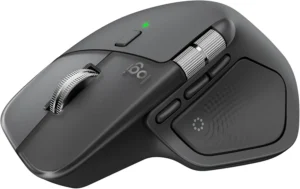
A mouse should fit comfortably in your hand and provide accurate tracking for your daily tasks. Office workers often prefer ergonomic designs that reduce wrist movement, while creative professionals may require additional programmable buttons for editing software.
If you’ll spend hours typing each day, selecting the right keyboard becomes just as important as choosing your computer. Likewise, using a comfortable pointing device alongside one of the best wireless mice for productivity can improve both comfort and efficiency during long work sessions.
Display Accessories
Display accessories improve visibility, posture, and multitasking. Choosing the right monitor or laptop stand allows you to work longer with less physical strain while increasing available screen space.
Computer accessories that improve screen positioning often deliver immediate benefits. An adjustable laptop stand raises the display to eye level, helping reduce neck strain, while an external monitor provides additional workspace for documents, spreadsheets, or creative applications.
The Amazon Basics Adjustable Laptop Stand is a practical option for users who frequently work from a laptop because its adjustable design promotes better posture without taking up much desk space. Pairing a laptop stand with an external monitor creates a more ergonomic workstation for everyday productivity.
Professionals who regularly work with multiple windows, large spreadsheets, or creative software may benefit from upgrading to a larger display. Choosing the right laptop stand also complements an external monitor by creating a more natural viewing angle throughout the day.
Connectivity Accessories
Connectivity accessories become essential when your computer doesn’t have enough ports for the devices you use every day. Expanding connectivity improves workflow and reduces the need to unplug accessories repeatedly.
Modern laptops often include only a few USB-C ports, making it difficult to connect monitors, storage devices, keyboards, and external drives simultaneously. Therefore, adding a reliable USB hub or docking solution can significantly improve convenience without replacing your computer.
The Anker USB-C Hub 5-in-1 expands a single USB-C port into multiple high-speed connections, including HDMI output, USB-A ports, USB-C data, and Power Delivery charging. This type of computer accessory is especially valuable for remote workers who frequently connect external displays or transfer files.
If your workstation continues to grow, a full docking station may provide even greater flexibility than a standard hub. Understanding the available options becomes easier after comparing different USB-C docking stations for your laptop.
Workspace Organization and Comfort
Workspace organization accessories help create a cleaner, more efficient desk while reducing distractions. A well-organized workspace makes frequently used devices easier to access and supports better long-term productivity.
Computer accessories designed for organization don’t need to be expensive to make a noticeable difference. Cable organizers prevent tangled wires, while cleaning tools help keep keyboards, monitors, and peripherals free from dust that can accumulate during everyday use.
The N NOROCME Cable Management Kit keeps charging cables, monitor cables, and peripheral wires neatly arranged, making desks easier to maintain. Additionally, the Keyboard Cleaning Kit removes debris from keyboards, screens, cameras, and other electronics, helping preserve both appearance and performance.
Privacy should also be part of a modern workspace. The Yilador Webcam Cover provides a simple physical barrier that blocks the camera when it isn’t needed, offering extra peace of mind during remote work.
What to Look for Before Buying Computer Accessories
Choosing computer accessories based on compatibility, quality, and long-term usability helps avoid unnecessary replacements. Evaluating these factors before buying ensures every accessory continues to support your workflow as your workspace evolves.
Compatibility with Your Computer
Compatibility should always be the first factor you check before purchasing computer accessories. Even the highest-rated accessory becomes frustrating if it doesn’t work properly with your computer or available ports.
Start by confirming your laptop or desktop supports the required connection, whether that’s USB-A, USB-C, Thunderbolt, Bluetooth, HDMI, or DisplayPort. Additionally, verify operating system support if the accessory relies on companion software for advanced features.
The Anker USB-C Hub 5-in-1 is designed for many modern USB-C laptops, but users should still confirm display output support and charging capabilities before buying. Spending a few minutes checking compatibility prevents disappointment later.
Wired vs. Wireless Options
Neither wired nor wireless computer accessories are universally better because each option suits different work environments. The right choice depends on reliability, mobility, battery management, and desk layout.
Wireless accessories reduce cable clutter and offer greater flexibility, making them ideal for clean desk setups and hybrid workspaces. However, wired accessories eliminate charging concerns and often provide a more consistent connection for intensive workloads.
Choosing between wired and wireless devices should reflect how you work every day. For example, a remote worker may prioritize a wireless keyboard and mouse for flexibility, while a fixed office workstation may benefit from dependable wired peripherals.
Build Quality and Durability
High-quality computer accessories usually last longer and provide a better user experience than cheaper alternatives. Strong materials, reliable switches, reinforced cables, and thoughtful design often justify a slightly higher initial investment.
Accessories that receive daily use should withstand years of typing, clicking, plugging, and unplugging. Therefore, evaluating build quality alongside warranty coverage helps identify products that deliver better long-term value instead of focusing only on price.
The Amazon Basics Adjustable Laptop Stand uses a durable metal design for everyday use, while the Anker USB-C Hub 5-in-1 comes from a well-established brand recognized for dependable charging and connectivity products. Selecting reputable manufacturers often reduces the risk of premature failure.
Budget Versus Long-Term Value
The lowest-priced computer accessories are not always the most affordable in the long run. Spending slightly more on reliable products often reduces replacement costs while improving everyday productivity.
Instead of buying multiple inexpensive accessories that may fail quickly, prioritize products that directly improve your work. A dependable USB hub, ergonomic laptop stand, or comfortable wrist rest usually provides greater value than decorative desk gadgets with little practical benefit.
Before completing your purchase, consider whether each accessory solves a real problem, fits your existing computer, and will remain useful as your workspace grows. Making thoughtful buying decisions today helps build a workstation that supports productivity for years to come.
Common Mistakes to Avoid When Choosing Accessories
Many people waste money on computer accessories because they buy based on popularity instead of solving a real workspace problem. Avoiding a few common mistakes helps build a setup that improves productivity, comfort, and long-term value.
Buying the Cheapest Option
The cheapest computer accessories often become the most expensive over time because they wear out faster or fail to meet everyday needs. Choosing quality products with durable materials and reliable performance usually provides better value than replacing low-cost accessories every few months.
For example, a dependable USB hub should maintain stable data transfers and charging without overheating or disconnecting devices. Likewise, an adjustable laptop stand should remain stable while supporting your computer instead of wobbling during use.
Ignoring Ergonomics
Ignoring ergonomics can lead to neck pain, wrist discomfort, and unnecessary fatigue during long workdays. Computer accessories should support a healthy posture instead of forcing awkward positions that reduce productivity.
Using an adjustable laptop stand raises the display closer to eye level, while an ergonomic wrist rest helps support natural wrist positioning during typing. According to guidance from the National Institute for Occupational Safety and Health (NIOSH), proper workstation ergonomics can reduce physical strain and improve workplace comfort.
If you work from home every day, combining ergonomic accessories with an organized workspace creates a more comfortable environment for long-term productivity.
Purchasing Incompatible Accessories
Buying incompatible computer accessories is one of the quickest ways to waste money. Before ordering any accessory, verify the available ports, operating system support, wireless connectivity, and physical dimensions of your computer.
For instance, purchasing a USB-A accessory for a laptop with only USB-C ports may require an additional adapter. Similarly, some accessories offer advanced software features that work only on specific operating systems. Checking compatibility first prevents unnecessary returns and frustration.
Overlooking Desk Organization
Desk organization is often overlooked, yet it directly affects productivity and comfort. Loose cables, crowded desks, and dusty peripherals make everyday work less efficient and can shorten the lifespan of electronic devices.
The N NOROCME Cable Management Kit helps organize charging cables and peripheral wires, creating a cleaner workspace that is easier to maintain. Meanwhile, using a Keyboard Cleaning Kit regularly removes dust and debris that naturally build up during daily use.
Expert Picks That Can Improve Your Workspace
The following computer accessories are practical examples of products that solve common workplace challenges. Instead of recommending dozens of gadgets, these selections focus on accessories that improve connectivity, ergonomics, organization, maintenance, and privacy.
| Accessory | Best For | Main Benefit |
|---|---|---|
| Anker USB-C Hub 5-in-1 | Modern laptops | Expands connectivity with HDMI, USB-A, USB-C, and Power Delivery. |
| Amazon Basics Adjustable Laptop Stand | Laptop users | Improves posture and viewing comfort. |
| N NOROCME Cable Management Kit | Organized workspaces | Keeps cables neat and reduces desk clutter. |
| Vaydeer Ergonomic Wrist Rest | Heavy typists | Supports wrists during extended typing sessions. |
| Keyboard Cleaning Kit | Device maintenance | Keeps keyboards, monitors, and electronics clean. |
| Yilador Webcam Cover | Remote workers | Adds a simple layer of webcam privacy. |
Best USB-C Hub for Expanding Connectivity
The Anker USB-C Hub 5-in-1 is an excellent choice for professionals using modern laptops with limited ports. The hub adds HDMI output, USB-A ports, USB-C data transfer, and pass-through charging, allowing multiple accessories to stay connected throughout the workday.
Best Laptop Stand for Better Posture
The Amazon Basics Adjustable Laptop Stand helps position a laptop at a more comfortable viewing height while improving airflow underneath the device. Pairing a laptop stand with an external monitor can create a more ergonomic workstation for extended daily use.
Best Cable Management Solution
The N NOROCME Cable Management Kit is a practical solution for reducing cable clutter around monitors, chargers, and peripherals. Organizing cables not only improves the appearance of a workspace but also makes cleaning and troubleshooting much easier.
Useful Comfort and Privacy Accessories
The Vaydeer Ergonomic Wrist Rest supports your wrists during long typing sessions, while the Keyboard Cleaning Kit helps maintain keyboards, screens, and other electronics. Additionally, the Yilador Webcam Cover offers a simple way to protect privacy whenever your camera is not in use.
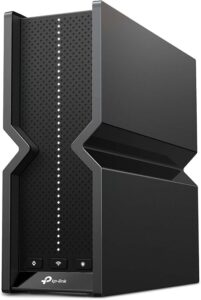
Beyond choosing the right accessories, a reliable internet connection and secure browsing environment also improve remote work. Upgrading your network with a Wi-Fi 7 router and protecting sensitive information with a VPN for remote work can complement your overall workspace.
Frequently Asked Questions
What computer accessories improve productivity the most?
The computer accessories that improve productivity the most are ergonomic keyboards, comfortable mice, external monitors, laptop stands, and USB-C hubs. These accessories reduce physical strain, improve multitasking, and make everyday work more efficient without requiring a complete computer upgrade.
Which computer accessories should I buy first?
Start with computer accessories that solve your biggest daily challenge. For many people, that means an ergonomic keyboard, a quality mouse, an adjustable laptop stand, or a USB-C hub if the computer has limited ports. Prioritize accessories that you will use every day.
Are wireless accessories better for work?
Wireless computer accessories are better when you value flexibility and a clutter-free desk. However, wired accessories remain an excellent choice for users who want a constant connection without charging batteries. The best option depends on your work environment rather than one being universally superior.
Do I need a USB-C hub or a docking station?
A USB-C hub is ideal for adding a few extra ports while remaining portable. A docking station is better if you regularly connect multiple monitors, storage devices, Ethernet, and other peripherals from a permanent desk setup.
How can I reduce wrist and neck pain while working?
Reducing wrist and neck pain starts with proper ergonomics. Raise your screen to eye level, keep your wrists in a neutral position, and use supportive accessories such as an adjustable laptop stand and ergonomic wrist rest. Taking regular breaks also helps reduce muscle fatigue.
Which computer accessories are essential for remote workers?
Remote workers typically benefit most from a comfortable keyboard, ergonomic mouse, webcam, USB-C hub, laptop stand, reliable internet connection, and privacy accessories. Choosing accessories based on daily workflow creates a more productive and comfortable home office.
Final Thought
Choosing the right computer accessories for work is less about buying more products and more about selecting the tools that genuinely improve your daily workflow. Focusing on compatibility, ergonomics, durability, and long-term value helps create a workspace that supports productivity instead of adding unnecessary clutter.
Whether you’re upgrading a home office or setting up a new workstation, start with the essentials and expand only when a real need arises. Finally, building your workspace around practical requirements instead of trends will help you make smarter purchasing decisions that continue to pay off for years.