How to Check OPay Balance via USSD or App (2025)
Views: 1
If you’ve ever found yourself out of data and needing to check your OPay wallet balance, you’re not alone. According to the Enhancing Financial Innovation & Access (EFInA) report, over 38 million Nigerian adults still don’t use smartphones or reliable internet access daily. In a world where fintech apps dominate the urban lifestyle, there’s a massive population left depending on offline options—and that’s where OPay’s USSD code (*955#) becomes a lifesaver.
I’ve used OPay since the early days. From the chaos of Lagos traffic to dead zones in Benin City, that little *955# code has saved me more times than I can count—whether checking my balance, topping up airtime on the fly, or sending money to a trader at Mile 12. This post covers how to check your balance using OPay’s USSD code, even on a basic phone, plus other helpful tricks.

What is OPay and Why Is It So Popular in Nigeria?
OPay, short for Opera Pay, started as a mobile payment platform under Opera Software. Today, it’s one of Nigeria’s largest digital wallets, trusted by millions for sending money, buying airtime, paying bills, and more.
What makes OPay stand out? Simplicity. Speed. Accessibility. Whether you’re using an Android phone or a simple feature phone, OPay gives you access to essential financial services—without visiting a bank or depending on internet access.
Some of OPay’s top services include:
- Mobile transfers to OPay users and Nigerian bank accounts
- Airtime and data top-ups across all networks (MTN, Airtel, Glo, 9mobile)
- Bill payments for electricity (NEPA), internet, TV
- POS agent network across Nigeria for cash in/out
- Physical debit cards that can be activated via USSD
It’s especially helpful for unbanked individuals, rural dwellers, and low-income earners who don’t always have smartphones or stable connectivity. For those users, USSD banking is not just a feature—it’s a necessity.
How to Check Your OPay Balance with USSD Code (*955*0#)
Checking your OPay wallet balance is super quick. You don’t need mobile data, a banking app, or even a smartphone.
Here’s how to do it:
- Dial *955*0# from the phone number linked to your OPay account
- Enter your 4-digit OPay PIN when prompted
- Your wallet balance will display on your screen within seconds
That’s it. No waiting, no loading, no stress. This works on MTN, Airtel, Glo, and 9mobile, and it’s available 24/7, even during bank downtimes.
This method is perfect if:
- Your data is off or finished
- You’re using a feature phone (popular in rural Nigeria)
- The OPay app is misbehaving or uninstalled
- You just need a quick glance at your wallet before a purchase
For many Nigerians, especially in remote areas, this offline balance check is the main reason they stick with OPay. It’s direct, reliable, and lightning-fast.
List of All Useful OPay USSD Codes (Updated 2025)
OPay’s USSD menu goes beyond checking your balance. You can perform full financial transactions using these shortcodes—all without internet.
Here’s the complete list of OPay USSD codes that work on any phone:
- Check Balance: *955*0#
- Send Money to OPay User: *955*1*Amount*PhoneNumber#
- Transfer to Bank Account: *955*2*Amount*AccountNumber#
- Buy Airtime for Yourself: *955*3*Amount#
- Buy Airtime for Others: *955*3*Amount*PhoneNumber#
- Buy Data: *955*4*PhoneNumber#
- Pay Electricity Bill (NEPA): *955*6#
- Fund Betting Accounts: *955*5#
- Generate OTP for Login: *955*010#
- Activate OPay Debit Card: *955*03121#
- Block OPay Card: *955*132#
- Block OPay Account (Emergency): *955*131#
These USSD codes work whether you have the OPay app or not. They are especially useful in emergencies—say your account gets compromised, or you lose your SIM card. Just borrow a friend’s phone, dial the block code, and your account’s frozen in seconds.
For more details on how to use these codes for transfers, top-ups, and card activation, check out the full OPay USSD guide.
How to Check Your OPay Balance Using the Mobile App
If you’ve got a smartphone and prefer a visual interface, the OPay mobile app offers a smooth, user-friendly way to manage your wallet. While the 955# USSD code is great when you’re offline, the app unlocks a lot more functionality.
To check your OPay wallet balance using the app:
- Open the OPay app (download it from Google Play Store or Apple’s App Store if you don’t have it yet).
- Log into your account with your registered phone number.
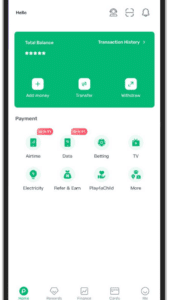
- On the homepage, you’ll see your wallet balance at the top—no need to dig around.
- Tap the wallet icon for transaction history, spending summaries, and balance breakdowns.
The app is especially useful if you want to:
- Track daily spending habits or see past transaction history
- Download receipts for payments or transfers
- Activate your OPay debit card and manage card limits
- Get real-time promo updates or cashback offers
So if you’re using a smartphone and want more control and visibility, the app gives you everything USSD doesn’t.
Why Use USSD to Check Balance Instead of the App?
Now, while the app is great, there are moments when it’s just… not ideal. Maybe your data is gone. Or it might be your phone’s acting up. Maybe you’re rocking a Nokia 3310. That’s where the USSD code wins.
Here’s why many Nigerians still prefer USSD for balance checks:
- No internet needed: USSD works even with 0.00MB left.
- Compatible with basic/feature phones: No app installs, no updates.
- No need for Wi-Fi or electricity: Perfect in rural areas or power outages.
- Faster than opening an app: Just dial, input PIN, and boom—balance on screen.
Common user question: Can I use OPay without internet?
Answer: Yes. Just dial *955# from your registered SIM. All major transactions, including balance checks, work without internet access.
Another common question: How do I check OPay balance on a small phone?
Answer: Dial *955*0#, enter your PIN, and your balance appears instantly.
That’s the beauty of offline financial access—you don’t need a smartphone or even a browser tab to manage your money.
How to Secure Your OPay Wallet When Using USSD
With USSD convenience comes security responsibility. Your PIN is your fortress. And trust me—once you lose it or it falls into the wrong hands, it’s a nightmare.
Here are three essential tips to keep your OPay wallet safe:
- Keep your 4-digit PIN private: Never share it—even with friends or “agents.”
- Don’t screenshot or share USSD inputs: Scammers can use these to access your account.
- Block your card/account immediately if compromised:
- To block your OPay account: Dial *955*131#
- To block your OPay debit card: Dial *955*132#
If you ever feel something’s off—suspicious SMS, unrecognized balance drop, or SIM issues—block first, ask later. Your funds are your responsibility.
For more guidance on security best practices, check out OPay’s fraud awareness tips.
Troubleshooting: Why Is My OPay USSD Code Not Working?
We’ve all been there—trying to check balance, and the code just… doesn’t go through. Here’s what might be going wrong:
- SIM not linked to OPay account: Make sure you’re dialing from the phone number registered on OPay.
- Network issues: If your provider’s network is down (especially Glo or 9mobile), USSD won’t go through.
- Wrong USSD format: Don’t freestyle. Stick to the syntax: *955*0#, *955*1*Amount*PhoneNumber#, etc.
- Outdated or changed number: If you changed SIMs, update your OPay profile accordingly.
Long-tail fix: If *955# isn’t working, restart your phone, ensure you have signal, and double-check you’re using the correct SIM. If it persists, contact OPay support via the app or support.opay.ng.
FAQs About Checking Your OPay Balance
What is the USSD code to check OPay balance?
Dial *955*0#, then input your PIN. Your balance shows up instantly.
Can I check my OPay balance without data?
Yes. USSD works completely offline. No need for mobile data or Wi-Fi.
How do I check my OPay account on a button phone?
Use a feature phone to dial *955*0# and follow the prompt.
Can I use OPay USSD on MTN, Airtel, Glo, and 9mobile?
Absolutely. OPay USSD is supported across all major Nigerian networks.
How to reset OPay PIN?
Log into the app → Go to “Me” → “Security Settings” → “Reset PIN”. If locked out, contact support to reset it securely.
Pro Tips: Making the Most of OPay USSD Codes
Maximizing your USSD experience goes beyond checking your balance. Here’s how to make life easier:
- Save the codes as contacts like “Check Balance OPay” or “Send to Bank OPay”
- Use *955*010# to generate a one-time OTP when logging into third-party apps
- Link your BVN in the app to remove transaction limits and enable full features
- To activate your physical debit card, dial *955*03121#
- Want to become an agent or request a POS machine? Head to the OPay app’s Agent section or visit gizmosum.com for more info.
Conclusion: Fast and Easy Way to Manage Your OPay Wallet
Managing your wallet with OPay doesn’t have to be stressful—or even online. Whether you’re using a smartphone or a basic phone, you can check your OPay balance anytime, anywhere, with just a few taps or dials.
USSD codes like *955*0# put control back in your hands—no app crashes, no data delays, no tech headaches. They’re reliable, fast, and available even in remote villages where internet access is shaky.
So the next time you’re stuck without data or just need to quickly confirm your balance before a market run, remember this guide.
Share this with someone who still borrows phones to “just check their wallet”—and maybe help them save their own sanity too.
Better yet, bookmark this page for when you need to pull up the full list of OPay USSD codes fast.
If you want to go deeper, check out this complete OPay USSD guide or explore how to get an OPay POS machine and expand your hustle.