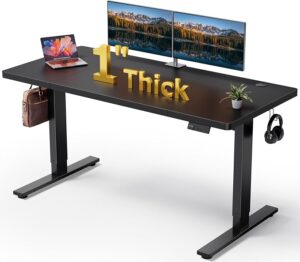
Do you want to work at a standing desk without hunching over your laptop? A good laptop stand can raise the screen closer to a comfortable viewing position while an external keyboard and mouse keep your hands lower.
The Roost V3 Plus is the strongest overall choice in this roundup. It offers 11 height settings, quick-release adjustment, and a 5–14-inch screen lift for 12–18-inch laptops.
If you are building a complete workstation, our guide to the best laptop stand for a desk setup also covers other ways to position a laptop comfortably.
Check the Roost V3 Plus on Amazon if you already know you need a highly adjustable standing-desk setup.
Best Laptop Stand for Standing at Desk: Our Top Picks
The best option depends on how much height adjustment, stability, portability, and desk space you need.
- Best Overall: Roost V3 Plus — excellent height range and portability.
- Best Budget: Nulaxy C3 — aluminum construction and 22-pound stated support.
- Best Stable Desktop Stand: Rain Design mStand — solid one-piece aluminum construction.
- Best Affordable Riser: SOUNDANCE LS1 — simple six-inch screen elevation.
- Best Adjustable Rotating Stand: BESIGN LSX7 — height, angle, and 360-degree rotation.
The OMOTON C2 is not included in the laptop ranking because the supplied product information identifies it as a cell phone stand.
Which Laptop Stand Is Best for a Standing Desk?
The Roost V3 Plus is the best overall option when height flexibility and portability matter most.
For a less expensive permanent workstation, the Nulaxy C3 offers a strong balance of aluminum construction and stated weight support.
| Product | Best For | Height | Laptop Size | Standout Feature |
|---|---|---|---|---|
| Roost V3 Plus | Standing work | 5–14-inch lift | 12–18 inches | 11 height settings |
| Nulaxy C3 | Budget buyers | Fixed riser | 10–16 inches | 22-lb support |
| Rain Design mStand | Permanent setups | 5.9-inch rise | Notebook computers | One-piece aluminum |
| SOUNDANCE LS1 | Affordable setups | 6-inch rise | 10–15.6 inches | 5mm aluminum |
| BESIGN LSX7 | Flexible positioning | Adjustable | 10–15.6 inches | 360° rotation |
For readers still deciding between different workstation layouts, the office computer desks for home guide from GearQuarters is a useful companion resource.
Roost V3 Plus — Best Overall for Standing Work
Best For: People who need a highly adjustable and portable standing workstation.

ROOST
Roost V3 Plus - Ultra Portable and Adjustable Laptop Stand - Quick-Release Height Adjustment, 5 to 14 inch Screen Lift, Patented Rigid Folding Structure and Self-Adjustings Laptop Grips | Onyx Color
The Roost V3 Plus is the strongest overall choice for standing-desk users who need substantial height adjustment. Its 11 height settings, 5–14-inch screen lift, and folding design make it especially useful for changing work positions.
Who Should Buy It
Buy it if you regularly switch between sitting and standing or move your workstation between locations. It is also a strong choice for larger 12–18-inch laptops.
Why We Pick It
It earned the top spot because its height range and portability exceed what fixed desktop risers typically offer. Quick-release adjustment also makes frequent repositioning easier.
Features & Benefits
| Feature | Benefit |
|---|---|
| 11 height settings | gives users precise control over laptop screen height |
| 5–14-inch screen lift | provides a wide vertical range for standing work |
| Quick-release adjustment | lets you change height without removing the laptop |
| Ratcheting mechanism | provides controlled height adjustments |
| Rigid folding structure | makes the stand easier to transport |
| Self-adjusting laptop grips | help secure compatible laptops |
| 12–18-inch compatibility | accommodates many larger notebooks |
| Lifetime warranty | adds long-term value |
Pros & Cons
| Pros | Cons |
|---|---|
| ✓ Excellent height range | ✕ Higher price than basic risers |
| ✓ Highly portable | ✕ External keyboard recommended for extended typing |
| ✓ Quick adjustment |
Why We Choose It
The Roost V3 Plus stands out because it combines substantial height adjustment with a portable folding structure.
The stand provides 11 height settings. Its screen lift ranges from 5 to 14 inches, which gives standing users considerable room to adjust the display.
The supplied information supports laptops from 12 to 18 inches. The quick-release system also lets users change height without removing the laptop.
Features and Benefits
- 11 height settings: Gives users more control over screen positioning.
- 5–14-inch screen lift: Provides substantial vertical adjustment for standing work.
- Quick-release adjustment: Allows height changes without removing the laptop.
- Ratcheting mechanism: Gives the adjustment process a more controlled feel.
- Rigid folding structure: Makes the stand easier to transport.
- Self-adjusting laptop grips: Help secure compatible notebooks.
- 12–18-inch compatibility: Supports many larger laptops.
- Lifetime warranty: Adds long-term value for frequent users.
Pros and Cons
| Pros | Cons |
|---|---|
| 11 height settings | Higher price than basic risers |
| Wide lift range | More specialized than a fixed stand |
| Quick height adjustment | External keyboard is better for long typing sessions |
| Portable folding design | May be excessive for simple seated use |
Editor Analysis
The Roost V3 Plus makes the most sense when the workstation changes often.
Who should buy it
Choose this model if you regularly switch between sitting and standing. It also suits remote workers who move between rooms or locations.
Who should avoid it
Users who only need basic screen elevation can save money with a fixed aluminum riser.
Important limitations
The price is higher than simple desktop stands. The biggest value comes from the adjustment range and portability.
What We Noticed
The combination of portability and height adjustment makes this stand different from conventional fixed risers.
Nulaxy C3 — Best Budget Laptop Riser
Best For: Buyers who want an affordable aluminum laptop stand with strong stated weight support.

NULAXY
Nulaxy Full Aluminum Laptop Stand, Stable Support to 22 lbs, Open Cooling
The Nulaxy C3 is a budget-friendly aluminum laptop riser for users who want simple screen elevation. Its stated 22-pound support capacity and open cooling design make it a practical choice for a permanent standing-desk setup.
Who Should Buy It
Buy it if you want an affordable, sturdy desktop riser for a 10–16-inch laptop. It suits users who do not need frequent height adjustments.
Why We Pick It
The combination of aluminum construction, open airflow, and 22-pound stated support gives it strong value. Its compact fixed format also helps preserve desk space.
Features & Benefits
| Feature | Benefit |
|---|---|
| Full aluminum construction | provides a rigid platform for everyday laptop use |
| 22-lb stated support | offers substantial stated weight capacity |
| 10–16-inch compatibility | fits many common notebook sizes |
| Open cooling design | leaves space beneath the laptop for airflow |
| Compact desktop format | helps conserve workspace |
Pros & Cons
| Pros | Cons |
|---|---|
| ✓ Affordable price | ✕ Fixed height |
| ✓ High stated weight support | ✕ Limited to 10–16-inch laptops |
| ✓ Open cooling design |
Why We Choose It
The Nulaxy C3 takes a straightforward approach to laptop elevation. Its aluminum construction supports up to 22 pounds according to the supplied product information.
The C3 supports laptops between 10 and 16 inches. The supplied compatibility list includes MacBook, Google Pixelbook, Dell XPS, HP, ASUS, Lenovo ThinkPad, Acer Chromebook, and other notebook PCs.
If you want a cheaper setup with additional airflow, compare it with our guide to the best cheap laptop stands with fans.
Features and Benefits
- Aluminum construction: Provides a rigid platform for everyday use.
- 22-lb support: Gives the stand a high stated support capacity.
- 10–16-inch compatibility: Covers many common notebook sizes.
- Open cooling design: Leaves space beneath the laptop for airflow.
- Ergonomic riser design: Raises the display above a low desk position.
- Compact desktop format: Helps conserve workspace.
Pros and Cons
| Pros | Cons |
|---|---|
| Affordable | Less adjustable than the Roost V3 Plus |
| 22-lb stated support | Limited to 10–16-inch laptops |
| Aluminum construction | Not ideal for frequent height changes |
| Open cooling structure | Fixed desktop design |
Editor Analysis
The Nulaxy C3 provides a simple solution for users who want laptop elevation without advanced adjustment features.
Who should buy it
The Nulaxy C3 is a good fit for budget-conscious users who want a stable desktop laptop riser.
Who should avoid it
Choose a more adjustable model if several people share the same standing workstation.
Important limitations
The 10–16-inch range excludes some larger notebooks. The fixed design also limits height customization.
What We Noticed
The strongest combination here is the low price, aluminum construction, and high stated support capacity.
Rain Design mStand — Best for a Stable Desktop Setup
Best For: Users who prefer a solid fixed-height aluminum stand.

RAIN DESIGN
Rain Design 10032 mStand Laptop Stand, Silver (Patented)
The Rain Design mStand is designed for users who prefer a solid, fixed-height desktop workstation. Its one-piece aluminum body raises the screen 5.9 inches while providing cable routing and space for storing a keyboard.
Who Should Buy It
Buy it if you want a stable stand for a permanent home or office workstation. It is especially suitable when the 5.9-inch elevation matches your preferred screen position.
Why We Pick It
The mStand earned a place in the roundup because its one-piece aluminum construction emphasizes stability and durability. Its cable management opening and keyboard storage also help create a cleaner desk.
Features & Benefits
| Feature | Benefit |
|---|---|
| 5.9-inch screen elevation | raises the laptop display toward a higher viewing position |
| One-piece aluminum body | provides a solid and stable platform |
| Heat-sink design | helps dissipate heat through the aluminum body |
| 2-inch cable management hole | provides a route for cables behind the stand |
| Keyboard storage space | lets users slide a keyboard beneath the stand |
| Silver anodized finish | complements many office and laptop setups |
Pros & Cons
| Pros | Cons |
|---|---|
| ✓ Solid one-piece construction | ✕ Fixed height |
| ✓ Useful screen elevation | ✕ Less portable than folding stands |
| ✓ Built-in cable management |
Why We Choose It
The Rain Design mStand uses a one-piece aluminum design for a stable desktop platform.
The stand raises the notebook screen by 5.9 inches. Its fixed design works best when you already know your preferred screen elevation.
Features and Benefits
- 5.9-inch screen elevation: Raises the display toward a higher viewing position.
- One-piece aluminum body: Creates a solid desktop platform.
- Heat-sink design: Uses the aluminum body to help dissipate heat.
- 2-inch cable management hole: Provides a route for cables behind the stand.
- Keyboard storage space: Lets users slide a keyboard beneath the stand.
- Silver anodized finish: Complements many aluminum notebooks and office setups.
Pros and Cons
| Pros | Cons |
|---|---|
| Solid one-piece design | Fixed height |
| 5.9-inch elevation | Less flexible for different users |
| Cable management opening | Less portable than folding stands |
| Keyboard storage | Better for permanent workstations |
Editor Analysis
The mStand is designed more for a stable desktop workstation than frequent height changes.
Who should buy it
The mStand is suitable for users who value stability and a clean permanent workstation.
Who should avoid it
Choose an adjustable model if you frequently change between sitting and standing positions.
Important limitations
The 5.9-inch rise cannot be changed. That limitation matters for shared workstations.
What We Noticed
The one-piece aluminum body gives the mStand a distinctly permanent desktop feel.
SOUNDANCE LS1 — Best Affordable Ergonomic Riser
Best For: Users who want a simple aluminum riser with six-inch elevation.

SOUNDANCE
SOUNDANCE Laptop Stand, Aluminum Ergonomic Desk Riser, 10-15.6", Silver
The SOUNDANCE LS1 is a simple aluminum laptop riser that provides a six-inch screen elevation. Its 5mm thickened aluminum alloy construction and open design make it a practical option for affordable standing-desk setups.
Who Should Buy It
Buy it if you want straightforward laptop elevation without paying for advanced adjustment features. It works well for users with compatible 10–15.6-inch laptops.
Why We Pick It
The LS1 earned its spot because it combines a useful six-inch rise with aluminum construction at an affordable price. Its simple design is well suited to permanent or semi-permanent desk setups.
Features & Benefits
| Feature | Benefit |
|---|---|
| 6-inch elevation | raises the laptop display for a higher viewing position |
| 5mm thickened aluminum alloy | provides a rigid support structure |
| 10–15.6-inch compatibility | fits many mainstream laptops |
| Open cooling design | leaves space beneath the laptop for airflow |
| Detachable 3-piece design | makes the stand easier to assemble and store |
Pros & Cons
| Pros | Cons |
|---|---|
| ✓ Affordable | ✕ Fixed height |
| ✓ Strong aluminum construction | ✕ Not ideal for frequent position changes |
| ✓ Useful six-inch elevation |
Why We Choose It
The SOUNDANCE LS1 raises a laptop screen by 6 inches. That elevation can help move the display higher on a desktop workstation.
The stand uses 5mm thickened aluminum alloy and supports up to 8.8 pounds. It fits laptops from 10 to 15.6 inches.
Features and Benefits
- 6-inch screen elevation: Raises the display to a higher viewing position.
- 5mm aluminum alloy: Provides a sturdy platform.
- 8.8-lb support: Covers many everyday laptops.
- 10–15.6-inch compatibility: Supports common notebook sizes.
- Ergonomic riser design: Helps reduce downward screen viewing.
- Silver finish: Fits traditional home and office desks.
Pros and Cons
| Pros | Cons |
|---|---|
| Affordable | Fixed height |
| 6-inch elevation | Lower support capacity than the Nulaxy C3 |
| 5mm aluminum alloy | Not designed for frequent adjustment |
| Supports 15.6-inch laptops | Less portable than folding stands |
Editor Analysis
The LS1 focuses on simple laptop elevation without adding unnecessary adjustment mechanisms.
Who should buy it
The LS1 suits users who want straightforward screen elevation without paying for advanced adjustment.
Who should avoid it
Users who regularly change desk height should consider an adjustable laptop stand instead.
Important limitations
The fixed six-inch rise cannot be customized for different users.
What We Noticed
The LS1 focuses on one main task: raising a laptop screen while keeping the design simple.
BESIGN LSX7 — Best Adjustable Rotating Laptop Stand
Best For: Users who want height, angle, and rotation flexibility.

BESIGN
BESIGN LSX7 Laptop Stand with 360 Rotating Base, Ergonomic Adjustable Notebook Riser, Foldable Computer Holder Compatible with 10-15.6" Laptops (Black)
The BESIGN LSX7 is the most flexible option for users who want adjustable positioning without choosing a fully portable stand. Its height and angle adjustment, foldable design, and 360-degree rotating base make it useful for flexible workstation layouts.
Who Should Buy It
Buy it if you frequently reposition your laptop or share a workstation with different viewing preferences. It is suitable for compatible 10–15.6-inch laptops.
Why We Pick It
The LSX7 earned a place because it offers several positioning options in one stand. The rotating base adds flexibility when the laptop needs to face different directions.
Features & Benefits
| Feature | Benefit |
|---|---|
| 360-degree rotating base | lets users turn the laptop for easier viewing and collaboration |
| Adjustable height | helps position the screen higher for standing work |
| Adjustable angle | allows users to fine-tune the viewing position |
| Foldable design | makes storage and transport easier |
| 10–15.6-inch compatibility | supports many common laptop sizes |
Pros & Cons
| Pros | Cons |
|---|---|
| ✓ 360-degree rotation | ✕ Smaller laptop compatibility range |
| ✓ Adjustable height and angle | ✕ More moving parts than fixed risers |
| ✓ Foldable design |
Why We Choose It
The BESIGN LSX7 provides more positioning flexibility than a basic fixed riser. It supports both height and angle adjustment.
The 360-degree rotating base adds another useful option for shared desks, presentations, and collaborative work.
Features and Benefits
- Height adjustment: Lets users raise the display to a more suitable position.
- Angle adjustment: Helps customize the screen for different viewing positions.
- 360-degree rotating base: Makes it easier to turn the laptop toward another person.
- Foldable design: Simplifies storage when the stand is not needed.
- 10–15.6-inch compatibility: Supports many common notebooks.
- Ergonomic design: Gives users more control over screen positioning.
- 12-month warranty: Provides a defined warranty period.
Pros and Cons
| Pros | Cons |
|---|---|
| Height adjustment | Limited to 15.6-inch laptops |
| Angle adjustment | More moving parts than fixed stands |
| 360-degree rotation | Not as compact as ultra-portable designs |
| Foldable design | Large laptops may not fit |
Editor Analysis
The LSX7 is a versatile option when users need more than simple vertical elevation.
Who should buy it
The LSX7 is a strong fit for users who want several positioning options without choosing a specialized portable stand.
Who should avoid it
Users with 16–18-inch laptops should choose a compatible larger stand instead.
Important limitations
The supplied compatibility range ends at 15.6 inches. Laptop size is therefore an important buying check.
What We Noticed
The rotating base separates the LSX7 from simpler risers. That feature can be useful in collaborative workspaces.
What Should You Look for in a Laptop Stand for Standing?
The most important factors are height, stability, laptop compatibility, adjustment range, and keyboard placement.
| Factor | What to Check | Why It Matters |
|---|---|---|
| Height | Screen elevation | Helps position the display correctly |
| Adjustment | Height and angle range | Improves flexibility |
| Stability | Construction and support capacity | Reduces unwanted movement |
| Compatibility | Laptop size range | Ensures proper support |
| Cooling | Open space beneath laptop | Allows airflow |
| Portability | Foldable or compact design | Useful for mobile work |
| Desk space | Room for keyboard and mouse | Keeps the workstation practical |
If you are choosing several accessories at once, our guide on how to choose computer accessories can help you build the rest of the workstation.
How important is height adjustment?
Height adjustment becomes more important when the same workstation serves different users or positions.
A fixed riser can work when the desk and user already match its elevation. Adjustable designs offer more flexibility.
The Roost V3 Plus provides 11 height settings. The BESIGN LSX7 also allows height adjustment, while the Nulaxy C3, mStand, and SOUNDANCE LS1 use simpler fixed-height designs.
Why does stability matter?
A stable platform keeps the laptop from shifting during normal use. Stability becomes more important as the computer sits higher above the desk.
Check the construction, base design, and stated support capacity before buying.
How does laptop compatibility affect the choice?
Check the supported laptop size before ordering. A stand designed for 10–15.6-inch notebooks may not support an 18-inch laptop correctly.
The Roost V3 Plus supports 12–18-inch laptops. The Nulaxy C3 supports 10–16 inches, while the SOUNDANCE LS1 and BESIGN LSX7 support 10–15.6-inch models.
How High Should a Laptop Be When Standing?
The screen should sit high enough for comfortable viewing without requiring repeated downward neck bending.
For more workstation planning, our home office essentials checklist can help you coordinate your desk, display, input devices, and other equipment.
For a complete standing setup, screen height should work together with desk height and keyboard placement. Avoid raising the laptop as high as possible without considering the rest of the workstation.
Do You Need an External Keyboard With a Raised Laptop?
An external keyboard and mouse are recommended for prolonged work with a raised laptop.
Raising the screen also raises the built-in keyboard. That can make the keyboard uncomfortable for extended typing.
For users who also need additional displays, a USB-C docking station for laptops can simplify connections to monitors, keyboards, mice, storage, and other peripherals.
💡 Pro Tip: Raise the screen for comfortable viewing, then use an external keyboard and mouse at a comfortable working height.
How Do You Set Up a Laptop Ergonomically While Standing?
A good standing workstation coordinates the laptop screen, keyboard, mouse, and desk height.
- Raise the laptop: Use a suitable riser or adjustable stand.
- Center the screen: Keep the display directly in front of you.
- Set the viewing height: Position the screen around eye level.
- Add an external keyboard: Keep typing equipment at a comfortable height.
- Add an external mouse: Place the mouse close to the keyboard.
- Check your posture: Keep your head and neck aligned with your torso.
- Adjust the desk: Set the working surface for comfortable standing.
- Change positions: Avoid staying in one posture for too long.
If you are still choosing the right computer, our laptop buying guide for remote workers and students covers broader factors that affect laptop selection.
Is a Laptop Stand Better Than a Standing Desk Converter?
A laptop stand is usually better when you already own a standing desk and only need to raise the computer.
A standing desk converter makes more sense when you need to raise the entire workstation.
| Feature | Laptop Stand | Standing Desk Converter |
|---|---|---|
| Main purpose | Raises laptop | Raises workstation |
| Desk space | Usually smaller | Usually larger |
| Portability | Often easier to move | Usually less portable |
| Keyboard support | Usually needs separate keyboard | Often provides keyboard space |
| Best for | Laptop-focused setups | Full workstation changes |
If you need a desk that supports several displays, see the best home office desks for multiple monitors guide on GearQuarters.
Laptop Stand vs. Laptop Riser: What’s the Difference?
A laptop riser mainly focuses on elevation, while an adjustable stand can provide additional height and angle control.
The terms overlap across online shopping pages. Therefore, compare the actual adjustment range, compatibility, and support design instead of relying only on the product name.
What Is the Best Laptop Stand for a Tall Standing Desk?
A highly adjustable model is usually better for a tall user or a higher work surface.
The Roost V3 Plus provides the widest stated height range in this selection. Its 5–14-inch screen lift and 11 settings give users substantial adjustment room.
Fixed six-inch or 5.9-inch risers can still work. However, the correct height depends on the user, desk, and laptop position.
Which Stand Is Best for a Portable Standing Workstation?
The Roost V3 Plus is the strongest portable option because its folding structure combines portability with substantial height adjustment.
Portable stands are useful for remote workers who switch between rooms, offices, and temporary workspaces.
What About a Laptop Stand With an External Monitor?
A laptop stand can work alongside an external monitor when the desk provides enough room for both displays.
Keep the primary display directly in front of you. Place the second display close enough to limit unnecessary head movement.
A desk designed for monitor and laptop use can also make the setup easier. Our guide to a desk for a monitor and laptop covers this type of workstation.
For larger setups, consider a desk for two monitors and a laptop instead of trying to fit everything onto a compact desk.
Common Laptop Stand Mistakes to Avoid
Most setup problems happen when users choose the stand first and ignore the rest of the workstation.
- Choosing a fixed height without measuring: Check the desired screen position first.
- Ignoring laptop size: Confirm the supported range.
- Typing directly on a raised keyboard: Use an external keyboard for prolonged work.
- Raising the screen too high: Avoid creating an awkward neck position.
- Ignoring desk depth: Leave enough room for a comfortable viewing distance.
- Overlooking stability: Check construction and support capacity.
- Buying a phone stand for a laptop: Verify the product category before ordering.
How We Choose These Laptop Stands
We focus on features that directly affect standing-desk use rather than simply choosing the most expensive model.
| Evaluation Area | What We Look For |
|---|---|
| Height | Useful elevation and adjustment range |
| Stability | Rigid construction and suitable support |
| Compatibility | Clear laptop size range |
| Ergonomics | Useful screen positioning |
| Portability | Folding or compact construction |
| Desk integration | Room for keyboard, mouse, and cables |
| Value | Useful features for the intended buyer |
We also separate products by their actual purpose. That distinction prevents a phone stand from being presented as a laptop solution.
What Makes a Good Laptop Stand for Standing?
A good standing-desk laptop stand provides adequate screen elevation while keeping the computer stable and compatible with the workstation.
| Criterion | What Good Looks Like | Why It Matters |
|---|---|---|
| Height | Enough elevation for your standing position | Helps position the screen |
| Adjustment | Multiple height or angle positions | Improves flexibility |
| Stability | Rigid base and suitable support | Reduces movement |
| Compatibility | Correct laptop size range | Ensures proper support |
| Keyboard setup | Room for external input devices | Separates screen and typing height |
| Portability | Folding or compact structure | Helps mobile workers |
| Cooling | Open space around the laptop | Allows airflow |
How Does a Complete Home Office Setup Come Together?
A comfortable workstation needs more than a laptop stand. Desk size, monitors, input devices, networking, and seating all affect the final setup.
For example, a large desk can give a laptop stand enough room for an external keyboard and mouse. A monitor arm can then free additional desk space.
Our office computer desks for home guide explains how desk size and layout affect home-office equipment.
For users who also work seated, choosing an ergonomic office chair can complement the standing portion of the workstation. GearQuarters’ ergonomic office chair guide covers adjustment, posture, seat height, and other workstation factors.
Frequently Asked Questions
What is the best laptop stand for a standing desk?
The Roost V3 Plus is the strongest overall choice because it provides 11 height settings and a 5–14-inch screen lift.
Can you use a laptop stand on a standing desk?
Yes, a laptop stand can raise the display on a standing desk and improve the overall workstation layout.
What height should a laptop be on a standing desk?
The top of the display should generally sit at or slightly below eye level. Fine-tune the position based on your height and viewing distance.
How high should my laptop be when standing?
The ideal height depends on your body and desk. Start around eye level and adjust until viewing feels comfortable.
Are laptop stands good for posture?
A laptop stand can improve screen positioning, but the keyboard, mouse, desk, and overall posture also matter.
Is it better to use a laptop stand with a standing desk?
Yes, a stand can help when the laptop screen sits too low for comfortable standing work.
How do I use a laptop ergonomically while standing?
Raise the screen to a comfortable viewing height and use an external keyboard and mouse for prolonged typing.
What is the best height for a laptop when standing?
The best position keeps the screen around eye level without forcing your head or neck into an awkward angle.
Can a laptop stand reduce neck strain?
A properly positioned stand can reduce downward viewing, although the complete workstation still needs good positioning.
Do I need an external keyboard with a laptop stand?
An external keyboard is recommended for extended typing because raising the laptop also raises its built-in keyboard.
What should I look for in a laptop stand for a standing desk?
Look for adequate height, stability, laptop compatibility, useful adjustment, and enough room for your keyboard and mouse.
Is a laptop stand better than a standing desk converter?
A laptop stand is usually better when you already have a standing desk and only need additional screen elevation.
How do I set up my laptop for a standing desk?
Raise the laptop, center the screen, set a comfortable viewing height, and use an external keyboard and mouse.
How high should my laptop screen be when I stand?
Position the top of the screen around eye level, then fine-tune the height for comfortable viewing.
How do I position a laptop on a standing desk?
Center the laptop in front of you and raise the display so you can view it without excessive neck bending.
Why does my neck hurt when I use my laptop standing?
A low or poorly positioned screen can encourage forward neck bending, so check the display height and viewing angle.
What angle should my laptop screen be at?
Use an angle that gives you a clear view without forcing your head forward or backward.
What makes a laptop stand ergonomic?
An ergonomic stand provides useful elevation and positioning while allowing the keyboard and mouse to remain comfortable.
How do I choose the right laptop stand height?
Choose a height that places the screen near eye level while keeping your head and neck in a neutral position.
How much weight should a laptop stand support?
The stand should support your laptop securely and remain stable during normal use.
What size laptop can a laptop stand hold?
Check the manufacturer’s stated size range because compatibility differs between models.
Is an adjustable laptop stand worth it?
An adjustable model is worth considering when you frequently switch between sitting and standing or share the workstation.
Can I use a laptop stand with an external monitor?
Yes, a laptop stand can raise the notebook while an external monitor provides a separate display.
Final Thoughts
The right laptop stand depends on your desk, laptop size, working position, and need for adjustment.
The Roost V3 Plus is the strongest overall option in this selection. The Nulaxy C3 is more appealing for budget-focused buyers, while the Rain Design mStand favors a stable permanent setup.
The SOUNDANCE LS1 keeps the design simple and affordable. Meanwhile, the BESIGN LSX7 adds height, angle, and rotation flexibility.
If you are still building the rest of the workstation, our computer accessories buying guide can help you choose compatible peripherals.
- Roost V3 Plus — Best overall for adjustable standing work.
- Nulaxy C3 — Best budget option with strong stated support.
- Rain Design mStand — Best for a stable permanent desktop setup.
- SOUNDANCE LS1 — Best affordable fixed-height riser.
- BESIGN LSX7 — Best for height, angle, and rotation flexibility.
- OMOTON C2 — Useful as a phone stand, but not a laptop stand.
Related workstation resources: If you need more desk space, explore our guides to a desk for a monitor and laptop and a desk for two monitors and a laptop.
If you are building a complete multi-monitor workspace, the best home office desks for multiple monitors guide provides another useful reference.
Related Articles
Best Desk for 2 Monitors: 9 Top Picks for 2026
August 30, 2026
Best Desks With Built-In Monitor Mounts in 2026
August 30, 2026
Best Desk for 2 Monitors and a Laptop: 8 Top Picks
August 30, 2026