Access Bank code transfer makes everyday banking possible without an internet connection by using the official *901# USSD banking service. Access Bank customers can transfer money, buy airtime, check account balances, retrieve account numbers, and complete many other banking transactions from any mobile phone linked to an Access Bank account.
Additionally, Access Bank code transfer works across major Nigerian mobile networks and is available 24 hours a day. This guide explains how to activate the service, transfer money securely, understand transaction requirements, and use Access Bank banking codes confidently. If you are looking for a broader list of banking options, the complete Access Bank USSD banking guide provides additional transaction shortcuts.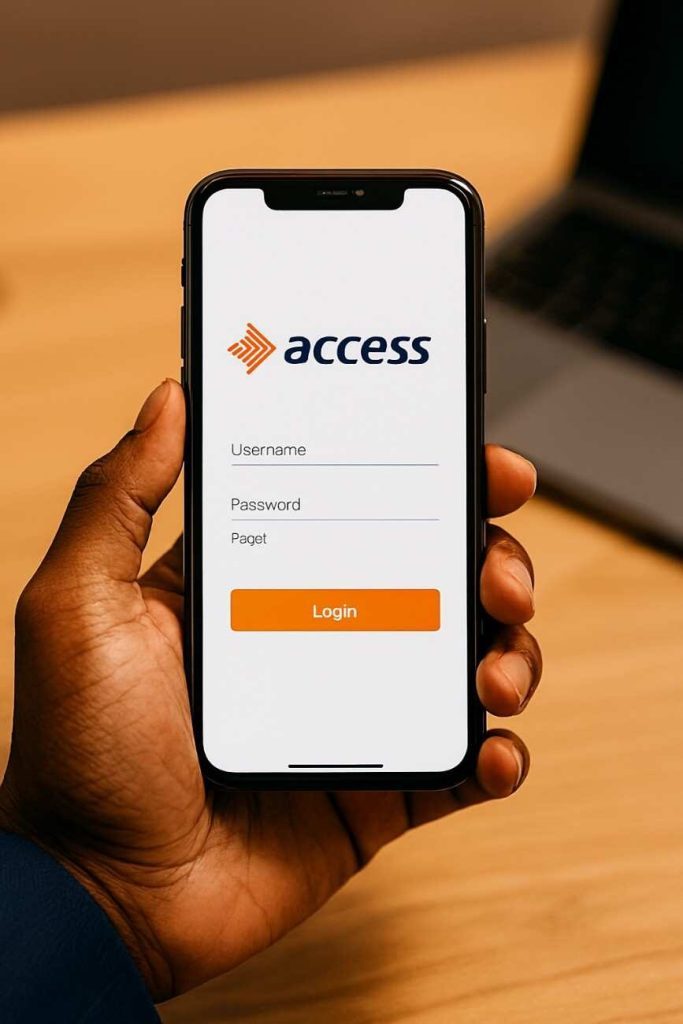
What Is the Access Bank Code for Transfer?
Access Bank code transfer is the official USSD banking service that allows Access Bank customers to perform banking transactions by dialing *901#. Instead of downloading a mobile banking app, Access Bank customers simply use the mobile number registered with their bank account to access banking services instantly.
Furthermore, Access Bank code transfer supports transfers to Access Bank accounts and other Nigerian banks, airtime purchases, account balance enquiries, bill payments, account management, and other everyday banking services. Every financial transaction requires your secure USSD PIN before the request is processed.
Before using Access Bank code transfer, make sure you have:
- An active Access Bank account.
- The mobile number registered with the bank.
- A mobile phone with network coverage.
- A secure four-digit USSD transaction PIN.
According to the official Access Bank USSD banking documentation, the *901# service is designed to provide secure banking without requiring internet access.
How to Activate Access Bank Transfer Code
Access Bank code transfer is activated by registering for the *901# USSD banking service using the phone number connected to your Access Bank account. The activation process usually takes only a few minutes if your account details are already up to date.
- Dial *901# using your registered mobile number.
- Select the registration or activation option shown on your screen.
- Verify your Access Bank account when prompted.
- Create a secure four-digit USSD transaction PIN.
- Confirm the registration to complete activation.
After successful activation, Access Bank code transfer becomes available immediately. Every future transaction is protected by the transaction PIN, helping reduce unauthorized access to your account.
Additionally, customers who experience registration problems should first confirm that the SIM card being used matches the mobile number recorded by Access Bank. If registration still fails, updating your banking profile usually resolves the issue. More detailed activation steps are available in the Access Bank USSD activation guide.
How to Transfer Money Using Access Bank Code
Access Bank code transfer allows customers to send money to both Access Bank accounts and other Nigerian banks directly from their phones. Every transfer is authorized using your transaction PIN before funds are released.
Transfer to Another Access Bank Account
Access Bank code transfer to another Access Bank customer uses the dedicated intra-bank transfer option. The process is straightforward and normally completes within moments when the recipient’s account details are correct.
Use the following format:
*901*1*Amount*AccountNumber#
Example:
*901*1*10000*1234567890#
After dialing the code, Access Bank displays the recipient’s information for confirmation before requesting your USSD PIN. Always verify the account name carefully before approving the transaction.
Transfer to Other Nigerian Banks
Access Bank code transfer also supports interbank transfers to most commercial banks operating in Nigeria. This option removes the need to visit a banking hall or install a mobile banking application.
Use the following format:
*901*2*Amount*AccountNumber#
Example:
*901*2*10000*1234567890#
Next, select the recipient’s bank if prompted. Access Bank then displays the beneficiary details before asking for your transaction PIN. Confirm every detail carefully because completed transfers may not be reversible.
Finally, Access Bank sends a confirmation message after a successful transaction. Saving the SMS notification or transaction reference can be helpful if you later need to verify or report a payment.
Complete Access Bank USSD Code List
Access Bank code transfer is only one feature available through the *901# USSD banking platform. Access Bank customers can also check balances, purchase airtime, buy data, retrieve account numbers, pay bills, and manage selected banking services without internet access.
| Banking Service | USSD Code | Purpose |
|---|---|---|
| USSD Banking Menu | *901# | Access all Access Bank USSD services. |
| Transfer to Access Bank | *901*1*Amount*AccountNumber# | Send money to another Access Bank account. |
| Transfer to Other Banks | *901*2*Amount*AccountNumber# | Transfer funds to other Nigerian banks. |
| Buy Airtime for Yourself | *901*Amount# | Recharge your own mobile line. |
| Buy Airtime for Others | *901*Amount*PhoneNumber# | Recharge another mobile number. |
| Check Account Balance | Dial *901# and select Balance | View your available account balance. |
| Check Account Number | Dial *901# | Retrieve your account number. |
| Buy Data | Dial *901# | Purchase mobile data bundles. |
| Pay Bills | Dial *901# | Pay supported utility and service bills. |
| Apply for Loans | Dial *901# | Access eligible loan services. |
| Block Account | Dial *901# | Secure your account after phone loss or suspected fraud. |
Access Bank Transfer Charges and Limits
Access Bank code transfer attracts transaction charges depending on the destination bank and current banking regulations. Understanding these fees helps Access Bank customers estimate the total cost before confirming a transfer.
| Transaction | Typical Charge | Remarks |
|---|---|---|
| Transfer within Access Bank | Around ₦20 | May change based on current bank policy. |
| Transfer to other banks | CBN-approved electronic transfer charges | Fee depends on transaction value. |
| USSD Session | Network charge may apply | Charged by your mobile network. |
Additionally, Access Bank code transfer has daily transaction limits designed to improve account security. Customers who require higher limits may need to complete additional verification or use other Access Bank banking channels.
Common Questions About Access Bank Code Transfer
How to Check Access Bank Account Balance
Access Bank code transfer also provides a simple way to check your account balance without visiting a branch. Dial *901#, select the balance enquiry option, and enter your USSD PIN when requested.
Furthermore, Access Bank account balance enquiries work on feature phones and smartphones. Customers searching for the Access Bank account balance code, Access Bank account balance USSD code, or Access Bank account balance code without an ATM card can all use the same USSD service after successful registration.


How to Check Your Access Bank Account Number
Access Bank code transfer allows customers to retrieve their account number directly from the USSD menu. Simply dial *901#, follow the prompts, and authenticate the request with your transaction PIN if required.
Knowing how to retrieve your account number is useful when completing transfers, receiving payments, or filling out banking documents. Customers who frequently forget their account number may also find it helpful to save the details in a secure location.
How to Buy Airtime
Access Bank code transfer makes airtime purchases fast by allowing customers to recharge themselves or another mobile number. The service works without internet access and is available at any time of the day.
- Buy airtime for yourself:
*901*Amount# - Buy airtime for another person:
*901*Amount*PhoneNumber#
For example, dialing *901*1000# purchases ₦1,000 airtime for your own line, while *901*1000*08031234567# sends ₦1,000 airtime to another mobile number.
How to Buy Data
Access Bank code transfer also supports mobile data purchases through the USSD banking menu. Dial *901#, choose the data purchase option, select your preferred network and bundle, then confirm the payment using your transaction PIN.
Additionally, buying data through Access Bank eliminates the need to visit recharge vendors. The selected data plan is usually activated shortly after the transaction is approved.
How to Block an Access Bank Account
Access Bank code transfer includes account security features that help customers respond quickly after losing a phone or suspecting fraudulent activity. Blocking your account immediately reduces the risk of unauthorized transactions.
If your registered phone is lost or stolen, use the available account blocking option through the Access Bank USSD service or contact Access Bank customer support as soon as possible. Acting immediately provides the best protection for your funds.
How to Change or Reset Your Transfer PIN
Access Bank code transfer requires a secure transaction PIN for every financial operation. If you suspect someone knows your PIN or you simply want a stronger one, change it immediately through the USSD banking service.
Meanwhile, customers who forget their transaction PIN can follow the PIN reset instructions provided within the USSD menu or request assistance from Access Bank customer support after identity verification. Changing your PIN regularly improves overall account security.
Troubleshooting Access Bank USSD Problems
Access Bank code transfer is generally reliable, but occasional problems can prevent transactions from completing successfully. Most Access Bank USSD issues are caused by network interruptions, incorrect account information, an unregistered phone number, or security restrictions designed to protect your account.
Access Bank Code Transfer Is Not Working
Access Bank code transfer may stop working if you are dialing from a phone number that is not linked to your Access Bank account. First, confirm that you are using the registered mobile number and that your mobile network has adequate signal strength before trying again.
Additionally, temporary service maintenance can interrupt USSD banking. Waiting a few minutes and dialing *901# again often resolves temporary service interruptions.
Wrong Transaction PIN
Access Bank code transfer requires the correct four-digit USSD PIN for every financial transaction. Entering the wrong PIN several times may temporarily restrict access to protect your account from unauthorized use.
If you cannot remember your PIN, use the available PIN reset option within the USSD menu or contact Access Bank Customer Care for assistance after completing identity verification.
Transfer Failed or Session Expired
Access Bank code transfer sessions automatically expire if no response is received within a short period. Restart the transaction from the beginning instead of trying to continue an expired session.
Furthermore, failed transfers may occur because of poor network connectivity, insufficient account balance, incorrect account details, or temporary banking system delays. Always wait for a debit alert or transaction confirmation before attempting the transfer again.
Daily Transfer Limit Reached
Access Bank code transfer is subject to daily transaction limits for security and regulatory compliance. Once the daily limit has been reached, additional transfers cannot be completed until the limit resets or a higher transaction limit is approved.
If you regularly send larger amounts, consider using Access Bank Internet Banking or visiting an Access Bank branch to discuss available transaction limit options.
Security Tips for Access Bank USSD Banking
Access Bank code transfer is designed with multiple security measures, but customers also play an important role in protecting their accounts. Following a few simple practices can significantly reduce the risk of fraud.
- Never share your USSD transaction PIN with anyone.
- Keep your registered SIM card secure at all times.
- Always verify the recipient’s account name before confirming a transfer.
- Do not enter your PIN if someone else is operating your phone.
- Block your Access Bank account immediately after losing your phone.
- Regularly update your contact information with Access Bank.
- Review debit alerts and account activity frequently.
Finally, Access Bank customers should remain cautious of unsolicited calls or messages requesting banking information. Access Bank will never ask you to disclose your transaction PIN or other confidential security credentials.
Related Access Bank Guides
If you want to learn more about Access Bank digital banking services, these related guides may answer additional questions:
- Complete Access Bank transfer code guide
- Activating Access Bank USSD banking
- Fidelity Bank transfer code
- FirstBank USSD banking
- Wema Bank transfer code
- Heritage Bank transfer code
- Unity Bank USSD banking
- Union Bank USSD banking
Frequently Asked Questions
What is the Access Bank code transfer?
The Access Bank code transfer is *901#. Access Bank customers use this USSD banking service to transfer money, buy airtime, check account balances, pay bills, and access other banking features without an internet connection.
What is the Access Bank balance code?
Access Bank customers can check their account balance by dialing *901# and selecting the balance enquiry option. The service requires the phone number linked to the Access Bank account and may request your transaction PIN before displaying the available balance.
Can I transfer money without internet?
Yes. Access Bank code transfer works entirely through USSD technology, so no internet connection is required. As long as your phone has network coverage and is linked to your Access Bank account, you can complete eligible transactions.
Can I use the transfer code without an ATM card?
Yes. Access Bank code transfer does not require an ATM card after successful USSD registration. Instead, every transaction is secured using the four-digit USSD transaction PIN you created during activation.
How do I activate Access Bank USSD banking?
Dial *901# using the mobile number registered with your Access Bank account, follow the registration prompts, and create your transaction PIN. Once registration is complete, the Access Bank USSD banking service becomes available immediately.
How do I block my Access Bank account?
If your registered phone is lost or stolen, use the available Access Bank USSD account blocking option or contact Access Bank Customer Care immediately. Acting quickly helps prevent unauthorized access to your account and protects your funds.
How do I reset my transfer PIN?
Access Bank customers who forget their transaction PIN can reset it through the appropriate USSD option or by contacting Access Bank for identity verification. Never share your replacement PIN with anyone after it has been changed.
Why is my Access Bank transfer code not working?
Access Bank code transfer may fail because of poor network coverage, an unregistered phone number, an incorrect transaction PIN, temporary banking maintenance, or a daily transaction limit. Checking each of these possibilities usually helps identify the cause.
What is the daily transfer limit?
Access Bank applies transaction limits to USSD banking for security reasons. The applicable limit may vary depending on your account type and current banking policies, so review the latest information provided during your transaction or contact Access Bank for clarification.
Does the USSD service work on MTN, Airtel, Glo, and 9mobile?
Yes. Access Bank code transfer is designed to work on major Nigerian mobile networks, including MTN, Airtel, Glo, and 9mobile, provided the SIM card is the one registered with your Access Bank account.
Can I transfer money to other Nigerian banks?
Yes. Access Bank code transfer supports transfers to many commercial banks across Nigeria. Simply choose the appropriate interbank transfer option, enter the recipient’s account details, verify the information, and authorize the payment with your transaction PIN.
Is Access Bank USSD banking available 24/7?
Yes. Access Bank USSD banking is generally available throughout the day and night. However, occasional maintenance or network issues may temporarily affect service availability.
Conclusion
Access Bank code transfer provides a convenient way to manage everyday banking without relying on an internet connection. Using the official *901# USSD banking service, Access Bank customers can transfer money, purchase airtime, check balances, retrieve account numbers, pay bills, and access several other essential banking features directly from their mobile phones.
Additionally, keeping your transaction PIN private and verifying every payment before confirmation helps ensure that every Access Bank code transfer remains secure. Saving the important USSD codes covered in this guide can also make future banking transactions faster and more convenient.
If you frequently use USSD banking across different financial institutions, the related bank guides linked above can help you compare services and understand how transfer codes work throughout Nigeria.
Related Articles

MTN Cheapest Data Plan 2026: Updated Codes, Prices and Offers
February 23, 2026
Jaiz Bank Transfer Code: Dial *773# (Quick Registration Guide 2026)
December 24, 2025
GOtv Supa Channels List 2026: Prices & Channel Numbers
December 2, 2025