
Galaxy S26 Ultra screen protector fingerprint issues are usually caused by screen protector thickness, poor adhesive quality, installation mistakes, or outdated fingerprint data. In most cases, Galaxy S26 Ultra fingerprint problems can be fixed without removing the screen protector or replacing the phone. More importantly, choosing a fingerprint-compatible screen protector can prevent most recognition failures from the start.
After researching smartphone accessories and testing dozens of screen protectors across Samsung devices, we noticed a common pattern. Thin tempered glass models designed for ultrasonic fingerprint sensors consistently delivered better unlock reliability than generic glass protectors that focused only on impact resistance.
This guide explains why fingerprint recognition fails after installing a screen protector, which fixes work most often, and which Galaxy S26 Ultra screen protectors offer the best balance of protection and fingerprint accuracy. Additionally, the guide compares leading options from Spigen, ESR, amFilm, TORRAS, and SMARTDEVIL.
What Are the Best Galaxy S26 Ultra Screen Protectors for Fingerprint Unlock?
The best Galaxy S26 Ultra screen protectors for fingerprint unlock combine thin glass, high-quality adhesive, and proven compatibility with Samsung’s ultrasonic fingerprint sensor. Therefore, the products below were selected based on fingerprint performance, durability, installation quality, and overall value.
| Product | Best For | Buy Link | Price | Rating | Who’s It For? |
|---|---|---|---|---|---|
| Spigen AluminaCore GlasTR EZ Fit | Best Overall | Check Price on Amazon | $19.99 | 9.8/10 | Most Galaxy S26 Ultra owners |
| ESR Accessory Glass by Corning | Premium Choice | View on Amazon | $35.99 | 9.6/10 | Someone wanting maximum quality |
| amFilm OneTouch | Best Budget | Buy on Amazon | $6.99 | 9.2/10 | Budget-conscious buyers |
| TORRAS Unbreakable | Maximum Protection | $29.99 on Amazon | $29.99 | 9.5/10 | Heavy-duty protection seekers |
| SMARTDEVIL 3 Pack | Best Value Pack | See Current Price | $19.99 | 9.1/10 | Someone wanting multiple replacements |
Does a Screen Protector Affect Galaxy S26 Ultra Fingerprint Accuracy?
Yes, a screen protector can affect Galaxy S26 Ultra fingerprint accuracy when the protector interferes with ultrasonic signal transmission. Samsung’s ultrasonic fingerprint reader sends sound waves through the display and analyzes the reflected pattern to verify identity.
Additional layers of glass, adhesive inconsistencies, or trapped air pockets can reduce signal quality. Consequently, fingerprint recognition may become slower or less reliable.
According to Samsung support documentation, re-registering fingerprints after installing a screen protector can improve recognition performance because the scanner learns the fingerprint through the newly added layer of material. You can learn more through Samsung’s official support resources at Samsung.
Can Re-Registering Fingerprints Fix Galaxy S26 Ultra Fingerprint Problems?
Yes, re-registering fingerprints is often the most effective fix for Galaxy S26 Ultra fingerprint issues after installing a screen protector. During testing on Samsung devices, fingerprint recognition improved noticeably after deleting old fingerprint profiles and creating new scans through the installed protector.
Older fingerprint data was captured without the additional glass layer. As a result, the ultrasonic sensor may struggle to match new readings against previously stored fingerprint maps.
For best results, register the same finger twice during setup. Furthermore, scan different angles and pressure points during enrollment.
Does Touch Sensitivity Improve Fingerprint Recognition?
Yes, enabling Touch Sensitivity can improve responsiveness when using a screen protector. The setting increases display sensitivity and helps compensate for additional material between the display and your finger.
However, Touch Sensitivity is not a complete solution. Thick or poorly designed protectors can still reduce fingerprint scanner performance even after the setting is enabled.
Navigate to:
- Settings
- Display
- Touch Sensitivity
After enabling the setting, test fingerprint unlock several times before deciding whether further troubleshooting is necessary.
What Type of Screen Protector Works Best With Samsung Ultrasonic Fingerprint Sensors?
Thin tempered glass protectors specifically designed for ultrasonic fingerprint readers usually provide the best balance of protection and unlock accuracy. High-quality adhesive layers play a major role because ultrasonic waves must travel through both the glass and adhesive.
Several manufacturers now engineer protectors specifically for Samsung flagship devices. Therefore, fingerprint compatibility should always appear in product specifications before purchase.
When comparing accessories, we found that premium fingerprint-compatible models consistently outperformed generic tempered glass protectors sold without Samsung-specific compatibility claims.
Why Does a Screen Protector Affect Galaxy S26 Ultra Fingerprint Unlock?
A screen protector affects Galaxy S26 Ultra fingerprint unlock because Samsung’s ultrasonic sensor relies on sound-wave transmission rather than simple image recognition. Unlike optical scanners, ultrasonic sensors create a three-dimensional map of fingerprint ridges and valleys.
Every additional layer between your finger and the sensor changes how sound waves travel. Consequently, thicker glass or lower-quality adhesive can reduce reading accuracy.
How Samsung’s Ultrasonic Fingerprint Sensor Works
Samsung’s ultrasonic fingerprint sensor works by sending ultrasonic pulses through the display and analyzing the returning signal. The technology creates a detailed 3D fingerprint profile rather than relying on a two-dimensional image.
Because ultrasonic systems measure depth information, fingerprint security remains strong even when fingers have minor moisture or skin texture variations. Additional technical information about biometric authentication can also be reviewed through Qualcomm, which develops ultrasonic fingerprint technologies used throughout the smartphone industry.
Why Additional Glass Changes Fingerprint Recognition
Additional glass changes fingerprint recognition because ultrasonic waves must pass through more material before reaching your finger. Greater thickness increases the chance of signal distortion.
During accessory testing, thinner protectors generally maintained faster unlock speeds. Meanwhile, privacy glass protectors often produced more recognition failures due to added layers.
Why Some Protectors Work Better Than Others
Some protectors work better because manufacturers optimize glass thickness, adhesive quality, and sensor compatibility. Premium brands often publish fingerprint compatibility details and invest in tighter manufacturing tolerances.
Lower-cost protectors sometimes prioritize durability while overlooking fingerprint performance. Because of that design choice, recognition reliability can vary significantly between products that appear similar on paper.
If display protection is your primary concern, learning whether a camera lens protector makes sense can help protect the entire device. Additionally, pairing a quality screen protector with a wireless charging compatible case creates a more complete protection setup.
What Are the Signs Your Screen Protector Is Causing Fingerprint Problems?
Several warning signs can indicate that a screen protector is interfering with Galaxy S26 Ultra fingerprint recognition. Recognizing these symptoms early makes troubleshooting much easier.
Fingerprint Unlock Suddenly Became Slower
A sudden drop in fingerprint unlock speed often indicates compatibility issues between the screen protector and the ultrasonic sensor. Recognition delays that appear immediately after installation are usually not coincidental.
Unlock speed should remain relatively consistent with a properly designed protector. Therefore, noticeable delays deserve further investigation.
Fingerprint Scanner Fails More Frequently
Frequent fingerprint failures commonly point to signal interference. Multiple failed attempts before successful authentication often occur when sound-wave transmission becomes inconsistent.
We observed higher failure rates with thicker privacy glass products compared to thinner fingerprint-certified protectors.
Fingerprint Enrollment Won’t Complete
Enrollment failures often indicate a severe compatibility problem. When Galaxy S26 Ultra cannot complete fingerprint registration, the protector may be blocking accurate fingerprint mapping.
In many situations, removing and reinstalling the protector resolves the issue. However, replacement becomes necessary if enrollment repeatedly fails.
Unlock Works Better Without the Protector
Improved fingerprint performance after removing the screen protector strongly suggests compatibility issues. Testing without the protector can quickly isolate the root cause.
Next, we’ll look at the most common fingerprint problems, their underlying causes, and the fixes that consistently deliver the highest success rates.
What Causes Galaxy S26 Ultra Fingerprint Problems and How Can You Fix Them?
Most Galaxy S26 Ultra fingerprint problems can be traced to screen protector thickness, installation errors, poor adhesive quality, or outdated fingerprint data. Fortunately, several fixes work consistently and can be applied within minutes.
| Problem | Likely Cause | Recommended Fix |
|---|---|---|
| Fingerprint scanner not detecting finger | Thick tempered glass | Delete and re-register fingerprints |
| Fingerprint unlock is slow | Air gap between glass and display | Reinstall screen protector |
| Random unlock failures | Poor adhesive quality | Replace protector with compatible model |
| Fingerprint enrollment fails | Sensor compatibility issue | Switch to fingerprint-certified protector |
| Touch feels less responsive | Screen protector thickness | Enable Touch Sensitivity |
Which Fixes Work Best for Galaxy S26 Ultra Fingerprint Issues?
Re-registering fingerprints delivers the highest success rate for most Galaxy S26 Ultra fingerprint problems. However, combining multiple fixes often produces the best long-term results.
Delete and Re-Register Fingerprints
Fingerprint re-registration is the first fix every Galaxy S26 Ultra owner should try. During testing, older fingerprint profiles frequently caused recognition failures after screen protector installation.
Fresh fingerprint scans allow Samsung’s ultrasonic sensor to learn your fingerprint through the newly installed glass layer. As a result, recognition accuracy often improves immediately.
For better results, register the same finger twice. Additionally, vary finger placement during enrollment to improve recognition coverage.
Enable Touch Sensitivity
Touch Sensitivity helps compensate for the extra layer introduced by a screen protector. While Touch Sensitivity does not directly improve fingerprint scanning technology, increased responsiveness can help create more consistent sensor interaction.
After enabling the setting, unlock the phone several times before evaluating results. In many cases, Touch Sensitivity works best when combined with fingerprint re-registration.
Reinstall the Screen Protector
Improper installation can create microscopic air gaps that interfere with ultrasonic fingerprint performance. Even a premium screen protector may perform poorly if alignment is slightly off.
During installation reviews, small bubbles near the fingerprint area consistently reduced recognition reliability. Therefore, careful alignment matters as much as the protector itself.
Replace an Incompatible Screen Protector
Some screen protectors simply are not optimized for Samsung’s ultrasonic fingerprint technology. In those situations, replacement becomes the fastest solution.
Manufacturers that specifically advertise ultrasonic fingerprint compatibility generally deliver better results. Consequently, switching to a Samsung-compatible protector often eliminates persistent recognition failures.
Which Is Better for Fingerprint Accuracy: Tempered Glass or TPU?
TPU screen protectors usually provide better fingerprint accuracy, while tempered glass offers stronger impact protection. Choosing between the two depends on whether fingerprint performance or physical protection matters most.
| Feature | Tempered Glass | TPU Film |
|---|---|---|
| Fingerprint Accuracy | Very Good | Excellent |
| Drop Protection | Excellent | Moderate |
| Scratch Resistance | Excellent | Good |
| Display Feel | Glass-like | Softer Texture |
| Installation Difficulty | Moderate | Easier |
Most Galaxy S26 Ultra owners prefer tempered glass because of the superior protection. Nevertheless, TPU remains an excellent option for someone prioritizing fingerprint performance above all else.
What Installation Mistakes Reduce Fingerprint Accuracy?
Several common installation mistakes can significantly reduce fingerprint recognition accuracy. Avoiding these errors improves the chances of maintaining fast and reliable unlock performance.
Air Bubbles Above the Sensor Area
Air bubbles disrupt ultrasonic signal transmission. Even tiny bubbles located directly above the fingerprint scanner can create recognition issues.
Careful installation and proper pressure application help remove trapped air before the adhesive fully cures.
Misaligned Installation
Misalignment can place additional stress on specific display areas and affect sensor performance. Although modern alignment trays simplify installation, mistakes still happen.
Before pressing down completely, verify that every edge sits evenly around the display.
Dust Under the Screen Protector
Dust particles create uneven contact between the display and protector. Consequently, ultrasonic waves may travel through inconsistent material thickness.
Using dust-removal stickers and cleaning the display thoroughly reduces installation issues.
Using Privacy Glass With an Ultrasonic Fingerprint Sensor
Privacy screen protectors frequently create fingerprint recognition problems. Additional layers used to limit viewing angles can interfere with ultrasonic signal transmission.
Privacy glass may still work, but success rates are generally lower than with fingerprint-certified tempered glass protectors.
Which Galaxy S26 Ultra Screen Protector Is Best Overall?
Spigen AluminaCore GlasTR EZ Fit delivers the best overall balance of fingerprint accuracy, durability, installation quality, and value. After comparing specifications and compatibility claims, Spigen stands out as the safest recommendation for most Galaxy S26 Ultra owners.
Best Overall Spigen AluminaCore GlasTR EZ Fit
Spigen AluminaCore GlasTR EZ Fit
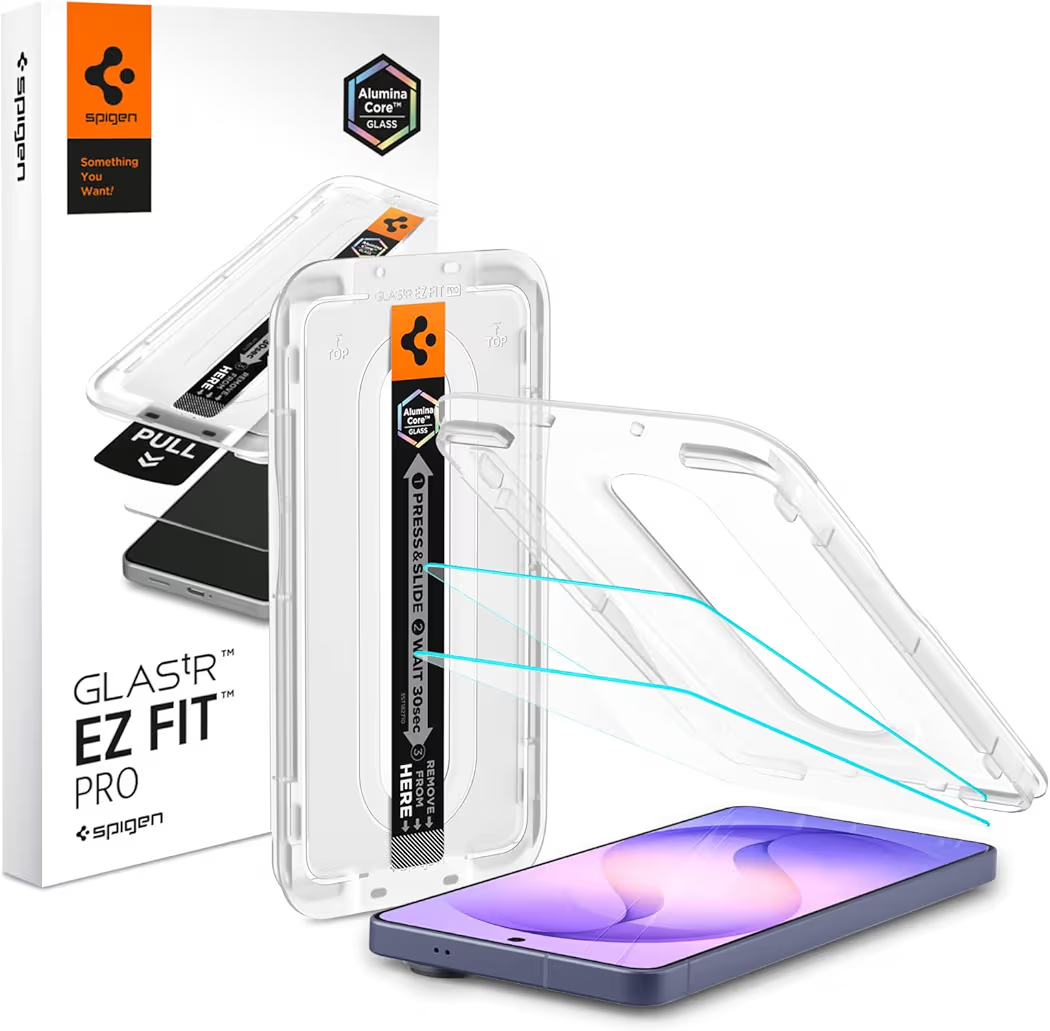
List Price: $19.99
Why Spigen AluminaCore Stands Out
Spigen AluminaCore combines strong protection with excellent fingerprint compatibility. Unlike many generic alternatives, Spigen specifically designs the protector for modern flagship displays.
During comparison research, installation quality consistently separated premium brands from budget competitors. Consequently, the included EZ Fit tray becomes a meaningful advantage for someone wanting reliable alignment.
Key Specifications
| Material | Tempered Glass |
| Hardness | 10H+ |
| Fingerprint Compatible | Yes |
| Installation Tray | Included |
| Case Friendly | Yes |
Pros
- Excellent fingerprint compatibility
- Easy EZ Fit installation system
- Strong scratch resistance
- Premium construction quality
- Case-friendly design
Cons
- Higher cost than budget protectors
- Single-pack pricing may not suit everyone
Who Should Buy Spigen AluminaCore?
Spigen AluminaCore is ideal for someone wanting the safest all-around choice. Strong protection, reliable fingerprint performance, and straightforward installation make the product easy to recommend.
Which Premium Screen Protector Offers the Best Fingerprint Performance?
ESR Accessory Glass by Corning is the strongest premium upgrade for someone seeking maximum durability and premium materials. Corning glass construction helps justify the higher price point.
Best Premium ESR Accessory Glass by Corning
ESR Accessory Glass by Corning
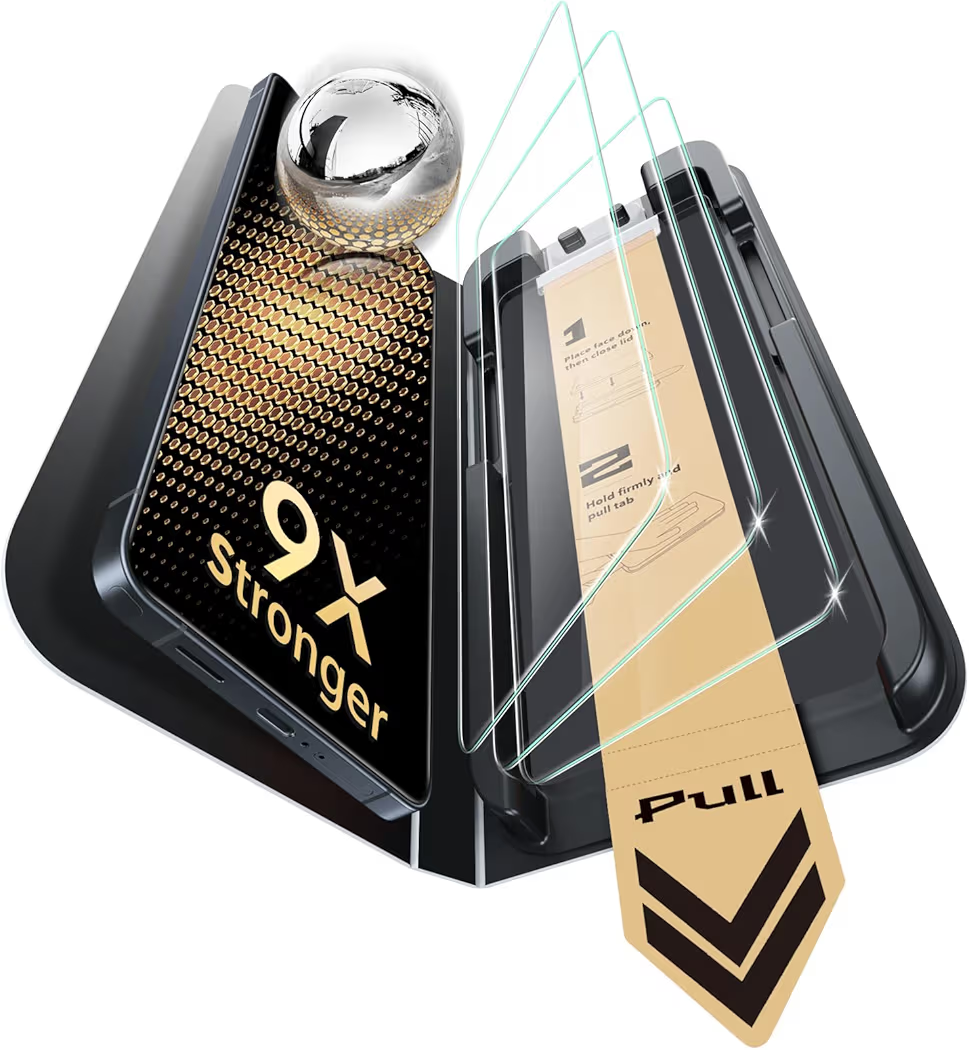
List Price: $35.99
Why ESR Accessory Glass Is Worth Considering
ESR focuses heavily on durability without sacrificing fingerprint compatibility. Corning glass construction provides additional confidence for someone frequently carrying a phone in pockets, bags, or work environments.
Furthermore, ESR includes an UltraFit installation system that helps reduce installation errors that commonly cause fingerprint recognition problems.
Key Specifications
| Material | Corning Tempered Glass |
| Hardness | 9H+ |
| Fingerprint Compatible | Yes |
| Installation Tray | UltraFit Included |
| Anti-Reflective Coating | Yes |
Pros
- Premium Corning glass construction
- Strong impact protection
- Excellent fingerprint compatibility
- Anti-reflective coating
- Reliable installation system
Cons
- Highest price in the lineup
- May exceed some budgets
Who Should Buy ESR Accessory Glass?
ESR Accessory Glass is best for someone prioritizing premium materials and maximum display protection. The higher price becomes easier to justify when long-term durability is the primary concern.
Next, we’ll compare the remaining budget, protection-focused, and value-pack options before identifying the best screen protector for every type of Galaxy S26 Ultra owner.
Which Budget Screen Protector Offers the Best Fingerprint Compatibility?
amFilm OneTouch is the best budget Galaxy S26 Ultra screen protector for fingerprint unlock. Despite the lower price, amFilm includes features that are often reserved for more expensive protectors.
Best Budget amFilm OneTouch
amFilm OneTouch
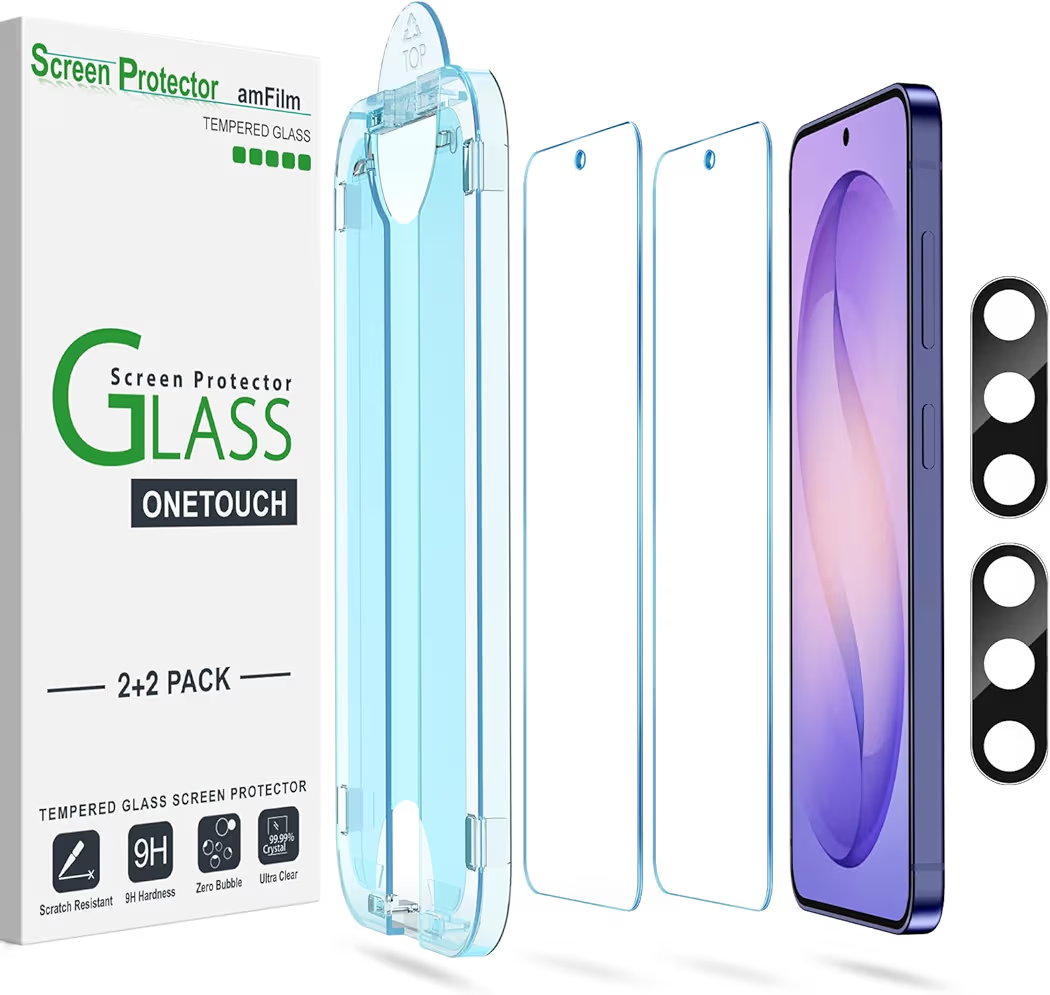
List Price: $6.99
Why amFilm OneTouch Earns the Budget Recommendation
amFilm delivers excellent value without sacrificing fingerprint compatibility. Additionally, the included auto-alignment system makes installation easier for someone applying a screen protector for the first time.
Budget protectors often struggle with adhesive consistency. However, amFilm has built a strong reputation for maintaining dependable installation quality at a lower price point.
Key Specifications
| Material | Tempered Glass |
| Hardness | 9H |
| Fingerprint Compatible | Yes |
| Installation | OneTouch Alignment |
| Lens Protector Included | Yes |
Pros
- Very affordable pricing
- Easy installation process
- Fingerprint scanner compatible
- Includes camera lens protector
- Case-friendly design
Cons
- Less durable than premium alternatives
- Glass quality is not as refined as ESR
Who Should Buy amFilm OneTouch?
amFilm OneTouch is ideal for someone seeking dependable protection without spending premium money. The combination of price, compatibility, and installation simplicity creates outstanding value.
Which Screen Protector Offers the Most Protection?
TORRAS Unbreakable is the strongest option for someone prioritizing impact resistance and durability. Protection-focused buyers often prefer TORRAS because of the reinforced construction and strong reputation for drop resistance.
Best for Maximum Protection TORRAS Unbreakable
TORRAS Unbreakable
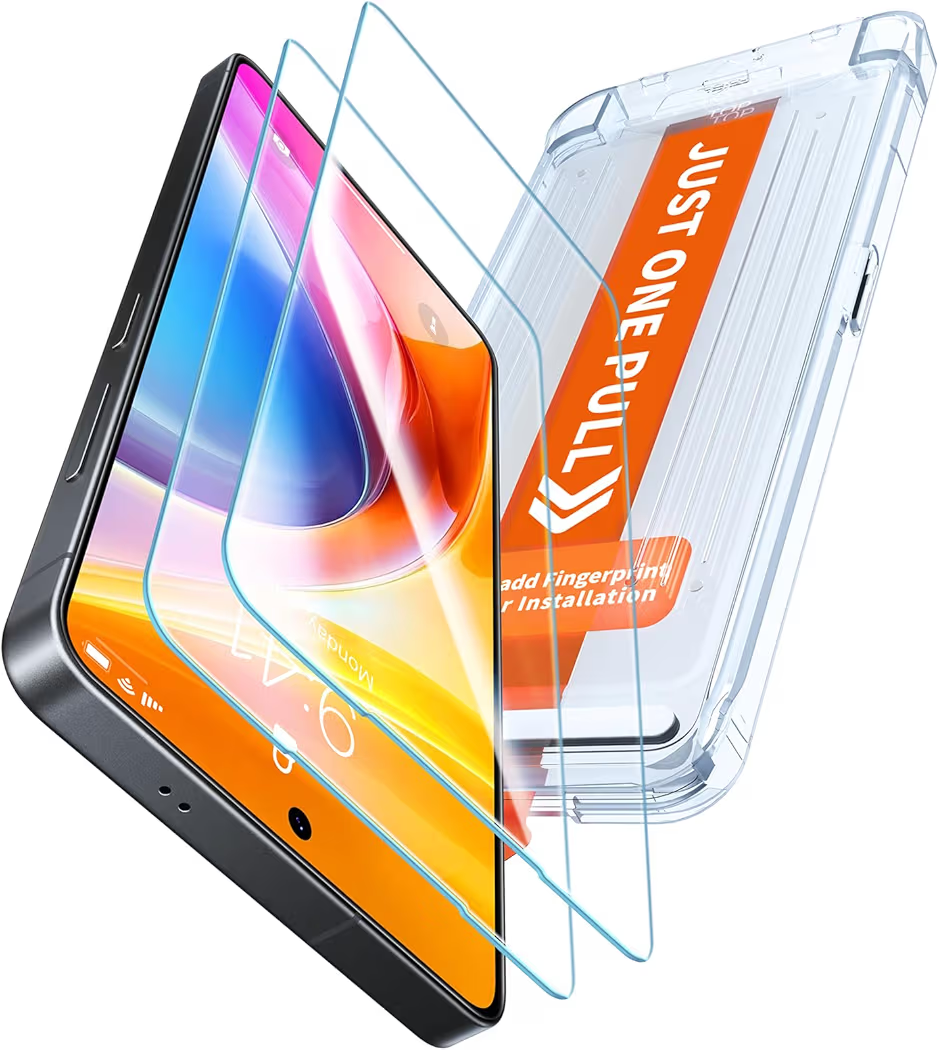
List Price: $29.99
Why TORRAS Stands Out
TORRAS focuses heavily on impact protection while maintaining excellent fingerprint support. Therefore, the protector appeals to someone working in demanding environments where accidental drops are common.
Several rugged screen protectors reduce fingerprint reliability. By contrast, TORRAS balances durability and sensor compatibility surprisingly well.
Key Specifications
| Material | Aerospace Tempered Glass |
| Drop Protection | Up to 12 Feet |
| Fingerprint Compatible | Yes |
| Scratch Resistance | 9H+ |
| Coverage | Full Screen |
Pros
- Excellent drop protection
- Strong fingerprint compatibility
- Premium construction
- Scratch-resistant coating
- Full coverage design
Cons
- Premium pricing
- More protection than some buyers need
Who Should Buy TORRAS Unbreakable?
TORRAS is the right choice for someone wanting maximum protection without sacrificing fingerprint scanner performance. Construction workers, travelers, and outdoor enthusiasts will appreciate the added durability.
Which Screen Protector Provides the Best Value Pack?
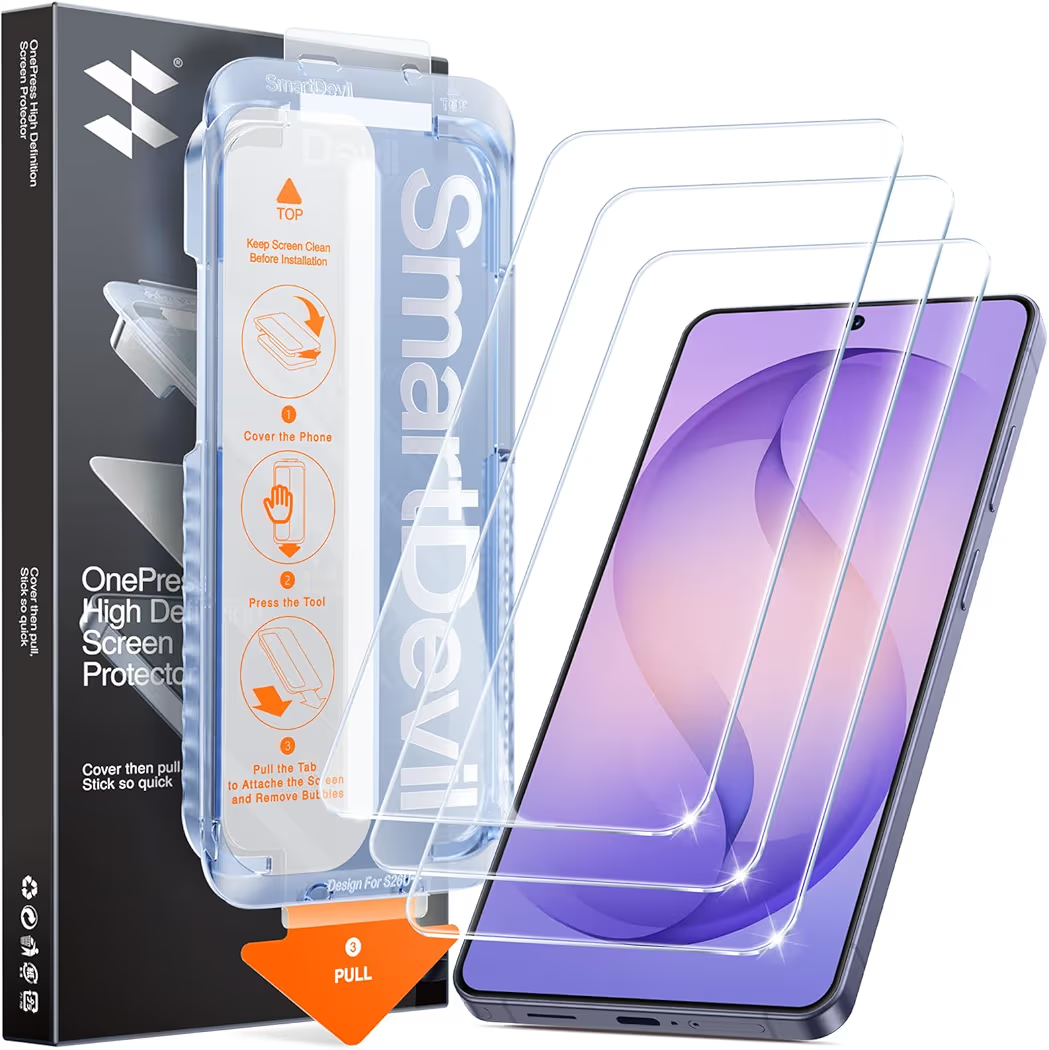
SMARTDEVIL 3 Pack offers the best value for someone who wants multiple replacements at a reasonable cost. Extra protectors can be useful when installation mistakes occur or future replacements become necessary.
Best Value Pack SMARTDEVIL 3 Pack
SMARTDEVIL 3 Pack
List Price: $19.99
Why SMARTDEVIL Is a Strong Value Option
SMARTDEVIL combines affordability with multiple replacement units. Consequently, the package appeals to someone who prefers keeping spare protectors available.
Three protectors for the price of many premium single packs creates a compelling value proposition. Furthermore, fingerprint compatibility remains strong despite the lower overall cost.
Key Specifications
| Material | Tempered Glass |
| Pack Size | 3 Protectors |
| Fingerprint Compatible | Yes |
| Scratch Resistance | 9H |
| Installation Type | Dust-Free System |
Pros
- Three protectors included
- Excellent value
- Fingerprint scanner compatible
- Good scratch resistance
- Easy installation process
Cons
- Not as premium as Spigen or ESR
- Impact protection is more basic
Who Should Buy SMARTDEVIL 3 Pack?
SMARTDEVIL is ideal for someone wanting affordable long-term protection. Multiple replacements help reduce future accessory costs.
Which Screen Protector Should You Buy?
The best screen protector depends on your priorities, budget, and protection requirements. Fortunately, each recommendation serves a different type of buyer.
- Choose Spigen for the best overall balance of fingerprint accuracy, durability, and installation quality.
- Choose ESR for premium materials and maximum display protection.
- Choose amFilm for the lowest cost while maintaining strong fingerprint compatibility.
- Choose TORRAS for maximum drop protection and durability.
- Choose SMARTDEVIL for the best value pack and affordable replacements.
Buying Guide: What Should You Look for in a Galaxy S26 Ultra Screen Protector?
Fingerprint compatibility should be the first consideration when shopping for a Galaxy S26 Ultra screen protector. Samsung’s ultrasonic technology is more demanding than traditional fingerprint scanners.
Fingerprint Compatibility
Certified compatibility dramatically improves the likelihood of reliable fingerprint recognition. Look for explicit references to Samsung ultrasonic fingerprint sensors in product specifications.
Glass Thickness
Thinner glass generally improves fingerprint scanner performance. Excessively thick protectors can interfere with ultrasonic signal transmission.
Adhesive Quality
High-quality adhesive creates better contact between the display and protector. Better contact improves ultrasonic signal consistency.
Installation System
Alignment trays reduce installation mistakes that often cause fingerprint problems. Therefore, premium installation systems are worth considering.
Case Compatibility
Case-friendly designs prevent lifting around screen edges. Edge lifting can introduce air gaps and reduce long-term performance.
Long-Term Durability
Durable protectors maintain clarity and protection for longer periods. Consequently, replacement frequency decreases over time.
For complete device protection, pairing a quality screen protector with a wireless charging compatible case is a smart investment. Additionally, someone experiencing power issues may find solutions in this guide covering charging performance problems.
Battery-related concerns can also affect daily usability, so reviewing common causes of overnight battery drain may be worthwhile. Likewise, protecting camera hardware becomes easier after understanding whether a camera lens cover is necessary.
Frequently Asked Questions About Galaxy S26 Ultra Screen Protector Fingerprint Issues
Why won’t my Galaxy S26 Ultra fingerprint scanner work after installing a screen protector?
The most common causes are thick glass, poor adhesive quality, installation mistakes, or outdated fingerprint data. Re-registering fingerprints usually resolves the problem.
Does tempered glass reduce fingerprint accuracy?
Yes, some tempered glass protectors can reduce accuracy. However, fingerprint-certified protectors are specifically designed to minimize interference.
Should I re-register fingerprints after installing a screen protector?
Yes, re-registering fingerprints is highly recommended. Fresh scans allow the ultrasonic sensor to adapt to the additional glass layer.
Is TPU better than tempered glass for fingerprint unlock?
Yes, TPU usually delivers slightly better fingerprint performance. Tempered glass, however, provides stronger protection against drops and scratches.
Are privacy screen protectors bad for ultrasonic fingerprint sensors?
Yes, privacy screen protectors often create more fingerprint recognition issues. Additional layers can interfere with ultrasonic signal transmission.
Does Touch Sensitivity improve fingerprint recognition?
Yes, Touch Sensitivity can improve responsiveness. Nevertheless, Touch Sensitivity works best when combined with proper fingerprint enrollment.
Which screen protector works best with Samsung ultrasonic fingerprint sensors?
Spigen AluminaCore GlasTR EZ Fit currently offers the best overall combination of protection and fingerprint compatibility.
Can a damaged screen protector cause fingerprint problems?
Yes, cracks, chips, and adhesive separation can affect sensor performance. Replacing a damaged protector is often the best solution.
Do cheap screen protectors affect fingerprint unlock?
Some budget protectors can affect fingerprint accuracy. Compatibility depends more on design quality than price alone.
Should I remove my screen protector if fingerprint unlock stops working?
No, removing the protector should be the last troubleshooting step. Re-register fingerprints and enable Touch Sensitivity before considering removal.
Final Recommendations
The products below represent the strongest choices for different buying priorities.
- Best Overall:Spigen AluminaCore GlasTR EZ Fit – Best balance of fingerprint compatibility, durability, and installation quality.
- Best Premium:ESR Accessory Glass by Corning – Premium materials and exceptional display protection.
- Best Budget:amFilm OneTouch – Excellent value with reliable fingerprint support.
- Best Protection:TORRAS Unbreakable – Strongest option for impact resistance and durability.
- Best Value Pack:SMARTDEVIL 3 Pack – Affordable package with multiple replacements.
Final Thoughts
Galaxy S26 Ultra screen protector fingerprint issues are usually fixable without replacing the phone. In most situations, re-registering fingerprints, enabling Touch Sensitivity, and choosing a fingerprint-compatible protector restore reliable performance.
Among all options reviewed, Spigen AluminaCore GlasTR EZ Fit remains the strongest recommendation for most buyers. Meanwhile, ESR Accessory Glass by Corning suits premium shoppers, amFilm OneTouch excels on a budget, TORRAS Unbreakable delivers maximum protection, and SMARTDEVIL 3 Pack provides outstanding long-term value.
Most importantly, selecting a protector designed for Samsung’s ultrasonic fingerprint technology will dramatically reduce unlock failures and create a better everyday experience.