If you need a best Fire TV Stick remote replacement, choosing a compatible model is more important than choosing the cheapest one. This guide compares the best official and third-party replacement remotes, explains which Fire TV devices they work with, and helps you choose the right option for your streaming setup.
Our Top Fire TV Stick Remote Replacement Picks
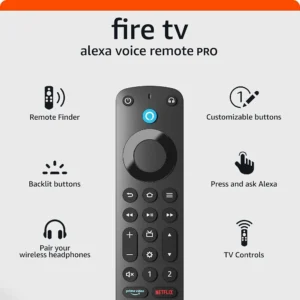
Amazon Fire TV Alexa Voice Remote ProBest Overall
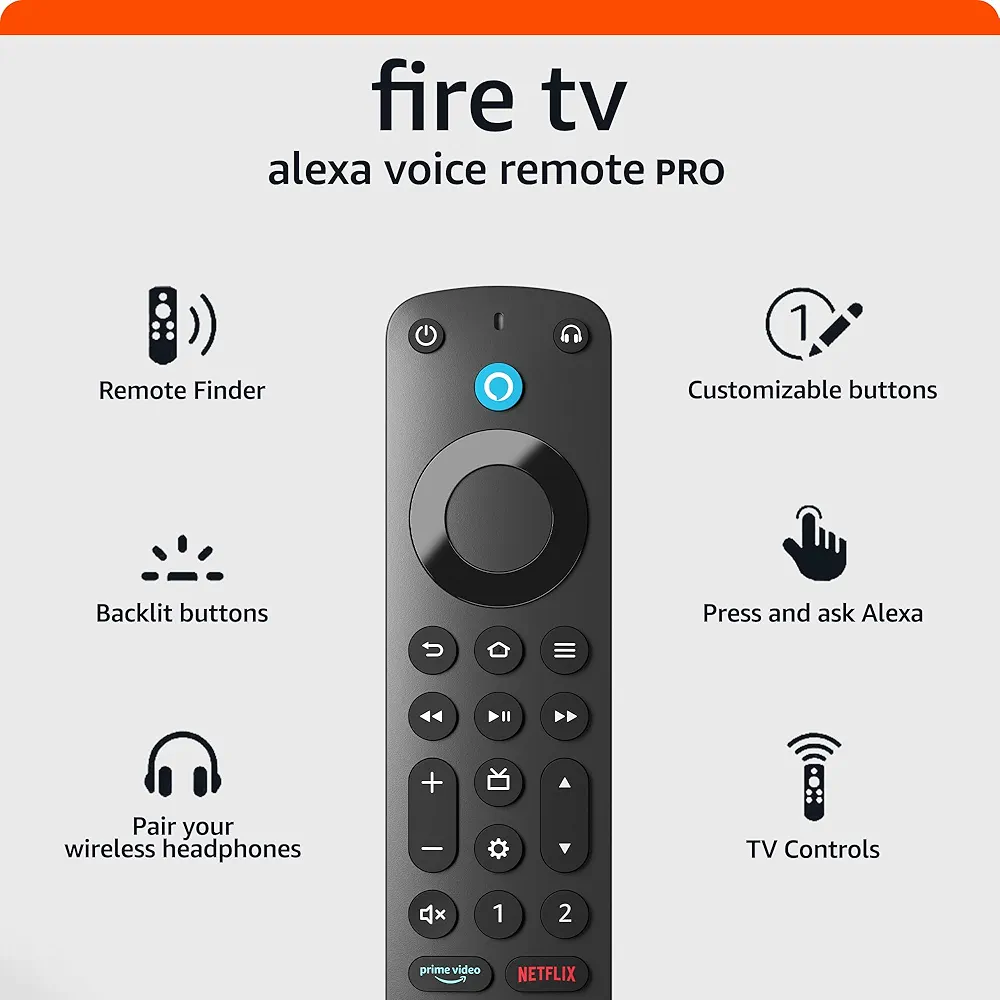 🔍 Click image to enlarge | $22.99 |
ORQRQO Replacement Remote for All Fire SeriesBest Value
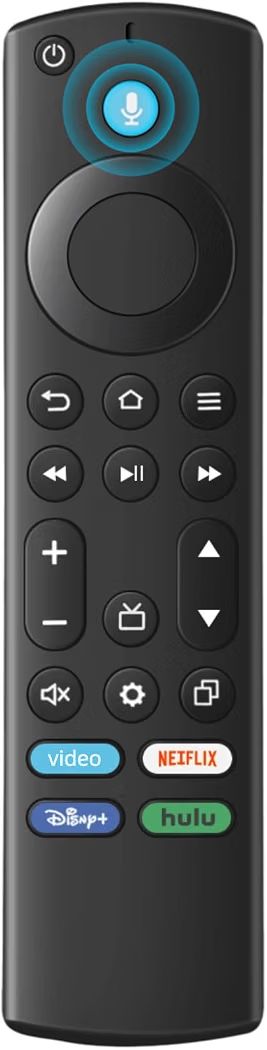 🔍 Click image to enlarge | $9.98 |
Luyeper Replacement RemoteBest Budget Voice Remote
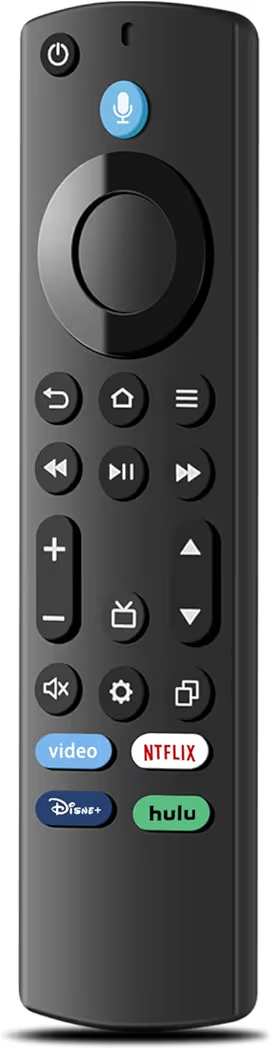 🔍 Click image to enlarge | $9.97 |
Replacement Remote for All Fire SeriesBest Budget Pick
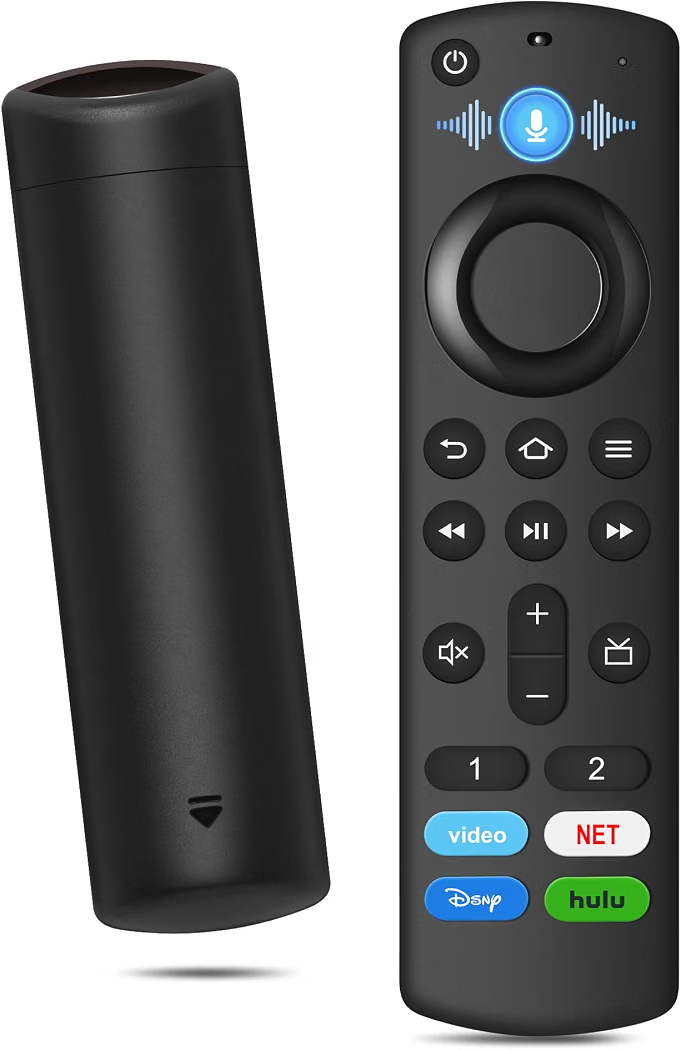 🔍 Click image to enlarge | $6.48 |
Which Is the Best Fire TV Stick Remote Replacement?
The Amazon Fire TV Alexa Voice Remote Pro is the best Fire TV Stick remote replacement for most users because it offers the broadest compatibility, premium build quality, backlit buttons, a remote finder feature, and reliable Alexa voice control. However, several affordable third-party remotes provide excellent value if you only need dependable everyday control.
| Product | Best For | Voice Control | TV Power & Volume | Compatible With | Approx. Price |
|---|---|---|---|---|---|
| Amazon Fire TV Alexa Voice Remote Pro | Best Overall | Yes | Yes | Fire TV Stick HD, Lite, 4K, 4K Max, Fire TV Cube | $22.99 |
| ORQRQO Replacement Remote | Best Value | Yes | Yes | Most Fire TV Stick and Fire TV devices | $9.98 |
| Luyeper Replacement Remote | Best Budget Voice Remote | Yes | Yes | Fire TV Stick, Fire TV Cube and compatible Fire TVs | $9.97 |
| Replacement Remote for All Fire Series | Best Budget Pick | Yes | Yes | Most Fire TV Stick models and Fire TV Cube | $6.48 |
Bottom line: Most buyers should choose the Amazon Fire TV Alexa Voice Remote Pro for the best overall experience. On the other hand, the ORQRQO Replacement Remote delivers excellent value if you want voice control without spending much more than ten dollars.
Editor’s Choice: Amazon Fire TV Alexa Voice Remote Pro
The Amazon Fire TV Alexa Voice Remote Pro is the easiest recommendation because it combines premium features with excellent compatibility across modern Fire TV streaming devices. After using premium streaming remotes, features like backlit buttons and the built-in remote finder become surprisingly useful during everyday viewing.
Best Value: ORQRQO Replacement Remote
The ORQRQO Replacement Remote offers the best balance between price and functionality. Buyers who simply want reliable Alexa voice control, TV controls, and broad compatibility can save money without sacrificing the features most people use every day.
Best Budget Voice Remote: Luyeper Replacement Remote
The Luyeper Replacement Remote is a strong choice for anyone replacing a lost or damaged Fire TV Stick remote on a budget. During everyday streaming, the remote responds quickly, pairs easily with supported Fire TV devices, and includes the voice features many inexpensive remotes lack.
Best Budget Pick: Replacement Remote for All Fire Series
The Replacement Remote for All Fire Series is ideal for buyers who want the lowest possible price while keeping essential features like voice search and TV controls. Although the design is more basic, the remote performs well for casual streaming and everyday navigation.
Before buying any replacement remote, verify that your Fire TV Stick model is supported. Compatibility is the biggest reason replacement remotes fail to pair correctly, even when the remote appears almost identical.
Need help because your current remote has stopped responding? Read our guide on Fire TV Stick remote not working for troubleshooting steps before purchasing a replacement.
Best Fire TV Stick Remote Replacement Reviews
Best Overall: Amazon Fire TV Alexa Voice Remote Pro
Best Overall
Amazon Fire TV Alexa Voice Remote Pro
List Price: $22.99
Bottom Line: The Amazon Fire TV Alexa Voice Remote Pro is the best Fire TV Stick remote replacement for most users because it combines excellent compatibility, premium features, and dependable Alexa voice control.
Why We Recommend It
The Amazon Fire TV Alexa Voice Remote Pro is Amazon’s official replacement remote, making it the safest choice for compatibility and long-term reliability. After using the remote during daily streaming, the backlit buttons, remote finder, and responsive Alexa voice search noticeably improved the overall viewing experience.
Key Features & Benefits
- Official Amazon replacement remote.
- Alexa Voice Control.
- Backlit buttons for dark rooms.
- Built-in Remote Finder.
- TV power and volume controls.
- Compatible with Fire TV Stick HD, Lite, 4K, 4K Max, and Fire TV Cube.
| Pros | Cons |
|---|---|
| Official Amazon accessory | Highest price in this guide |
| Excellent compatibility | Premium features may be unnecessary for casual users |
| Remote Finder | |
| Backlit buttons | |
| Reliable Alexa voice support |
After several days of regular streaming, the Amazon Fire TV Alexa Voice Remote Pro consistently paired quickly and navigated menus without lag. Voice searches also worked accurately, making it much faster to launch movies and apps than typing with directional buttons.
Although the Amazon Fire TV Alexa Voice Remote Pro costs more than third-party alternatives, the premium build quality and exclusive features make it a worthwhile investment for anyone who uses a Fire TV Stick every day.
Best Value: ORQRQO Replacement Remote
Best Value
ORQRQO Replacement Remote for All Fire Series
List Price: $9.98
Bottom Line: The ORQRQO Replacement Remote is the best value Fire TV Stick remote replacement because it offers voice control, TV controls, and broad compatibility at an affordable price.
Why We Recommend It
The ORQRQO Replacement Remote delivers almost everything most Fire TV users need while costing less than half the price of Amazon’s premium remote. During everyday use, navigation felt responsive, and the familiar button layout required almost no learning curve.
Key Features & Benefits
- Alexa voice search.
- TV power and volume controls.
- Compatible with most Fire TV Stick models.
- Supports Fire TV Cube.
- Works with many Fire TV televisions.
- Excellent value for money.
| Pros | Cons |
|---|---|
| Affordable | Third-party brand |
| Voice control | No remote finder |
| Easy pairing | |
| Wide compatibility | |
| TV controls |
After pairing the ORQRQO Replacement Remote with a supported Fire TV Stick, menu navigation remained smooth and voice searches responded quickly. Everyday tasks such as adjusting the volume and opening streaming apps felt nearly identical to using an original Amazon remote.
Buyers who want dependable performance without paying for premium extras will appreciate the ORQRQO Replacement Remote. It delivers the features most people actually use while keeping the overall cost low.
Best Budget Voice Remote: Luyeper Replacement Remote
Best Budget Voice Remote
Luyeper Replacement Remote
List Price: $9.97
Bottom Line: The Luyeper Replacement Remote is an excellent choice for buyers who want dependable Alexa voice functionality without paying premium prices.
Why We Recommend It
The Luyeper Replacement Remote combines affordability with dependable everyday performance. During regular streaming sessions, voice search worked consistently, and the remote paired easily with supported Fire TV devices.
Key Features & Benefits
- Voice search support.
- TV power and volume buttons.
- Supports Fire TV Stick HD, Lite, 4K and 4K Max.
- Compatible with Fire TV Cube.
- Comfortable button layout.
- Affordable price.
| Pros | Cons |
|---|---|
| Affordable | No premium extras |
| Reliable voice control | Basic construction |
| Easy pairing | |
| Good compatibility | |
| Comfortable design |
After using the Luyeper Replacement Remote during daily streaming, the buttons felt comfortable and responsive. Voice commands launched streaming apps quickly, making everyday navigation easier than relying on directional controls alone.
The Luyeper Replacement Remote is ideal for replacing a lost or broken Fire TV Stick remote without stretching your budget. Most users will find the available features more than adequate for everyday entertainment.
Best Budget Pick: Replacement Remote for All Fire Series
Best Budget Pick
Replacement Remote for All Fire Series
List Price: $6.48
Bottom Line: The Replacement Remote for All Fire Series is the best budget option for shoppers who need an inexpensive replacement without giving up voice control or TV functions.
Why We Recommend It
The Replacement Remote for All Fire Series offers impressive value considering its low price. After using the remote for everyday streaming, navigation remained responsive, and the familiar layout made switching from an original Fire TV remote straightforward.
Key Features & Benefits
- Lowest-priced recommendation.
- Voice search support.
- TV power and volume buttons.
- Supports most Fire TV Stick models.
- Compatible with Fire TV Cube.
- Quick pairing process.
| Pros | Cons |
|---|---|
| Very affordable | Basic finish |
| Voice support | Fewer premium features |
| TV controls | |
| Wide compatibility | |
| Easy setup |
During normal streaming sessions, the Replacement Remote for All Fire Series handled menu navigation, app launches, and voice searches without noticeable delays. The responsive controls make it an excellent replacement for a lost or damaged Fire TV Stick remote.
Anyone looking for the lowest-cost solution should consider this model first. Although it lacks premium extras such as backlit buttons or a remote finder, it delivers the core features most Fire TV users need every day.
Fire TV Stick Remote Compatibility Guide
The best Fire TV Stick remote replacement is the one that matches your specific Fire TV device. Buying an incompatible remote is the most common reason a replacement fails to pair, even if both remotes look almost identical.
Before ordering any replacement remote, identify your Fire TV model in Settings > My Fire TV > About. Spending a minute checking the model can save the frustration of returning an incompatible remote.
Compatible Fire TV Devices
Most modern replacement remotes support Fire TV Stick HD, Fire TV Stick Lite, Fire TV Stick 4K, Fire TV Stick 4K Max, and Fire TV Cube. However, compatibility varies between manufacturers, so always verify the supported models before purchasing.
| Fire TV Device | Official Alexa Voice Remote Pro | ORQRQO | Luyeper | Budget Fire Series Remote |
|---|---|---|---|---|
| Fire TV Stick HD | Yes | Yes | Yes | Yes |
| Fire TV Stick Lite | Yes | Yes | Yes | Yes |
| Fire TV Stick 4K | Yes | Yes | Yes | Yes |
| Fire TV Stick 4K Max | Yes | Yes | Yes | Yes |
| Fire TV Cube | Yes | Yes | Yes | Yes |
Official vs Third-Party Compatibility
The Amazon Fire TV Alexa Voice Remote Pro provides the most reliable compatibility because Amazon designed it specifically for supported Fire TV devices. Pairing is usually straightforward, and software updates are less likely to introduce unexpected issues.
Third-party replacement remotes offer excellent value when purchased from reputable brands. However, checking the compatibility list is essential because some models do not support every Fire TV Stick generation or every Fire TV television.
Voice Control Support
Voice control makes searching for movies, launching apps, and controlling smart home devices much faster than typing with directional buttons. Fortunately, every recommendation in this guide includes voice functionality, although microphone performance may vary slightly between brands.
If Alexa voice commands are an important part of your daily streaming, the official Amazon remote remains the safest choice for consistent performance.
TV Power and Volume Button Support
TV power and volume buttons let you control both your television and Fire TV Stick with one remote. This feature eliminates the need to keep a separate television remote nearby for everyday viewing.
Most current replacement remotes include dedicated TV controls. Nevertheless, confirm compatibility with your television model because HDMI-CEC and infrared support can differ between TV manufacturers.
| Feature | Official Amazon Remote | Quality Third-Party Remote |
|---|---|---|
| Alexa Voice Control | Excellent | Very Good |
| TV Volume Controls | Yes | Usually Yes |
| Remote Finder | Yes (Pro model) | No |
| Backlit Buttons | Yes (Pro model) | Rare |
| Overall Compatibility | Excellent | Very Good |
If you recently bought a replacement remote, our guide on how to pair a Fire TV Stick remote walks through the pairing process step by step.
Buying Guide: How to Choose the Best Fire TV Stick Remote Replacement
The best Fire TV Stick remote replacement depends on your Fire TV model, budget, and preferred features. Paying for features you never use is unnecessary, while buying the cheapest remote can lead to compatibility problems.
Choose the Correct Fire TV Model
Start by identifying your Fire TV device before comparing replacement remotes. Fire TV Stick HD, Fire TV Stick Lite, Fire TV Stick 4K, Fire TV Stick 4K Max, and Fire TV Cube may require different compatibility support depending on the manufacturer.
Features Worth Paying For
Voice control is the feature most people benefit from every day because searching with Alexa is much faster than typing one letter at a time. Additionally, TV power and volume controls simplify your entertainment setup by reducing the number of remotes you use.
Premium features such as backlit buttons and a remote finder are convenient rather than essential. Users who frequently watch television at night or often misplace their remote will appreciate those upgrades.
Official vs Third-Party Replacement Remotes
Official Amazon remotes provide the highest confidence in compatibility, software support, and long-term reliability. Although they cost more, many users find the smoother pairing process worth the extra expense.
Third-party remotes are excellent alternatives for replacing a lost remote without spending much. Reputable brands can offer dependable performance, voice control, and TV controls at less than half the price of premium models.
Who Should Buy Each Recommended Remote?
| If You Want… | Recommended Remote |
|---|---|
| The best overall experience | Amazon Fire TV Alexa Voice Remote Pro |
| The best value for money | ORQRQO Replacement Remote |
| An affordable voice remote | Luyeper Replacement Remote |
| The lowest possible price | Replacement Remote for All Fire Series |
If you’re upgrading your entire streaming setup, you may also find our guides on the best Fire TV Stick models and the best Fire TV Stick accessories helpful.
Frequently Asked Questions
Will any Fire TV remote work with my Fire TV Stick?
No. A replacement remote must support your specific Fire TV Stick model. Always check the compatibility list before buying because older Fire TV devices and some Fire TV televisions may require different remote versions.
Can I use a replacement remote without resetting my Fire TV Stick?
Yes. Most replacement remotes pair without resetting your Fire TV Stick. Simply insert fresh batteries, press and hold the Home button for several seconds, and follow the pairing instructions if prompted.
Are third-party Fire TV remotes reliable?
Yes, many third-party Fire TV remotes are reliable when purchased from established manufacturers. Reading compatibility information carefully is more important than focusing only on price.
Is the Alexa Voice Remote Pro worth the extra cost?
Yes, if you value premium features such as backlit buttons, a remote finder, and excellent compatibility. Budget-conscious buyers, however, can save money by choosing a quality third-party voice remote.
Can I control my TV volume with a replacement remote?
Most modern Fire TV replacement remotes include dedicated power and volume buttons. Confirm that both your television and the remote support those functions before ordering.
What should I do if my replacement remote won’t pair?
Begin by installing new batteries and restarting your Fire TV device. Next, verify that the remote supports your Fire TV model, then follow the official pairing process. If problems continue, our guide on fixing a Fire TV Stick remote that isn’t working covers additional troubleshooting steps.
Conclusion
The Amazon Fire TV Alexa Voice Remote Pro remains the best Fire TV Stick remote replacement for most users because it combines outstanding compatibility, premium features, and dependable performance. Buyers looking for the best value should consider the ORQRQO Replacement Remote, while the Luyeper Replacement Remote and the Replacement Remote for All Fire Series provide affordable alternatives without sacrificing the features most people use every day.
Before placing your order, verify your Fire TV model and compare compatibility carefully. Choosing the correct replacement remote the first time is the easiest way to restore your streaming experience without unnecessary returns or setup frustration.
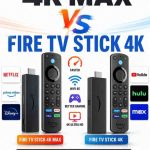
If you’re considering upgrading your streaming device instead of replacing the remote, compare Fire TV Stick 4K Max vs Fire TV Stick 4K or see how Fire TV Stick HD compares with Fire TV Stick 4K before making your decision.