Is your ONN portable charger suddenly refusing to work? In most cases, the problem comes from the charging cable, power source, charging port, low battery, or the wrong port.
This guide explains how to troubleshoot an ONN portable charger not working before replacing it. The steps also cover power banks that will not charge, will not turn on, or will not charge a phone.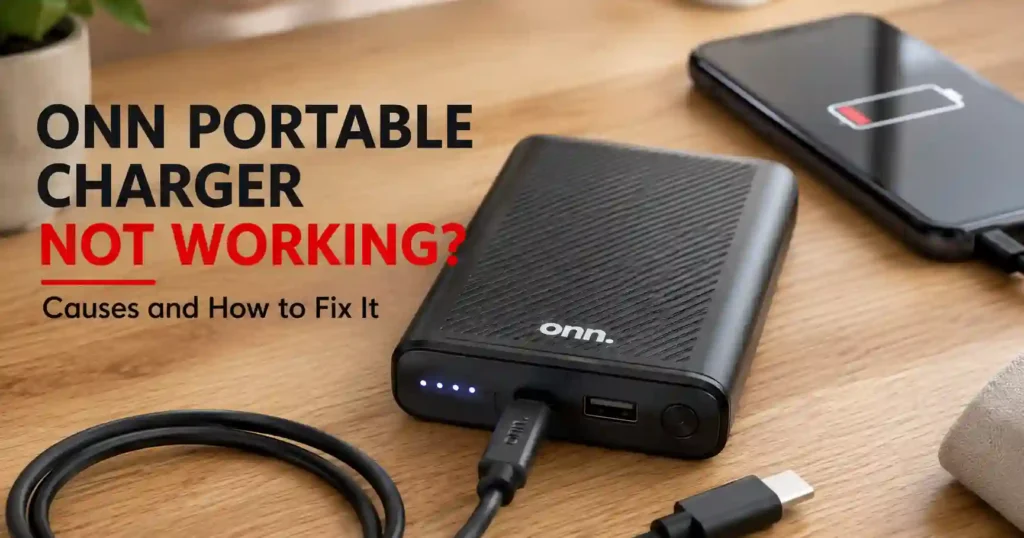
ONN Portable Charger Not Working? Start Here
An ONN portable charger that stops working usually needs a simple charging or connection check first. Test the cable, wall adapter, charging port, battery indicator, and output connection before assuming the battery has failed.
ONN sells several power-bank designs, including 10,000mAh and 20,000mAh models. Port layouts and charging features can differ between models, so check the labels on your specific unit first.
If you are unsure how the power bank should operate, this guide to how to use an ONN power bank can help with the basic controls and charging process.
Why Is My ONN Power Bank Not Charging?
An ONN power bank may not charge because of a bad cable, unsuitable adapter, damaged port, or deeply discharged battery.
Start with the simplest checks. A failed cable or wall adapter can make a working power bank appear completely dead.
- Disconnect the power bank from every device.
- Connect the power bank to a known-good wall charger.
- Try a different charging cable.
- Try another wall outlet.
- Check whether the charging indicator responds.
- Leave the power bank connected for a while if the battery was completely drained.
- Inspect the charging port for dirt or visible damage.
If the indicator still shows no response, test another known-good charging setup before deciding that the battery has failed.
Check the Correct Charging Port
The correct charging port depends on the ONN model you own. Some newer ONN power banks use USB-C for both input and output, while other models include different port combinations.
For example, an ONN 10,000mAh model uses USB-C and USB-A ports. The USB-C port can support both input and output.
Another ONN 20,000mAh model provides a 20W USB-C Power Delivery port alongside USB-A ports.
Therefore, do not assume that every USB port on an ONN power bank accepts charging input.
ONN Portable Charger Won’t Turn On
An ONN portable charger that will not turn on may have a completely drained battery, charging problem, damaged button, or internal fault.
First, connect the unit to a working charger and watch for any LED or battery-level response.
Next, leave the charger connected for a reasonable period if the battery reached zero. A deeply discharged battery may not show an immediate response.
After charging, disconnect the cable and press the power button once. Then connect a phone or another compatible device to test the output.
Check the Cable and Wall Adapter
A faulty cable can prevent the power bank from receiving enough power. Therefore, test the ONN charger with another cable before blaming the battery.
Also try another wall adapter. A damaged or unreliable adapter can create the same symptoms as a failed power bank.
Use a charger and cable that match the requirements of your specific ONN model. USB Power Delivery allows compatible devices and chargers to negotiate appropriate power levels.
For more information about USB charging standards, see the USB Implementers Forum USB Power Delivery information.
ONN Power Bank Is Charged but Won’t Charge My Phone
An ONN power bank that has charge but will not charge a phone usually has an output, cable, port, or device-compatibility problem.
First, check the cable connection at both ends. Then try another cable and another output port if your model provides multiple ports.
- Check the power-bank battery level.
- Press the power button if your model requires it.
- Reconnect the phone securely.
- Try another charging cable.
- Try another output port.
- Test the power bank with another compatible device.
If another phone charges normally, the ONN power bank may be working correctly. The original phone, cable, or connection may be causing the problem.
Check USB-C and USB-A Connections
USB-C does not automatically mean that every USB-C port performs the same function. Some ports support input, output, or both.
Check the markings beside the ports instead of guessing. This simple step can prevent many charging problems.
Why Is My ONN Power Bank Blinking?
ONN power-bank lights usually indicate battery or charging status, but the exact behavior depends on the model.
A blinking indicator does not automatically mean that the power bank has failed. Check whether the lights change when you connect the charger or a phone.
Some newer ONN models use digital battery displays instead of simple LED indicators. Battery-display behavior can therefore vary between models.
For this reason, avoid applying one LED pattern to every ONN power bank.
What If the Lights Blink but the Phone Does Not Charge?
If the lights respond but your phone does not charge, test the output connection first.
- Try another charging cable.
- Try another output port.
- Reconnect the phone.
- Test another phone or USB device.
- Check whether the power bank has enough remaining charge.
If several devices fail to charge while the battery indicator works, the output circuitry or port may have developed a fault.
How to Reset an ONN Portable Charger
There is no single reset procedure that applies to every ONN power-bank model. Therefore, use basic power-cycle troubleshooting rather than assuming a universal button combination.
- Disconnect every cable from the power bank.
- Press the power button once.
- Reconnect the charging cable.
- Try another compatible charging cable if nothing happens.
- Allow the battery to charge.
- Disconnect the charger and test the output.
Do not open the power bank or attempt to repair its lithium-ion cells yourself. Internal battery work can create serious fire and electrical hazards.
If you want a more systematic diagnostic process, use this guide on how to test a power bank.
⚠️ Safety Tip: Stop using the power bank if the battery becomes swollen, unusually hot, damaged, or starts producing an unusual smell. Do not puncture, open, or crush the battery.
Why Is My ONN Power Bank Charging Slowly?
An ONN power bank may charge slowly because of the charger, cable, input port, power level, or model limitations.
First, check whether your model supports faster USB-C charging. Some current ONN models support 20W Power Delivery.
Next, test a suitable USB-C charger and cable. A low-power adapter can take considerably longer to recharge a large battery.
Also consider the battery capacity. A 20,000mAh power bank naturally requires more energy to refill than a smaller model.
Can a Phone Charger Recharge an ONN Power Bank?
A compatible phone charger can recharge an ONN power bank when its output and connector meet the power bank’s requirements.
However, charging speed depends on the power bank, charger, cable, and supported charging protocol.
USB Power Delivery supports negotiated power levels between compatible devices. The USB Implementers Forum explains USB Power Delivery and its charging capabilities.
How to Tell if Your ONN Power Bank Is Dead
An ONN power bank is more likely to have a hardware failure when multiple known-good cables, chargers, and devices produce no response.
Before replacing it, perform one final controlled test.
- Use a known-good charging cable.
- Use a compatible wall charger.
- Try another wall outlet.
- Leave the power bank connected for an extended charging period.
- Check for any LED or display response.
- Test the output with another compatible device.
If the power bank still shows no charging or output response, internal battery or circuit failure becomes more likely.
If you regularly use portable batteries, learning how to test a power bank can also help you diagnose similar charging problems.
Signs You Should Stop Using the Power Bank
Stop using the unit if you notice physical or thermal warning signs.
- Swollen battery housing
- Cracked or badly damaged casing
- Unusual heat during normal use
- Burning or chemical smell
- Smoke or unusual sounds
- Visible damage around the charging port
Do not continue charging a visibly damaged lithium-ion battery.
Should You Replace an ONN Portable Charger?
You should replace an ONN portable charger when basic troubleshooting cannot restore charging or output.
However, replace the cable or wall adapter first if those components fail the testing process.
If the power bank itself has failed, compare capacity, USB-C support, charging speed, size, and safety features before buying another model.
This guide to how to choose a portable power bank can help you compare those factors before replacing the ONN unit.
What Should You Look for in a Replacement?
- Capacity: Choose 10,000mAh for everyday phone backup or more for extended trips.
- USB-C: Choose USB-C if your devices and cables use the newer connector.
- Power Delivery: Consider USB PD for compatible fast-charging devices.
- Port count: Choose multiple outputs if you regularly charge several devices.
- Battery indicator: A percentage display makes remaining capacity easier to monitor.
- Protection: Look for appropriate over-current, over-voltage, temperature, and short-circuit protection.
ONN Power Bank Troubleshooting Checklist
Use this checklist before deciding that your ONN portable charger has failed.
| Problem | What to Check |
|---|---|
| Power bank will not charge | Cable, wall adapter, outlet, input port, and battery level |
| Power bank will not turn on | Battery level, power button, cable, and charging response |
| Phone will not charge | Output port, cable, phone connection, and remaining battery |
| Lights keep blinking | Model-specific indicator behavior and charging connection |
| Charging takes too long | Charger wattage, cable, USB-C support, and battery capacity |
| No response af
ter every test |
Possible battery, port, or internal circuit failure |
Also read Best Power Banks for Samsung Galaxy A16 (2026 Picks)
The Best Power Banks Under $50 for 2026: Top 5 Tested Portable Chargers
Frequently Asked Questions
Why is my ONN portable charger not working?
An ONN portable charger may not work because of a bad cable, empty battery, damaged port, unsuitable charger, or internal failure.
Test another cable, charger, outlet, and compatible device before replacing the power bank.
Why is my ONN power bank not charging?
The most common causes include a faulty cable, wrong charging port, weak adapter, damaged port, or deeply discharged battery.
Try a known-good cable and compatible wall charger first.
Why won’t my ONN power bank turn on?
A completely drained battery can prevent an ONN power bank from turning on immediately.
Connect the power bank to a compatible charger and check for an LED or display response.
Why won’t my ONN power bank charge my phone?
The problem may involve the output port, cable, phone connection, or power-bank battery level.
Try another cable, another output port, and another compatible device.
What port charges an ONN power bank?
The charging input depends on the specific ONN model.
Some current models use USB-C input, while other models may have different port configurations.
How do I reset my ONN power bank?
There is no universal reset method for every ONN power-bank model.
Disconnect all cables, reconnect the charger, allow the battery to charge, and then test the output.
Why is my ONN power bank blinking?
Blinking usually relates to charging or battery-status indication, but the exact meaning depends on the model.
Check how the indicator responds when you connect the charger and a device.
How do I know if my ONN power bank is dead?
The power bank may be defective if it shows no charging or output response after testing known-good cables, chargers, outlets, and devices.
Physical swelling, overheating, or visible damage also means you should stop using the unit.
Can I charge an ONN power bank with a phone charger?
You can use a compatible phone charger when its connector and charging specifications match the ONN power bank.
Charging speed depends on the power bank, adapter, cable, and supported charging protocol.
Final Thoughts
An ONN portable charger that stops working does not always need replacement. Start with the cable, charger, charging port, battery level, and output connection.
Next, test the power bank with another compatible device. If several known-good accessories fail to restore charging or output, the unit may have an internal fault.
- ONN power bank troubleshooting: Check the charging setup before replacing the battery pack.
- Charging problems: Test another cable, wall adapter, and outlet.
- Phone charging problems: Test another output port and compatible device.
- LED problems: Check the specific model because indicator behavior can vary.
- Replacement: Compare capacity, USB-C support, charging speed, and safety features before buying another power bank.