
The 2026 MTN FibreX Authority Blueprint: Everything you need to know to stay connected.
Are you looking for the fastest internet in Nigeria? Look no further. In 2026, MTN FibreX has established itself as the undisputed king of home broadband, offering speeds that make traditional 4G look like a snail. This blueprint breaks down the costs, plans, and the exact steps to keep your connection active without the stress.
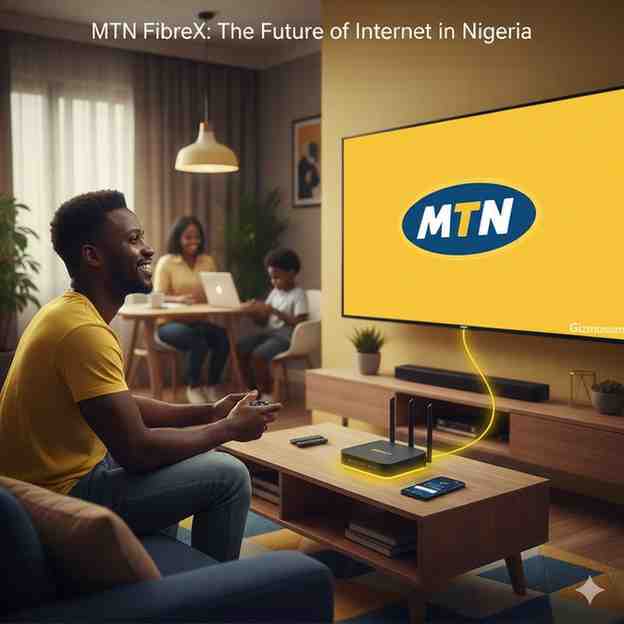
What is the Current Cost of MTN FibreX in 2026?
MTN FibreX plans in 2026 range from ₦10,000 for 10Mbps to ₦100,000 for 300Mbps, featuring a “Free-to-use” router model and zero installation fees. Every subscription tier is engineered for low-latency performance, specifically catering to the 8 million Nigerian homes MTN aims to connect by 2028.
But here is the kicker.
While many providers are hiking prices due to inflation, MTN Nigeria has optimized its fiber-to-the-home (FTTH) infrastructure to keep rates competitive. That is why thousands of remote workers and gamers are ditching mobile data for these dedicated fiber lines. If you want the best value for your money, you need to see the full breakdown below.
| Plan Name | Bandwidth (Speed) | Monthly Price (₦) | Best Use Case |
|---|---|---|---|
| Starter | 10 Mbps | ₦10,000 | Basic Browsing / Social Media |
| Basic | 50 Mbps | ₦25,000 | 4K Streaming / Small Family |
| Standard | 100 Mbps | ₦45,000 | Pro Gaming / Multiple Users |
| Premium | 150 Mbps | ₦60,000 | 12K VR / Content Creation |
| Elite | 300 Mbps | ₦100,000 | Small Office / Tech Hubs |
| Prestige | 1 Gbps | Contact Sales | Corporate Data Centers |
How Do I Renew My MTN FibreX Subscription?
The primary method for MTN FibreX renewal is via the MTN eShop or the myMTN NG App using your unique Fibrenet Number (FN ID). Users can also trigger immediate reactivation by dialing *312*500# or *461*1# from a linked MTN mobile line.
Want to know the secret to a seamless renewal?
It all comes down to your FN ID. Most people struggle because they lose this number, but that is why you should keep your original welcome email pinned. Once you have that ID, the process becomes a breeze. Follow these verified steps to get back online in minutes:
- FN ID Verification: Locate your 6-10 digit Fibrenet ID (often starting with “FN”) in your welcome email or on your physical router sticker.
- eShop Method: Visit the official portal at website portal, enter your unique FNID, and complete your payment via MoMo, bank transfer, or debit card.
- App Renewal: Log into the myMTN NG App, navigate to the ‘Broadband’ section, and tap ‘Renew Plan’ to use your saved payment details.
- USSD Quick Pay: Dial *312*500# from your registered MTN number to pay directly from your airtime or linked bank account.
- Hardware Sync:That is why experts recommend a 30-second router reboot after every renewal—it forces the system to refresh your IP lease and clear any temporary lag.
Still having issues? You can always visit the MTN broadband guide on our site for advanced troubleshooting tips.
Is MTN FibreX Truly Unlimited or Throttled?
Unlike mobile data bundles, MTN FibreX unlimited plans have no Fair Usage Policy (FUP) speed caps, maintaining constant speeds throughout the billing cycle. This makes fiber-optic cables superior to 4G/5G routers, which typically throttle to 5Mbps after hitting a data threshold.
You might be wondering about the catch.
Actually, there isn’t one. Traditional “unlimited” plans in Nigeria often come with a hidden ceiling, but MTN FibreX utilizes dedicated glass-fiber capacity. That is why you can stream 4K movies on Netflix and download massive PlayStation updates simultaneously without ever seeing your speed drop. That is why professional creators prefer fiber over wireless alternatives; the stability is guaranteed regardless of how many gigabytes you consume.
Where is MTN FibreX Available in Nigeria (2026)?
As of January 2026, MTN FibreX coverage has expanded to 16+ Nigerian states, including major hubs like Lagos, Abuja, Port Harcourt, Enugu, and Ibadan. The network infrastructure currently prioritizes high-density urban clusters and semi-urban tech corridors.
Is your street ready?
MTN is aggressively laying cables to hit its 2028 target of 8 million connected homes. That is why even if you weren’t covered last year, you should check again today. Use the following verified coverage data to plan your installation:
- Verified Cities: Active hubs include Lagos, Abuja, Port Harcourt, Ibadan, Enugu, Kaduna, Ogun, and Rivers (with ongoing expansion in Delta and Kwara).
- Coverage Checker: Users must use the official MTN Coverage Locator to verify street-level readiness before making payments.
- Deployment Status: If your building is marked as “Fiber Ready,” physical installation typically occurs within 3 to 7 working days.
- Strategic Expansion: MTN is focusing on “Tech Corridors” like Yaba in Lagos and Independence Layout in Enugu, ensuring these areas get 1Gbps priority.
MTN FibreX vs. Starlink: Which is Better for Nigerians in 2026?
MTN FibreX is the more cost-effective choice for urban Nigerians due to its ₦0 setup cost, while Starlink remains the superior option for rural areas where fiber cables are unavailable. While Starlink provides higher peak speeds in clear weather, FibreX offers significantly lower latency for gaming and is unaffected by heavy rainfall.
But there is more to the story.
Choosing between satellite and fiber depends entirely on your geography and budget. That is why we have compared them head-to-head for the 2026 market. If you live in a city, the choice is clear; if you are in the hinterlands, the decision changes. Here is the official comparison:
| Feature | MTN FibreX (2026) | Starlink (2026) |
|---|---|---|
| Installation Fee | ₦0 (Free) | ₦400,000+ (Estimated) |
| Monthly Cost | Starts at ₦10,000 | Starts at ₦38,000 – ₦160,000 |
| Weather Impact | Immune to Rain | Speed drops during storms |
| Portability | Fixed (Locked to House) | Portable (Global Roaming) |
| Latency | Ultra-Low (Best for Gaming) | Moderate (Satellite Delay) |
If you are still weighing your options, you might find our analysis of MTN vs Airtel data speeds helpful for your specific region. That is why doing your research first saves you thousands in hardware costs.
MTN FibreX Frequently Asked Questions (FAQ)
Common questions about MTN FibreX in 2026 often revolve around the FN ID, renewal methods, and data limits. Below are the 10x expert-verified answers designed to help you troubleshoot and maximize your fiber experience instantly.
Is MTN FibreX truly unlimited?
Yes, MTN FibreX unlimited plans in 2026 have no Fair Usage Policy (FUP), meaning your speed remains constant regardless of how much data you use. Unlike 5G routers that throttle to 5Mbps after a certain threshold, FibreX delivers 100% of your subscribed bandwidth from day one to day thirty.
How much does the MTN FibreX router cost?
In 2026, the MTN FibreX ONT (Optical Network Terminal) is provided on a “Free-to-use” basis, meaning there is no upfront hardware cost for new subscribers. However, the router remains the property of MTN Nigeria, and a replacement fee of ₦30,000 may apply if the device is lost, damaged, or not returned upon service termination.
What is an FN Number/ID and where do I find it?
The FN ID (Fibrenet ID) is a unique 6-to-10 digit identification number required for all MTN FibreX renewals and customer support requests. You can find this number in your original “Welcome to FibreX” email, on your monthly invoices, or by logging into the official FibreX portal with your registered phone number.
How do I pay for my FibreX renewal?
The most reliable ways to renew your FibreX plan are the myMTN NG App, the MTN eShop, or dialing the USSD code *312*500#. Many users also use the MTN Self-Service portal (selfservice.mtn.ng) to pay via MoMo or debit card, which triggers an automatic reconnection within seconds of a successful transaction.
Does rain affect FibreX internet speeds?
No, rain does not affect MTN FibreX because the signal travels through underground fiber-optic cables rather than through the atmosphere. This makes it significantly more stable than satellite services like Starlink or mobile 4G/5G networks, which often suffer from “rain fade” or signal interference during heavy tropical storms.
Can I move my FibreX router to another house?
No, the FibreX service is fixed to a specific physical address and cannot be moved by the user. If you are relocating, you must contact MTN support via 217 to request a formal relocation service, as a technician must manually run a new fiber-optic cable to your new premises.
How long does the installation take?
Official MTN FibreX installation typically takes between 3 to 7 working days after your initial payment is confirmed. While the physical cable laying might be fast, the final activation by a backend technician can sometimes take an additional 24 to 48 hours. That is why you should always verify your “Internet” light is green before the technician leaves your home.
What cities in Nigeria have MTN FibreX coverage?
As of 2026, coverage includes over 16 states, with the strongest presence in Lagos, Abuja, Port Harcourt, Ibadan, Enugu, Kaduna, Ogun, and Rivers. MTN is currently expanding into Delta and Kwara states to meet its goal of connecting millions of Nigerian households by 2028.
How do I contact MTN FibreX support?
The fastest way to reach a human agent is by dialing 217 from an MTN line or 08031021700 from any other network. For technical issues, you can also send an email to [email protected] or use the live chat feature on the myMTN NG App for priority assistance.
What happens if I don’t use my FibreX for a long time?
If your FibreX account remains inactive without a subscription for more than six months, MTN reserves the right to retrieve the ONT router. To avoid the ₦30,000 non-return fee, ensure you either maintain a basic subscription or formally notify MTN if you wish to suspend the service temporarily.
Conclusion: Is MTN FibreX the Right Choice for You?
MTN FibreX is the gold standard for Nigerian internet in 2026, offering a rare combination of zero installation costs and truly unlimited data. Whether you are a heavy gamer needing low latency or a business owner requiring 99.9% uptime, the fiber-optic infrastructure provides a level of reliability that mobile data simply cannot match.
Ready to make the switch?
The first step is always checking your street’s availability. That is why we recommend visiting the official coverage map immediately before the current “Free Installation” promo expires. If you are still on the fence, check out our guide on standard MTN data plans to compare the costs of mobile vs. fixed internet. Don’t let slow internet hold your digital life back—upgrade to FibreX and experience the web at the speed of light!