 What MTN Night Plans Are and Why They Matter
MTN night plans are a popular option in Nigeria for people who want affordable internet access during off-peak hours. These plans usually start at night, often between 12:00 AM and 5:00 AM, allowing you to browse, stream, or download data at a lower cost than during the day. Night plans help you get more value from your MTN subscription without overspending.
It’s easy to lose track of your night data usage. Running out of data mid-download or while streaming can be frustrating. Checking your MTN night plan balance regularly helps you manage your data, plan for extra usage, and avoid interruptions.
By monitoring your night plan balance, you can make better decisions about when to use your data. For example, if your remaining night data is low, you might delay heavy downloads or streaming until your next night plan cycle.
Also Read
MTN Data Code How to Activate in 2025
Ways to Check Your MTN Night Plan Balance
Here are the most reliable ways to check your MTN night plan balance and related sub balances:
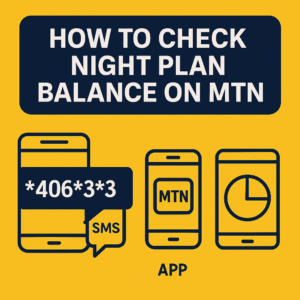
1. Dial the USSD Code to Check Night Plan Balance on MTN
The fastest way to check your balance:
- Open your phone’s dialer.
- Dial
*406*3*2#on your MTN line. - Press the call button.
- Your remaining MTN night plan balance will appear on the screen.
Tip: This method works even without an internet connection.
2. Use the myMTN App to Check Night Sub Balance on MTN
The myMTN app shows your data in real time and provides a clear breakdown:
- Download and install the myMTN NG app from your app store.
- Open the app and log in with your MTN number.
- Go to the Data Balance section.
- Your night sub balance on MTN will appear alongside other plans.
Tip: The app also shows your plan expiry date and is useful if you have multiple MTN lines.
3. Chat with Zigi to Check Your MTN Night Bundle Balance
Zigi provides balance info through chat:
- Access Zigi via the MTN website, WhatsApp, or Facebook Messenger.
- Send a message requesting your MTN night bundle balance.
- Zigi will reply with your remaining night data and other details.
Tip: This is a convenient option if you prefer chat over dialing codes or using the app.


4. Call MTN Customer Care
Customer care can help if other methods fail:
- Dial 300 from your MTN line.
- Follow the prompts or speak to a representative.
- Request your night plan balance or night sub balance.
Tip: Keep your MTN account details ready for quicker verification.
Tips for Managing Your Night Plan Balance
- Check regularly: Make it a habit to check your balance a few nights into your plan to avoid running out unexpectedly.
- Use the USSD code first: Dialing
*406*3*2#is usually the fastest method. The app and Zigi are good alternatives if you want more details. - Plan your usage: If your balance is low, delay heavy downloads or streaming until your next night plan cycle.
Troubleshooting Common Issues
- USSD code not working: Make sure your MTN line is active and there are no network issues. Try the myMTN app or Zigi if the code fails.
- App problems: Ensure your myMTN app is updated. Logging out and back in can fix temporary glitches.
- Customer care delays: During peak hours, expect possible delays. Try alternative methods like Zigi or the app if needed.
Frequently Asked Questions (FAQ)
How do I check my MTN night plan balance?
Dial *406*3*2#, use the myMTN app, chat with Zigi, or call customer care at 300. The USSD code is the fastest method to check your MTN night plan balance.
How can I check my night sub balance on MTN?
You can check your night sub balance on MTN using the USSD code, the myMTN app, or Zigi chatbot for convenience.
How do I check my night bundle balance on MTN?
Use the myMTN app or dial the USSD code *406*3*2# to see your night bundle balance on MTN quickly.
What is the code to check night plan balance on MTN?
The USSD code *406*3*2# is used to check your MTN night plan balance and night sub balance.
Does the myMTN app show night plan data?
Yes, the Data Balance section in the app shows your remaining night data along with other plans.
Conclusion
Monitoring your MTN night plan balance is essential for uninterrupted internet access and efficient data management. Using the USSD code, myMTN app, Zigi chatbot, or customer care, you can quickly check your balance anytime. Regularly checking your data ensures you make the most of your night plan, avoid unexpected interruptions, and plan your internet usage smartly.
With these methods, managing your MTN night plan is simple, reliable, and convenient.
Also Read
- MTN Tariff Plans and Migration Codes 2025: Best Options for Data & Calls
- All MTN New USSD Codes: 2025 Updated
Related Articles

Best MTN Tariff Plan for Calls in Nigeria (2026 Guide)
October 9, 2025