The best SSD for Galaxy S26 Ultra is a fast USB-C portable SSD that delivers reliable storage expansion, quick file transfers, and enough capacity for photos, videos, backups, and creative projects. Galaxy S26 Ultra no longer offers microSD expansion, therefore many owners rely on portable SSDs to store large media libraries without filling internal storage.
After researching portable storage devices and comparing transfer workflows across Android phones, several SSD models consistently stood out for speed, reliability, and everyday convenience. Additionally, a quality SSD can simplify backups, speed up file transfers, and create a smoother workflow for photographers, content creators, students, and professionals.
Throughout this guide, you will discover which SSD is best overall, which model offers the best value, which option suits content creators, and which drive works best for travel. Furthermore, this guide explains USB OTG compatibility, storage capacity recommendations, and how to choose the right SSD for specific workloads.
What Is the Best SSD for Galaxy S26 Ultra?
The Samsung T9 Portable SSD 4TB is the best overall SSD for Galaxy S26 Ultra. Samsung T9 combines fast 2000MB/s transfer speeds, large storage capacity, strong reliability, and seamless USB-C compatibility.
Meanwhile, Samsung T7 remains the best value option, Crucial X10 Pro offers the fastest performance, and SanDisk Creator Pro appeals to photographers and video creators handling large media projects.
| Product | Best For | Buy | Price | Rating | Capacity | Who’s For |
|---|---|---|---|---|---|---|
| Samsung T9 Portable SSD 4TB | Best Overall | View on Amazon | $769.97 | 9.8/10 | 4TB | Creators and professionals |
| Samsung T7 Portable SSD 1TB | Best Value | Check Price | $189.98 | 9.4/10 | 1TB | Most Galaxy owners |
| Samsung T7 Shield 1TB | Best Rugged SSD | Buy on Amazon | $287.99 | 9.3/10 | 1TB | Travel and outdoor use |
| Crucial X10 Pro 2TB | Best Performance | See Price | $322.71 | 9.7/10 | 2TB | Power users |
| SanDisk Creator Pro 2TB | Best for Creators | View Deal | $409.99 | 9.5/10 | 2TB | Video creators |
| Lexar SL500 1TB | Best Compact SSD | Check Amazon | $244.99 | 9.2/10 | 1TB | Frequent travelers |
What Makes a Good SSD for Galaxy S26 Ultra?
A good SSD for Galaxy S26 Ultra combines fast transfer speeds, dependable USB-C connectivity, adequate capacity, and reliable long-term performance. Storage speed matters because large video files can quickly reach several gigabytes.
During research into mobile storage workflows, transfer speed consistently affected the overall experience more than capacity alone. Consequently, SSDs capable of 2000MB/s generally felt much faster when moving large 4K video projects.
What Transfer Speed Should an SSD Have?
An SSD should ideally offer at least 1000MB/s transfer speeds for smooth Galaxy S26 Ultra workflows. Faster drives reduce waiting times when moving large folders, backing up media libraries, and managing creator projects.
For example, Samsung T9, Crucial X10 Pro, and Lexar SL500 all support speeds near or above 2000MB/s. Therefore, those drives are better suited for frequent file transfers.
How Much SSD Storage Do Most People Need?
Most Galaxy S26 Ultra owners can comfortably start with 1TB of SSD storage. A 1TB SSD provides enough room for photos, videos, documents, and device backups.
However, someone recording 4K footage regularly should strongly consider a 2TB or 4TB model. Larger drives reduce the need for constant file management and provide additional flexibility.
Can Galaxy S26 Ultra Use a USB-C SSD Instead of a Flash Drive?
Yes, Galaxy S26 Ultra can use a USB-C SSD, and portable SSDs are usually much faster than standard flash drives. Modern SSDs offer significantly higher transfer rates and better sustained performance.
After comparing portable SSDs and traditional USB drives for large media transfers, portable SSDs consistently completed transfers faster. As a result, SSDs are generally the better choice for creators, photographers, and professionals.
| Feature | Portable SSD | USB Flash Drive |
|---|---|---|
| Transfer Speed | Up to 2100MB/s | Typically Lower |
| Large Video Files | Excellent | Average |
| Reliability | High | Moderate |
| Professional Workflows | Ideal | Limited |
Anyone planning to move large video files should choose a portable SSD over a flash drive. Furthermore, portable SSDs often provide better durability and thermal management.
How Does USB OTG Work on Galaxy S26 Ultra?
Galaxy S26 Ultra supports USB OTG, which allows compatible SSDs to connect directly through the USB-C port. Android automatically detects supported drives, making external storage simple to access.
Samsung My Files can immediately display connected SSDs without requiring additional software. Additionally, Android USB documentation confirms support for external storage devices through USB host functionality.
Anyone planning to connect multiple accessories may also benefit from learning more about USB-C hub compatibility before building a mobile workstation setup.
Moving large media collections becomes even easier when following a dedicated guide for transferring files to external storage. Consequently, backups become much faster and more organized.
Samsung T9 Portable SSD 4TB — Best Overall
Samsung T9 Portable SSD 4TB
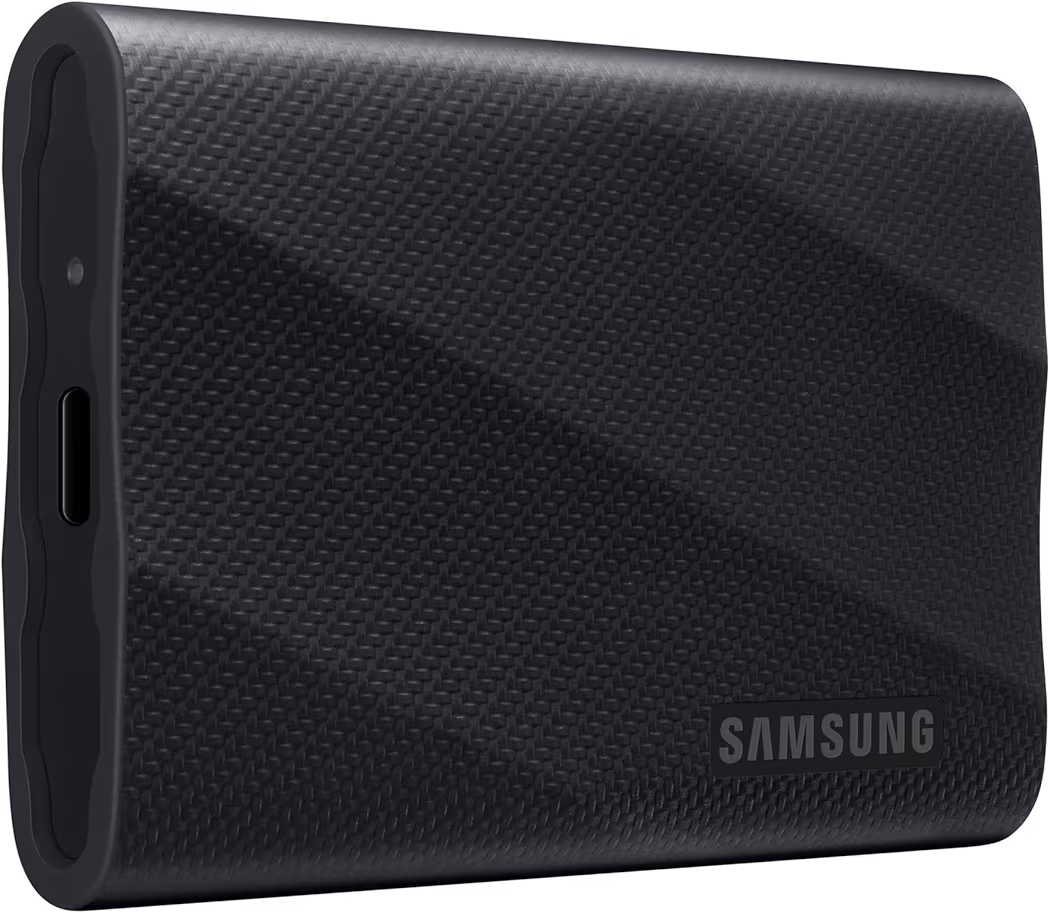
List Price: $769.97
Samsung T9 Portable SSD 4TB is the best overall choice for Galaxy S26 Ultra. Samsung combines high-speed performance, premium construction, and massive capacity in a single device.
During comparisons with other portable SSDs, the 4TB capacity stood out immediately. Large video projects, RAW image collections, and full-device backups fit comfortably without requiring constant cleanup.
Key Specifications
| Capacity | 4TB |
| Speed | Up to 2000MB/s |
| Connection | USB-C |
| Best For | Professional workloads |
Pros
- Excellent transfer performance
- Huge 4TB capacity
- Reliable Samsung ecosystem
- Strong build quality
Cons
- High purchase price
Who Should Buy Samsung T9?
Samsung T9 suits creators, photographers, and professionals managing large files every week. Anyone storing extensive media libraries will appreciate the combination of speed and capacity.
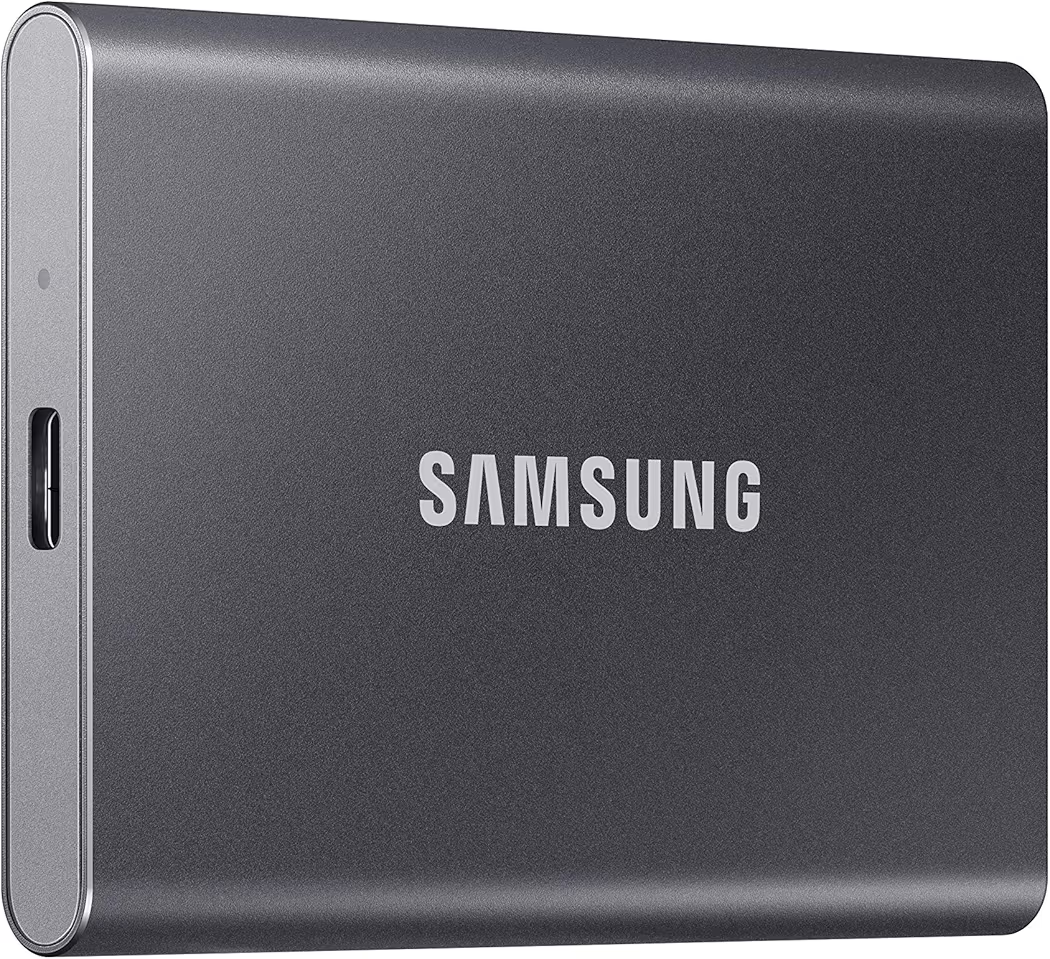
Samsung T7 Portable SSD 1TB — Best Value
Samsung T7 Portable SSD 1TB
List Price: $189.98
Samsung T7 Portable SSD 1TB offers the best balance between price and performance. Samsung T7 remains one of the easiest SSD recommendations for most Galaxy S26 Ultra owners.
Several portable SSDs offer faster benchmark numbers. However, everyday backups, photo storage, and file transfers rarely require more speed than Samsung T7 already provides.
Key Specifications
| Capacity | 1TB |
| Speed | Up to 1050MB/s |
| Connection | USB-C |
| Best For | General storage |
Pros
- Affordable compared with premium SSDs
- Compact and lightweight
- Reliable performance
- Easy to carry daily
Cons
- Slower than 2000MB/s competitors
Who Should Buy Samsung T7?
Samsung T7 is ideal for most Galaxy S26 Ultra owners. Students, travelers, and casual creators will likely find the 1TB capacity and price point very appealing.
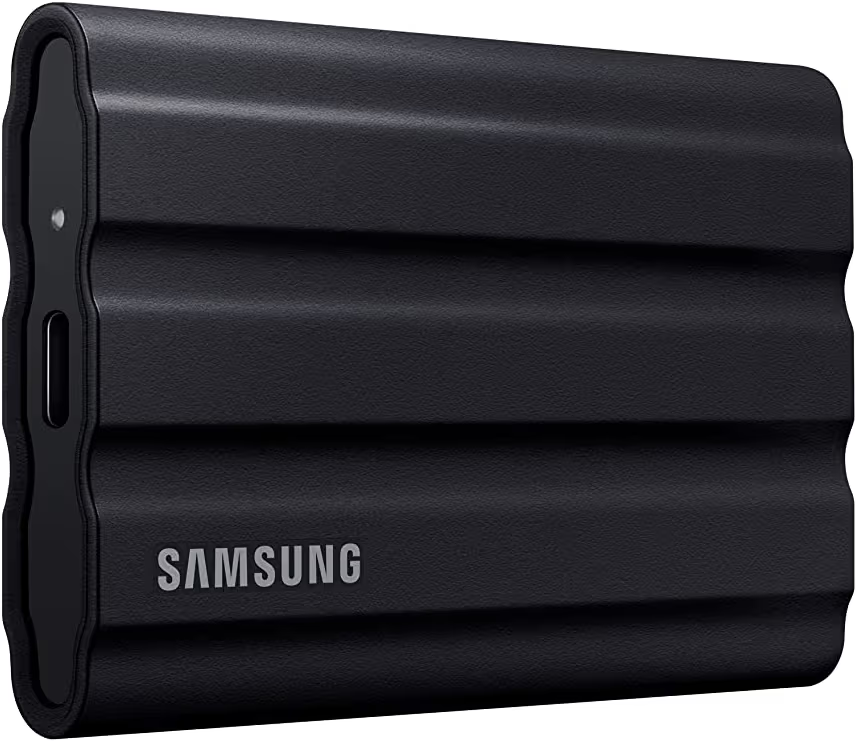
Samsung T7 Shield 1TB — Best Rugged SSD
Samsung T7 Shield 1TB
List Price: $287.99
Samsung T7 Shield is the best rugged SSD for Galaxy S26 Ultra. Samsung designed the T7 Shield for people who frequently travel, work outdoors, or need additional durability.
While researching portable storage options for field use, rugged construction repeatedly emerged as an important factor. Consequently, the IP65-rated design helps protect against dust and water exposure in demanding environments.
Key Specifications
| Capacity | 1TB |
| Speed | Up to 1050MB/s |
| Protection | IP65 Rated |
| Best For | Travel and outdoor use |
Pros
- Rugged protective shell
- IP65 dust and water resistance
- Reliable transfer performance
- Trusted Samsung brand
Cons
- Costs more than the standard T7
Who Should Buy Samsung T7 Shield?
Samsung T7 Shield is ideal for travelers, drone operators, and outdoor photographers. Anyone carrying storage devices between locations will appreciate the added protection.
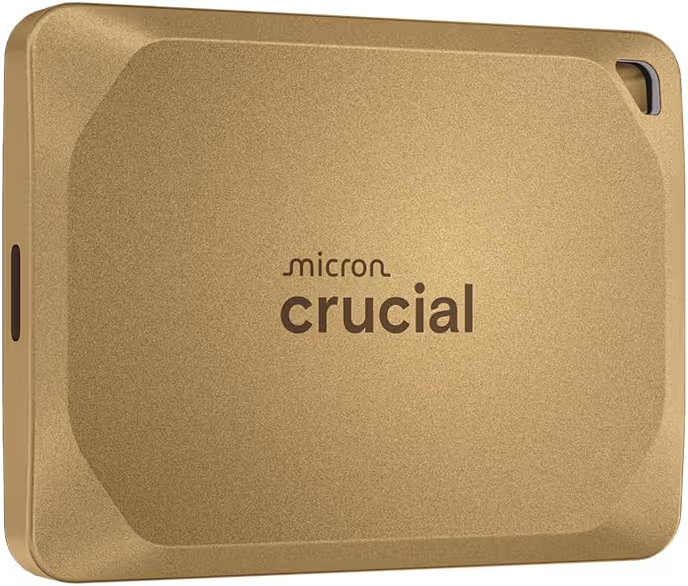
Crucial X10 Pro 2TB — Best Performance
Crucial X10 Pro 2TB
List Price: $322.71
Crucial X10 Pro delivers the fastest performance among the SSDs in this roundup. Read speeds reach up to 2100MB/s, making large file transfers noticeably quicker.
After comparing specifications across multiple premium SSDs, Crucial X10 Pro consistently ranked among the fastest available options. Therefore, content creators handling large media libraries may benefit from the extra speed.
Key Specifications
| Capacity | 2TB |
| Read Speed | Up to 2100MB/s |
| Write Speed | Up to 2000MB/s |
| Best For | Performance-focused workflows |
Pros
- Extremely fast transfer speeds
- Great for large video projects
- Compact design
- Strong professional appeal
Cons
- Premium pricing
Who Should Buy Crucial X10 Pro?
Crucial X10 Pro suits creators who prioritize speed above everything else. Video editors and photographers handling large files regularly will notice the biggest advantage.
SanDisk Creator Pro 2TB — Best for Content Creators
SanDisk Creator Pro 2TB
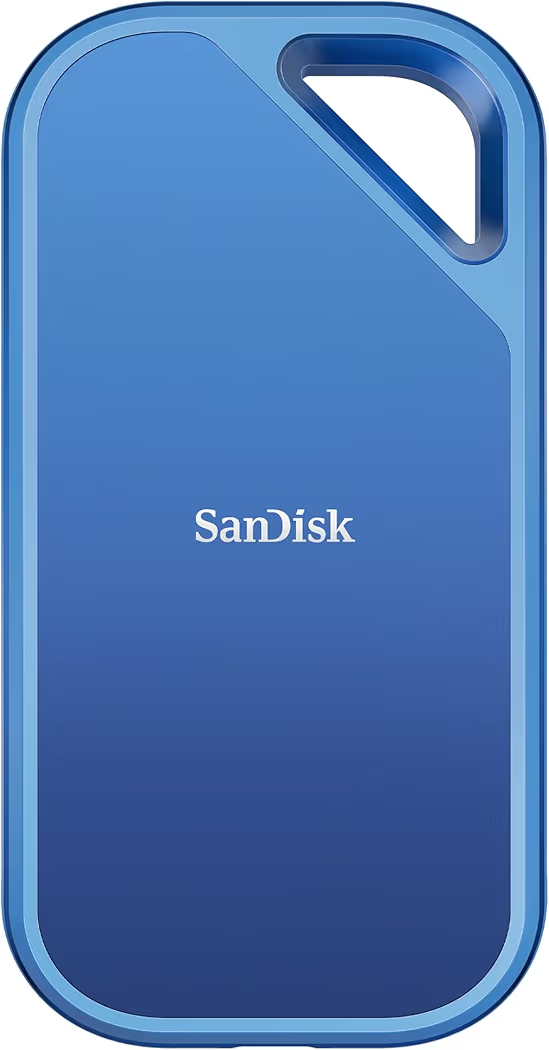
List Price: $409.99
SanDisk Creator Pro is the best SSD for content creators using Galaxy S26 Ultra. SanDisk focuses on high-speed storage and creator-friendly workflows.
Many photographers and videographers manage thousands of large files every month. Because of that workload, reliable storage and consistent transfer performance become more important than headline specifications alone.
Key Specifications
| Capacity | 2TB |
| Speed | Up to 2000MB/s |
| Connection | USB-C |
| Best For | Content creation |
Pros
- Creator-focused design
- Fast transfer performance
- Durable construction
- Suitable for large media projects
Cons
- Higher cost than mainstream SSDs
Who Should Buy SanDisk Creator Pro?
SanDisk Creator Pro is best for photographers, YouTubers, and video creators. Creative professionals often benefit from the balance of speed, reliability, and storage capacity.
Lexar SL500 1TB — Best Compact SSD
Lexar SL500 1TB
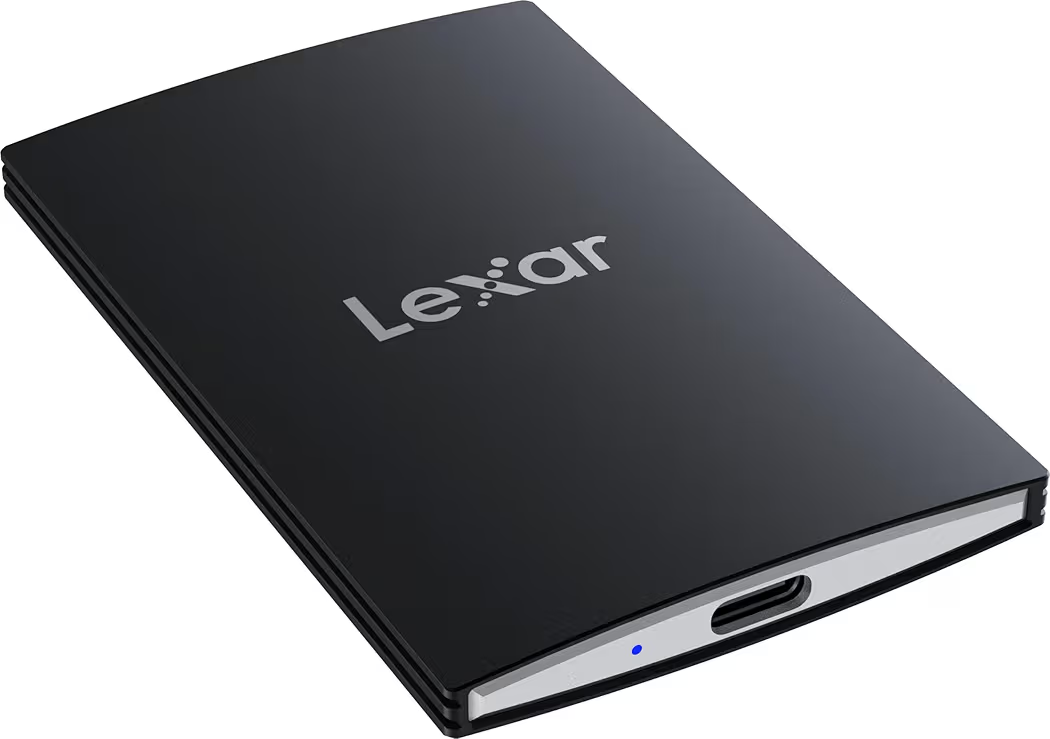
List Price: $244.99
Lexar SL500 is the best compact SSD for Galaxy S26 Ultra. Lexar combines premium transfer speeds with a lightweight and travel-friendly design.
Several portable SSDs deliver impressive benchmark results. Nevertheless, very few models manage to stay this compact while maintaining transfer speeds near 2000MB/s.
Key Specifications
| Capacity | 1TB |
| Speed | Up to 2000MB/s |
| Connection | USB-C |
| Best For | Portability |
Pros
- Ultra-portable design
- Fast transfer speeds
- Lightweight construction
- Easy to carry daily
Cons
- Less rugged than T7 Shield
Who Should Buy Lexar SL500?
Lexar SL500 is a strong choice for frequent travelers and commuters. Someone carrying storage accessories every day may appreciate the smaller footprint.
How Do You Connect an SSD to Galaxy S26 Ultra?
Connecting an SSD to Galaxy S26 Ultra only requires a compatible USB-C SSD and a supported cable. Android automatically detects most modern portable SSDs.
Samsung My Files usually recognizes storage devices within seconds. Furthermore, the process requires no special software in most situations.
Step 1: Connect the SSD
Attach the SSD directly to the USB-C port on Galaxy S26 Ultra. A quality USB-C cable helps ensure stable transfer speeds.
Step 2: Open Samsung My Files
Samsung My Files displays connected storage devices automatically. External storage normally appears in the storage section.
Step 3: Select Files
Choose the photos, videos, or documents you want to transfer. Large folders can be moved in a single operation.
Step 4: Transfer Content
Move files to the SSD and allow the transfer process to finish completely. Larger video projects naturally require more time.
Step 5: Safely Disconnect the SSD
Properly ejecting the drive reduces the risk of data corruption. Waiting a few extra seconds can prevent unnecessary issues.
Anyone planning frequent backups should also review this guide about moving files to external storage for additional workflow tips.
What SSD Capacity Is Best for Galaxy S26 Ultra?
The best SSD capacity depends on how Galaxy S26 Ultra is used. Storage needs vary significantly between casual owners and professional creators.
1TB SSD for Everyday Use
A 1TB SSD is enough for most people. Photos, videos, downloaded content, and backups fit comfortably within 1TB for many workloads.
2TB SSD for Creators
A 2TB SSD offers a better balance for content creators. Larger projects and extensive media libraries benefit from the extra storage headroom.
Creators building mobile recording setups may also find value in pairing storage upgrades with a quality video tripod setup and an external recording microphone.
4TB SSD for Professional Workflows
A 4TB SSD is ideal for demanding professional workloads. Long-form 4K projects, extensive RAW photo collections, and multi-device backups can quickly consume storage.
Many creators recording high-resolution footage eventually outgrow smaller drives. Consequently, larger capacities reduce file management and provide more flexibility over time.
Which SSD Is Best for 4K Video Recording on Galaxy S26 Ultra?
The Samsung T9 and Crucial X10 Pro are the best SSDs for 4K video recording on Galaxy S26 Ultra. Both models offer high transfer speeds and enough capacity to handle large video projects efficiently.
After reviewing storage requirements for mobile creators, transfer speed became increasingly important as video resolution increased. Consequently, SSDs capable of 2000MB/s or higher provide a smoother workflow when moving large media files.
Anyone planning to build a complete mobile creator setup should also explore the recommended storage options for 4K workflows because different recording styles require different storage capacities.
How Much Storage Does 4K Video Use?
4K video recording consumes storage much faster than standard video formats. Longer recording sessions can quickly fill internal phone storage.
| Recording Type | Approximate Storage Usage | Recommended SSD |
|---|---|---|
| Casual 4K Clips | 50GB–200GB Monthly | 1TB |
| Content Creation | 200GB–1TB Monthly | 2TB |
| Professional Projects | 1TB+ | 4TB |
Which SSD Is Fastest for Large Video Transfers?
Crucial X10 Pro is the fastest SSD in this roundup with speeds up to 2100MB/s. Faster storage reduces waiting time during backups and project transfers.
Meanwhile, Samsung T9 remains the better overall recommendation because the combination of capacity, reliability, and speed appeals to a wider range of Galaxy S26 Ultra owners.
Is an SSD Better Than Cloud Storage or a Flash Drive?
Portable SSDs provide faster access, offline availability, and greater control compared to cloud storage and traditional flash drives. Storage remains accessible even without an internet connection.
| Feature | Portable SSD | USB Flash Drive | Cloud Storage |
|---|---|---|---|
| Offline Access | Yes | Yes | No |
| Transfer Speed | Very Fast | Moderate | Internet Dependent |
| Recurring Fees | No | No | Usually Yes |
| Large Video Projects | Excellent | Fair | Good |
| Backup Control | Full Control | Full Control | Provider Dependent |
Many Galaxy S26 Ultra owners use both solutions together. For example, an SSD handles local backups while cloud storage provides off-site protection.
What Should You Consider Before Buying an SSD for Galaxy S26 Ultra?
Storage capacity, transfer speed, durability, and intended workload should guide your buying decision. Choosing the wrong SSD often results in overspending or running out of storage sooner than expected.
Storage Capacity Matters Most
Storage capacity should be the first factor most buyers evaluate. A 1TB SSD works well for casual use, while creators often benefit from 2TB or 4TB options.
Transfer Speeds Affect Daily Workflow
Higher transfer speeds reduce waiting time during backups and file transfers. Consequently, someone regularly working with large media files should prioritize performance.
Durability Can Be Important for Travel
Rugged SSDs offer extra protection when working outdoors or traveling frequently. Samsung T7 Shield remains the strongest option in this category.
Compatibility Is Usually Not a Problem
Most modern USB-C SSDs work well with Galaxy S26 Ultra. Samsung’s official support resources and Android’s USB host documentation both provide additional information about external storage compatibility.
Related Accessories That Improve a Galaxy S26 Ultra Storage Workflow
A complete mobile creator setup often includes more than just an SSD. Recording equipment and transfer accessories can improve productivity significantly.
- A quality video recording tripod helps stabilize footage.
- An external microphone setup improves audio quality.
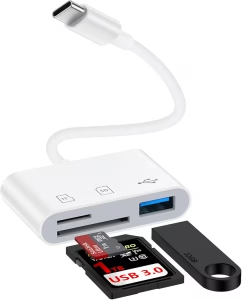
- A reliable card reader speeds up media transfers from cameras.
- Additional USB-C accessories can expand connectivity options.
Final Recommendations
Different SSDs excel in different situations, but several models clearly stand out. The recommendations below summarize the strongest choices for Galaxy S26 Ultra owners.
- Best Overall SSD:Samsung T9 Portable SSD 4TB on Amazon – Best combination of speed, capacity, and reliability.
- Best Value SSD:Check Samsung T7 price on Amazon – Excellent balance between affordability and performance.
- Best Rugged SSD:Buy Samsung T7 Shield on Amazon – Strong durability for travel and outdoor use.
- Best Performance SSD:See Crucial X10 Pro on Amazon – Fastest SSD in this roundup.
- Best for Creators:View SanDisk Creator Pro on Amazon – Designed for media-heavy creative workflows.
- Best Compact SSD:Check Lexar SL500 on Amazon – Lightweight and easy to carry.
Frequently Asked Questions About SSDs for Galaxy S26 Ultra
Can Galaxy S26 Ultra connect directly to an SSD?
Yes. Galaxy S26 Ultra supports USB OTG functionality, allowing compatible USB-C SSDs to connect directly without additional software.
What is the best SSD for Galaxy S26 Ultra?
Samsung T9 Portable SSD 4TB is the best overall SSD for Galaxy S26 Ultra. Samsung T9 combines fast transfer speeds, dependable performance, and large storage capacity.
How much SSD storage do most people need?
Most Galaxy S26 Ultra owners can comfortably start with 1TB. Larger capacities become beneficial for creators, photographers, and professionals managing extensive media libraries.
Are portable SSDs faster than USB flash drives?
Yes. Modern portable SSDs are significantly faster than most flash drives, especially when transferring large video files and backups.
Can these SSDs work with devices other than Galaxy S26 Ultra?
Yes. Samsung T9, Samsung T7, Samsung T7 Shield, Crucial X10 Pro, SanDisk Creator Pro, and Lexar SL500 generally support Windows PCs, Mac computers, Android tablets, USB-C laptops, USB-C iPads, and many other compatible devices.
Is cloud storage still useful if I have an SSD?
Yes. Many people use SSDs for fast local storage while relying on cloud platforms for off-site backups and additional protection.
Final Thoughts
The best SSD for Galaxy S26 Ultra depends on storage needs, transfer speed requirements, and budget. However, Samsung T9 remains the strongest overall recommendation because the combination of 4TB capacity, 2000MB/s performance, and proven reliability suits the widest range of workloads.
Samsung T7 continues to be the value champion, Crucial X10 Pro offers unmatched speed, Samsung T7 Shield excels in rugged environments, SanDisk Creator Pro targets creative professionals, and Lexar SL500 delivers excellent portability.
Anyone building a complete Galaxy S26 Ultra workflow should combine the right SSD with proper transfer tools, creator accessories, and a structured backup strategy. Consequently, file management becomes easier, media projects stay organized, and storage limitations become far less frustrating.
For quick reference, here are all recommended SSDs again:
- Samsung T9 Portable SSD 4TB
- Samsung T7 Portable SSD 1TB
- Samsung T7 Shield 1TB
- Crucial X10 Pro 2TB
- SanDisk Creator Pro 2TB
- Lexar SL500 1TB
Related Articles