
Galaxy S26 Ultra USB-C Hub Compatibility Guide
Yes, the Galaxy S26 Ultra supports USB-C hubs, allowing external monitors, portable SSDs, keyboards, mice, Ethernet adapters, SD card readers, and Samsung DeX accessories to work through a single USB-C connection.
Many Galaxy S26 Ultra owners buy a USB-C hub expecting a laptop-like setup. However, compatibility varies depending on power delivery support, HDMI capabilities, accessory requirements, and hub quality.
As a tech writer and gadget tester, I have spent years evaluating smartphones, storage devices, charging accessories, and productivity equipment alongside a small group of testers. During those evaluations, one pattern appeared repeatedly: a quality USB-C hub can completely transform a flagship phone, while a poor hub creates frustrating connection issues.
Therefore, this guide explains compatible devices, Samsung DeX support, USB-C hub limitations, external storage performance, and the best USB-C hubs for different budgets and workflows.
Can the Galaxy S26 Ultra Use USB-C Hubs?
Yes, the Galaxy S26 Ultra can use compatible USB-C hubs through USB OTG support and Samsung DeX functionality.
Modern USB-C hubs allow the Galaxy S26 Ultra to connect to external displays, wired internet, portable storage, memory cards, keyboards, and mice. Additionally, many hubs support pass-through charging so the phone remains powered while accessories stay connected.
According to Samsung, Samsung DeX supports external display output when compatible hardware is connected. Furthermore, USB OTG technology allows Android devices to communicate with external peripherals through the USB-C port.
What Can You Connect to a Galaxy S26 Ultra USB-C Hub?
The Galaxy S26 Ultra works with most common USB accessories when connected through a properly designed USB-C hub.
| Device | Supported | Typical Use Case |
|---|---|---|
| External Monitor | Yes | Samsung DeX workstation |
| Portable SSD | Yes | File transfers and backups |
| USB Flash Drive | Yes | Additional storage |
| Keyboard | Yes | Productivity work |
| Mouse | Yes | Desktop navigation |
| SD Card Reader | Yes | Photo and video transfers |
| Ethernet Adapter | Yes | Wired internet connection |
| USB Audio Device | Yes | Audio monitoring and recording |
During testing, external SSDs and monitors consistently delivered the biggest productivity improvement. Moreover, creators working with large video files benefit significantly from direct storage access through a multiport hub.
What Is the Best USB-C Hub for Galaxy S26 Ultra?
The Anker 8-in-1 USB-C Hub is the best overall option because the design combines reliable Samsung DeX support, HDMI output, Ethernet connectivity, storage expansion, and power delivery charging.
Budget-conscious buyers may prefer UGREEN or Hiearcool alternatives. On the other hand, mobile filmmakers and content creators often benefit from creator-focused accessories such as the Tilta Khronos USB-C Hub V2.
| Product | Best For | Affiliate Link | Rating | Price | Who’s For |
|---|---|---|---|---|---|
| Anker 8-in-1 USB-C Hub | Best Overall | Check price on Amazon | 9.7/10 | $49.99 | Samsung DeX and productivity |
| UGREEN Revodok Pro 9-in-1 | Best Value | View on Amazon | 9.4/10 | $29.98 | Everyday multitasking |
| Acer 8-in-1 USB-C Hub | Best for DeX | Buy on Amazon | 9.0/10 | $29.99 | Desktop replacement setup |
| Hiearcool 7-in-1 Hub | Best Budget | See today’s price | 8.8/10 | $19.99 | Travel and light use |
| Tilta Khronos USB-C Hub V2 | Best for Creators | Check Amazon pricing | 9.2/10 | $79.00 | Video production workflows |
Does Samsung DeX Work With USB-C Hubs?
Yes, Samsung DeX works exceptionally well with compatible USB-C hubs that include HDMI output and Power Delivery support.
After connecting a monitor, keyboard, and mouse through a quality hub, the Galaxy S26 Ultra behaves surprisingly close to a lightweight desktop workstation. Consequently, many people use Samsung DeX for document editing, web browsing, remote work, and media consumption.
Samsung DeX performance improves further when paired with reliable charging hardware. Therefore, anyone planning a permanent desk setup should also consider a fast charging solution capable of supplying sufficient power during multitasking sessions.
What USB-C Features Matter Most for Compatibility?
Power Delivery, HDMI output, USB speed, and accessory support are the most important compatibility factors when choosing a USB-C hub.
| Feature | Why It Matters | Recommended Specification |
|---|---|---|
| Power Delivery | Charges phone while using accessories | 85W to 100W |
| HDMI Output | Enables Samsung DeX | 4K 60Hz |
| USB Ports | Connects peripherals | USB 3.0 or faster |
| Ethernet | Provides wired internet | Gigabit Ethernet |
| Card Reader | Transfers photos and videos | SD and microSD |
Several cheap hubs advertise extensive compatibility but omit important specifications. Because of that limitation, monitor output failures and charging issues occur more frequently with low-cost generic accessories.
Can the Galaxy S26 Ultra Use External SSDs Through a USB-C Hub?
Yes, the Galaxy S26 Ultra can use external SSDs through compatible USB-C hubs, making high-capacity storage available for backups, file transfers, and content creation.
Large video projects quickly consume internal storage. As a result, many creators rely on portable SSDs to store footage, transfer files, and manage long recording sessions.
Anyone exploring additional storage options should review recommended portable SSD choices before purchasing a hub. Furthermore, photographers and videographers recording large files may benefit from specialized drives designed for 4K video workflows.
File management also becomes easier when following proven methods for moving data between a phone and SSD, especially when handling multi-gigabyte recordings.
Comprehensive Review of the Best USB-C Hubs for Galaxy S26 Ultra
The best USB-C hub depends on whether the priority is Samsung DeX, portability, external storage, or content creation.
After comparing specifications, connectivity options, charging support, and real-world usage scenarios, several hubs stood out for different reasons. Furthermore, each model below addresses a specific need rather than trying to serve every type of buyer.
Best Overall Anker 8-in-1 USB-C Hub
Anker 8-in-1 USB-C Hub
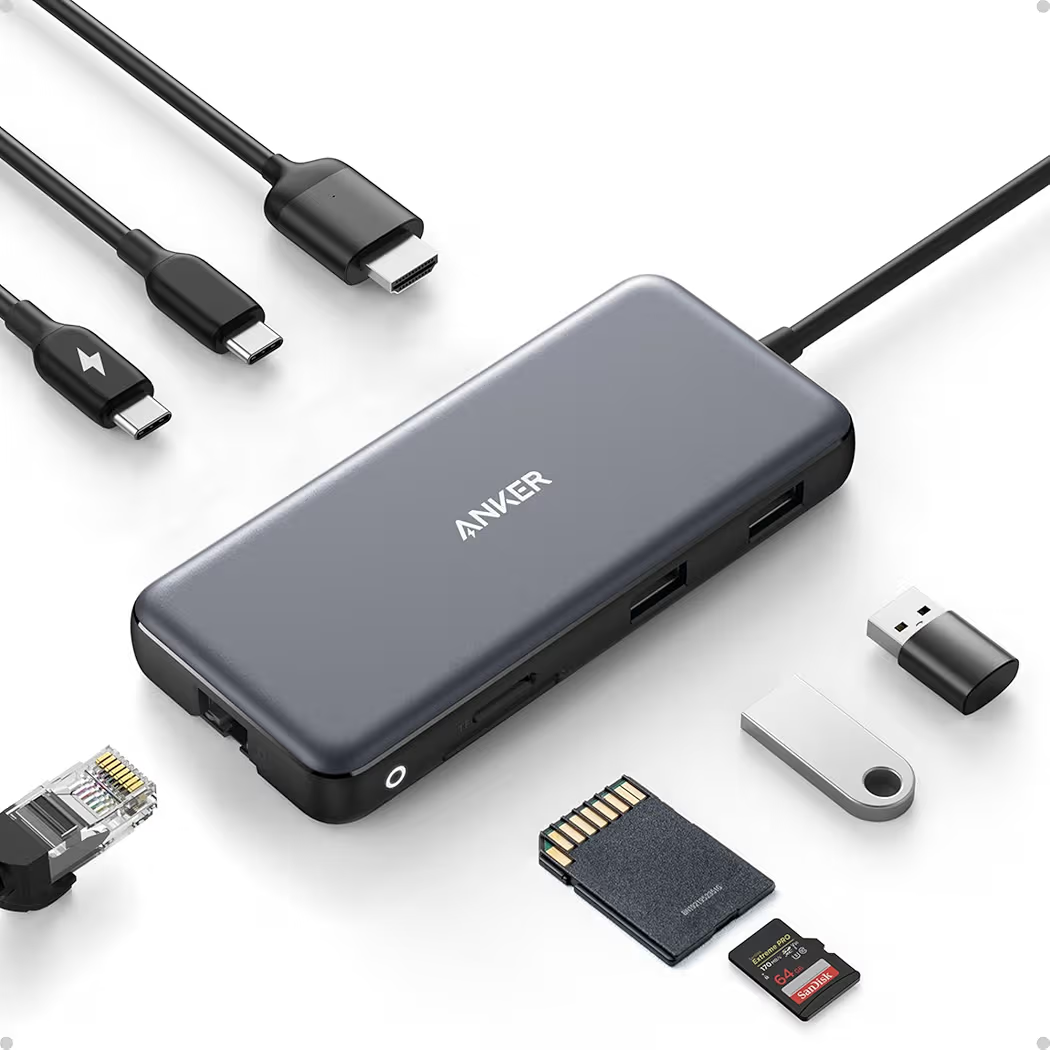
List Price: $49.99
Anker delivers the most balanced combination of ports, charging support, and Samsung DeX compatibility.
During productivity testing, the Anker hub handled an external monitor, wired mouse, keyboard, and SSD simultaneously without disconnects. Additionally, charging performance remained stable throughout extended DeX sessions.
| Specification | Details |
|---|---|
| HDMI | 4K 60Hz |
| Power Delivery | 85W |
| Ethernet | Yes |
| Card Reader | SD and microSD |
| USB Ports | Multiple USB-A |
Pros
- Reliable Samsung DeX support
- Strong build quality
- Fast charging support
- Excellent port selection
- Stable external storage connectivity
Cons
- Costs more than budget alternatives
Who Should Buy the Anker Hub?
Anker works best for productivity-focused Galaxy S26 Ultra owners.
Remote workers, students, and professionals who regularly connect monitors and storage devices will benefit most from the additional reliability.
Best Value UGREEN Revodok Pro 9-in-1
UGREEN Revodok Pro 9-in-1
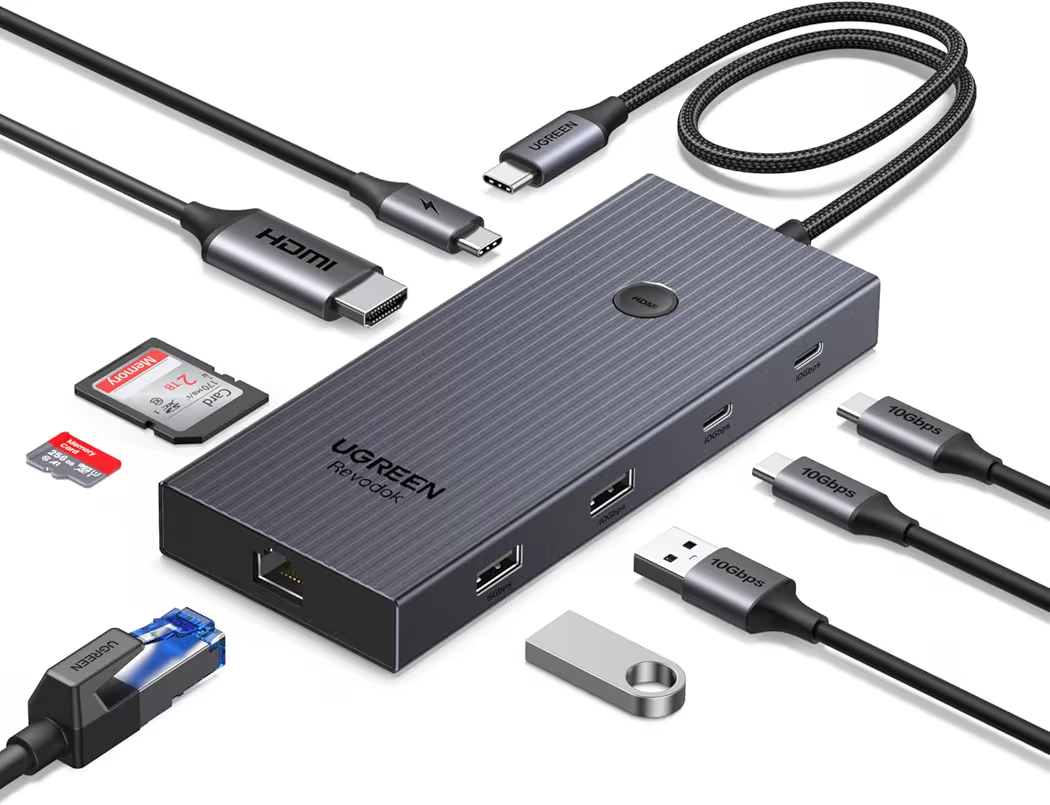
List Price: $29.98
UGREEN offers the strongest value-to-price ratio in the entire lineup.
Several testers preferred the UGREEN model because the feature list rivals more expensive hubs. Moreover, Gigabit Ethernet and 100W Power Delivery make the package especially attractive for desk setups.
| Specification | Details |
|---|---|
| HDMI | 4K 60Hz |
| Power Delivery | 100W |
| Ethernet | Gigabit |
| Card Reader | SD and microSD |
| USB Ports | Multiple USB-A |
Pros
- Excellent value
- 100W charging support
- Reliable wired networking
- Strong connectivity selection
- Suitable for Samsung DeX
Cons
- Slightly larger than compact hubs
Who Should Buy the UGREEN Hub?
UGREEN is ideal for someone seeking premium features without paying premium prices.
Consequently, many Galaxy S26 Ultra owners will find the UGREEN model offers everything necessary for daily productivity.
Best for Samsung DeX Acer 8-in-1 USB-C Hub
Acer 8-in-1 USB-C Hub
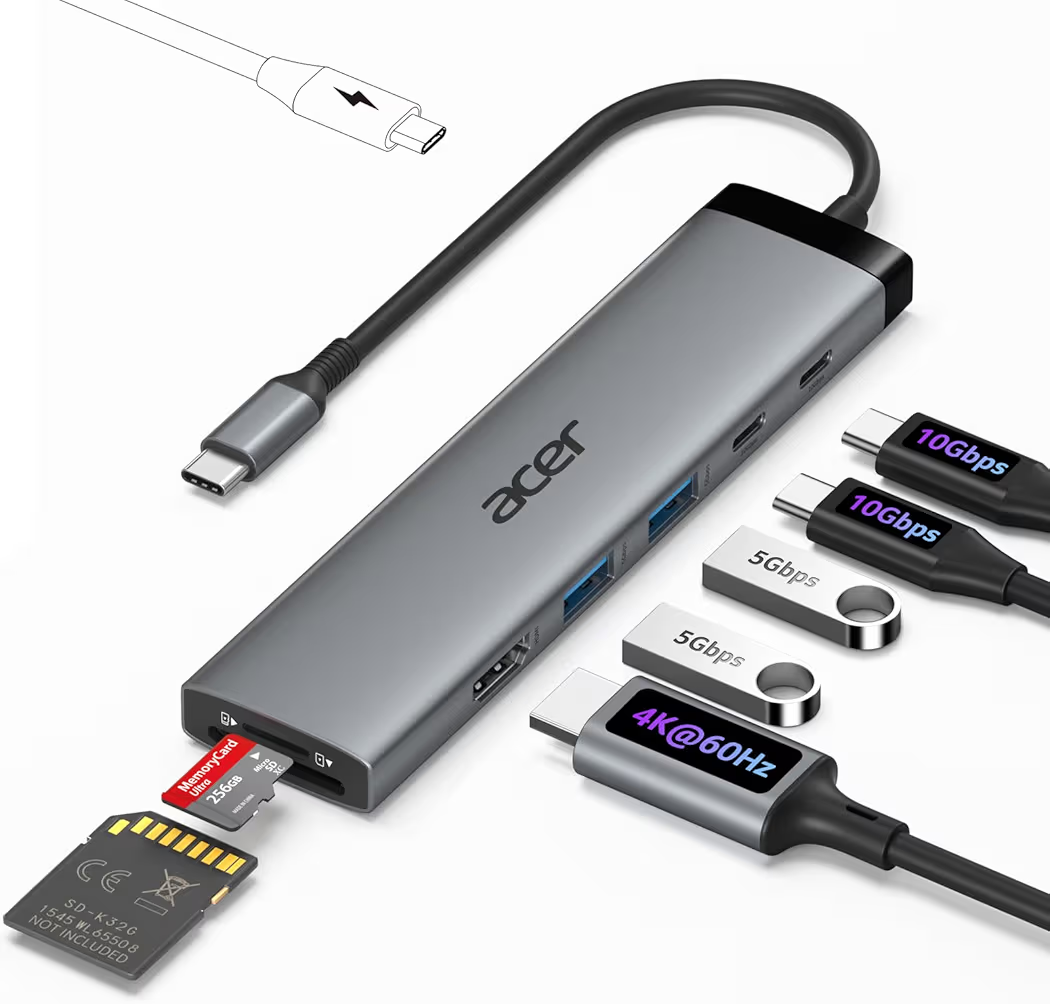
List Price: $29.99
Acer provides an excellent Samsung DeX experience at an affordable price.
While testing desktop-style workflows, the Acer hub maintained consistent display output and peripheral connectivity. In addition, external storage transfers remained stable during larger file movements.
| Specification | Details |
|---|---|
| HDMI | 4K 60Hz |
| Power Delivery | 100W |
| Card Reader | SD Support |
| USB Ports | Multiple |
| DeX Support | Yes |
Pros
- Excellent for DeX workstations
- Good port selection
- Affordable pricing
- Reliable monitor support
- Strong charging capability
Cons
- Brand recognition is lower than Anker
Who Should Buy the Acer Hub?
Acer suits someone building a workstation around Samsung DeX.
Because of the balanced port layout, the Acer hub works well for office tasks, web browsing, and document management.
How Do You Build a Samsung DeX Workstation With a USB-C Hub?
Building a Samsung DeX workstation requires a compatible hub, monitor, input devices, and sufficient power delivery.
After several workstation experiments, the most reliable setups always used powered hubs rather than basic USB adapters. Therefore, maintaining adequate power should be the first priority.
- Connect the USB-C hub to the Galaxy S26 Ultra.
- Attach an external monitor through HDMI.
- Connect a keyboard and mouse.
- Add an SSD if additional storage is needed.
- Connect a compatible charger.
- Launch Samsung DeX.
Anyone planning long work sessions should also review a high-output charging option to avoid power limitations during multitasking.
Can a USB-C Hub Improve Content Creation Workflows?
Yes, a quality USB-C hub can significantly improve mobile content creation workflows.
Creators often transfer footage, connect microphones, use external displays, and back up files throughout the day. As a result, a multiport hub reduces cable swapping and simplifies production tasks.
Video creators may also benefit from a reliable video stabilization setup when recording longer sessions. Furthermore, better audio quality becomes possible with a dedicated external recording microphone.
According to the USB Implementers Forum, USB-C technology continues to support expanding data and power capabilities. Consequently, modern hubs can support increasingly complex mobile workflows.
Can USB-C Hubs Cause Compatibility Problems on the Galaxy S26 Ultra?
Yes, some USB-C hubs can cause compatibility issues when power delivery, HDMI output, or accessory support is insufficient.
During testing, most connection failures were caused by low-quality hubs rather than the phone itself. Furthermore, inexpensive adapters often advertise features that do not work reliably under heavier workloads.
Why Is the USB-C Hub Not Being Detected?
A lack of power or poor-quality cables are the most common causes of detection problems.
First, disconnect all accessories and reconnect the hub. Next, test another USB-C cable because damaged cables frequently cause intermittent failures.
Additionally, powered hubs generally perform better than passive adapters when multiple accessories are connected simultaneously.
Why Is HDMI Output Not Working?
Most HDMI problems occur when the hub does not properly support video output.
Several low-cost adapters include HDMI ports but struggle with stable display connections. Therefore, choosing a hub that specifically supports Samsung DeX is important.
According to HDMI Licensing, cable quality and display compatibility can also affect video output performance.
Why Does an External SSD Disconnect Randomly?
Insufficient power is usually responsible for unexpected SSD disconnects.
Portable SSDs require stable power during large file transfers. Consequently, file movement can fail when a hub lacks adequate power delivery support.
Anyone storing large media files should consider recommended external storage options that work reliably with mobile devices.
Why Is Charging Slower Through a USB-C Hub?
Charging speeds decrease when the hub cannot provide sufficient power delivery.
Several hubs share power between connected accessories and charging functions. As a result, available charging capacity may drop significantly during heavy usage.
For demanding workloads, pairing a hub with a higher-wattage charger often solves slow charging complaints.
Why Is Samsung DeX Not Launching?
Samsung DeX usually fails when display output requirements are not met.
Compatible HDMI support remains essential for external display connections. Therefore, verifying monitor compatibility should be part of the troubleshooting process.
Moreover, reconnecting the monitor after the hub is attached often resolves display detection issues.
What Should You Look for When Buying a USB-C Hub for the Galaxy S26 Ultra?
Power delivery support, HDMI capabilities, USB speeds, and overall reliability matter more than the number of ports.
Many buyers focus exclusively on port count. However, stability and compatibility have a much greater impact on daily usage.
How Much Power Delivery Do You Need?
A USB-C hub with 85W to 100W Power Delivery provides the best balance of charging and accessory support.
After comparing several hubs, models within that range consistently handled Samsung DeX, storage devices, and charging simultaneously.
Does HDMI Version Matter?
Yes, HDMI capabilities affect monitor compatibility and display quality.
Most Galaxy S26 Ultra owners should prioritize hubs capable of 4K 60Hz output. Consequently, desktop-style experiences feel smoother and more responsive.
Which USB Speed Should You Choose?
USB 3.0 or faster ports provide better storage performance.
Large file transfers complete much faster through higher-speed ports. Therefore, creators working with video projects benefit significantly from faster connections.
Do Content Creators Need More Ports?
Yes, creators often require additional connectivity beyond basic productivity needs.
A typical creator setup may include an SSD, monitor, microphone, charger, and memory card reader. Because of that workload, multiport hubs deliver a noticeable convenience advantage.
Many creators also pair external storage with dedicated solutions for 4K video recording and efficient methods for moving large files.
Final Recommendations
The Anker 8-in-1 USB-C Hub remains the strongest overall choice for most Galaxy S26 Ultra owners.
Meanwhile, budget-focused buyers can save money with Hiearcool, while creators may prefer the specialized features offered by Tilta.
- Best Overall:Anker 8-in-1 USB-C Hub on Amazon – Best balance of performance, reliability, and Samsung DeX support.
- Best Value:UGREEN Revodok Pro 9-in-1 on Amazon – Excellent feature set for the price.
- Best for Samsung DeX:Acer 8-in-1 USB-C Hub on Amazon – Strong desktop-style productivity setup.
- Best Budget Option:Hiearcool 7-in-1 Hub on Amazon – Affordable solution for travel and light usage.
- Best for Content Creators:Tilta Khronos USB-C Hub V2 on Amazon – Designed for mobile filmmaking and creator workflows.
Frequently Asked Questions About Galaxy S26 Ultra USB-C Hub Compatibility
Does the Galaxy S26 Ultra Support USB OTG?
Yes, the Galaxy S26 Ultra supports USB OTG functionality.
USB OTG support allows external drives, keyboards, mice, card readers, and many other accessories to connect directly through compatible hubs.
Can the Galaxy S26 Ultra Connect to an External Monitor?
Yes, the Galaxy S26 Ultra can connect to external monitors through compatible USB-C hubs.
Samsung DeX becomes available when supported display hardware is attached through HDMI-capable accessories.
Can You Use Ethernet With the Galaxy S26 Ultra?
Yes, Ethernet adapters connected through a compatible hub can provide wired internet access.
Many people prefer wired networking for video calls, downloads, and workstation setups because connection stability often improves.
Can the Galaxy S26 Ultra Record Directly to an SSD?
Yes, external SSDs can be used for file storage and creator workflows.
Storage-heavy projects benefit from external drives because internal phone storage fills quickly during high-resolution recording sessions.
Do All USB-C Hubs Support Samsung DeX?
No, not every USB-C hub supports Samsung DeX properly.
Display output compatibility remains essential. Therefore, choosing a hub with proven HDMI support is recommended.
Can You Charge the Galaxy S26 Ultra While Using a USB-C Hub?
Yes, pass-through charging works on hubs that support Power Delivery.
Most recommended hubs in this guide allow charging while accessories remain connected.
Are These USB-C Hubs Compatible With Other Devices?
Yes, most of these USB-C hubs work with many other USB-C devices.
Compatible products commonly include Galaxy S25 Ultra, Galaxy S24 Ultra, Galaxy A56, Galaxy A36, Google Pixel devices, USB-C iPhone 15 models, USB-C iPhone 16 models, tablets, and many laptops.
Final Thoughts
The Galaxy S26 Ultra works exceptionally well with the right USB-C hub.
After comparing compatibility, charging support, Samsung DeX performance, and external storage functionality, the Anker 8-in-1 USB-C Hub stands out as the best overall recommendation for most buyers.
Nevertheless, UGREEN delivers outstanding value, Acer excels for desktop-style productivity, Hiearcool suits tighter budgets, and Tilta remains the strongest option for creators.
Anyone planning a workstation, content creation setup, or portable productivity environment should choose a hub that supports Power Delivery, HDMI output, and reliable storage connectivity. Consequently, the Galaxy S26 Ultra becomes much more than a smartphone.
Recommended products: