If you need to check your Glo number, dial *135*8# from the Glo SIM you want to identify; if the code does not respond, you can use Glo Café, check your phone settings, or contact Glo support.
For most users, the USSD method is the simplest option because it does not require an internet connection. However, Glo service codes can change, so having alternative methods is useful when a code fails.
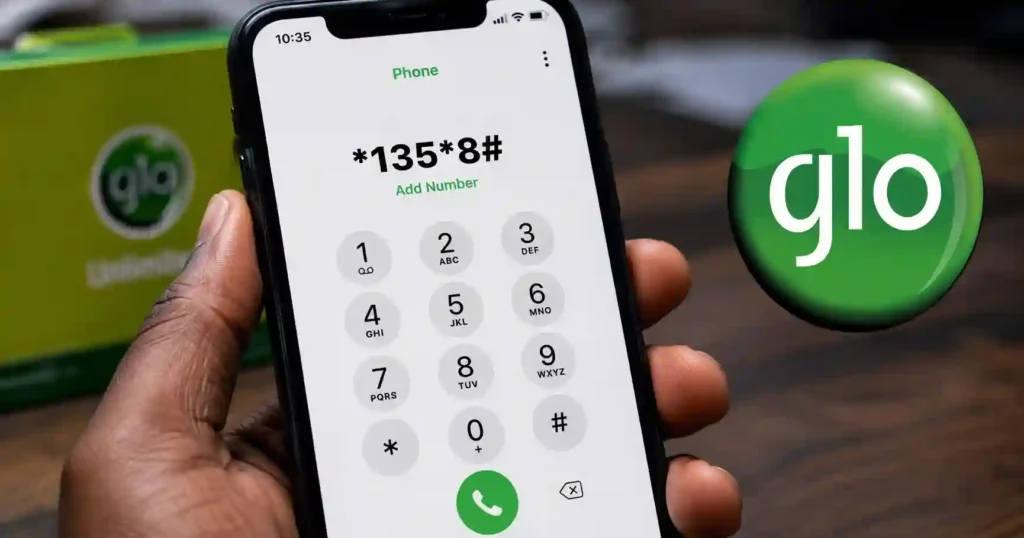
The Fastest Way to Find Your Glo Number
The fastest commonly reported method is to dial *135*8# from your active Glo SIM.
- Open the Phone or Dialer app.
- Make sure the Glo SIM whose number you want to check is selected.
- Dial *135*8#.
- Press the call or send button.
- Check the response displayed on your phone.
- Save the number in your contacts once it appears.
The code has been widely reported as a Glo number-checking shortcut, but Glo’s current public website does not prominently document this specific code. If it does not work on your line, use one of the alternative methods below.
What to Do If *135*8# Does Not Work
If *135*8# does not return your Glo number, try another account or phone-based method instead of repeatedly entering the same code.
- Check your number through Glo Café if you have account access.
- Check the SIM information stored in your phone settings.
- Call another phone and ask the recipient to read your number.
- Contact Glo customer care for assistance.
- Visit a Glo service centre if you cannot access the line normally.
USSD services can change, and a code that worked previously may not respond on every SIM profile. Therefore, an unsuccessful USSD request does not necessarily mean that your SIM is faulty.
How to Check Your Number With Glo Café
Glo Café is Glo’s self-care platform for managing a Globacom account and its services.
- Open the Glo Café app or access the Glo Café service.
- Sign in with your Glo account details.
- Open your account or profile information.
- Look for the mobile line associated with the account.
- Save the displayed number for future use.
Glo describes Café as a self-care service for managing Glo connections and services. It can therefore be useful when a USSD shortcut is unavailable or when you already manage your line through the app.
Glo also directs customers who encounter problems with Café to its customer-care service.
How to Find Your Glo Number in Phone Settings
Your phone may display the SIM number in its settings, although the exact menu depends on the device and operating system.
How to Check on an iPhone
On some iPhones, the mobile number can appear under the phone or cellular information in Settings, depending on the iOS version and SIM configuration.
- Open Settings.
- Look for Phone, Mobile Service, or the relevant cellular section.
- Check the information associated with the Glo SIM.
- Save the number if it is displayed.
If the number field is blank, do not assume that the Glo SIM has no number. The carrier or SIM profile may simply not provide the number to the phone.
How to Check on Android
Android phones can show the SIM number under different menu names, so the exact steps vary by manufacturer.
- Open Settings.
- Search Settings for SIM, SIM status, or phone number.
- Select the Glo SIM.
- Check whether the mobile number is displayed.
Samsung, Tecno, Infinix, itel, Xiaomi, Google Pixel, and other Android phones can use different menu layouts. If the number is missing, use the Glo USSD or account method instead.
Can You Check Your Glo Number by Calling Another Phone?
Yes, calling another phone can reveal your Glo number if caller ID is displayed on the receiving device.
Place a call from the Glo SIM to a trusted phone nearby. Ask the person to read the number displayed on their screen, then save the number to your contacts.
This method is useful when the USSD code fails, but it depends on your ability to make a call and the receiving phone displaying the caller’s number.
💡 Pro Tip: Once you recover your Glo number, save it as My Glo Number in your contacts. You can also store it securely in your personal notes so you do not need to check it again.
What If Your Glo SIM Is Not Responding?
If your Glo SIM does not respond to USSD requests, first check the SIM connection, network signal, and selected SIM on your phone.
Check the Network Signal
Move to an area with stronger Glo coverage and try the USSD request again.

Check the Correct SIM
Dual-SIM phones can send USSD requests from the wrong line, so confirm that the Glo SIM is selected before dialing.
Restart the Phone
Restarting the phone can resolve temporary SIM registration or network connection problems.
Try Another Method
If the USSD request still fails, use Glo Café, your phone’s SIM information, another phone’s caller ID, or Glo customer support.
How to Contact Glo Customer Care
Glo currently directs customers to dial 300 for customer care from a Glo line.
Glo’s official support information also provides other contact options for customers who need assistance, including support while roaming. If you cannot access the normal short code, use the official Glo support channels rather than relying on an old customer-care number.
This is particularly important because older guides may still list 121, while Glo’s current public support pages prominently use 300 for customer care.
Why You May Need to Check Your Glo Number
Your Glo number may be required for account registration, banking, online forms, contact sharing, SIM management, or other services.
- Sharing your phone number with someone.
- Completing an online registration.
- Updating account information.
- Receiving account-related verification messages.
- Managing your Glo services.
- Registering or configuring another service that requires your mobile number.
Knowing the correct number also helps prevent mistakes when giving your line to a bank, business, customer, friend, or family member.
Frequently Asked Questions
What is the code to check my Glo number?
The commonly reported Glo number-checking code is *135*8#. Dial it from the Glo SIM you want to identify and check the response on the screen.
How do I check my Glo number in Nigeria?
Start by dialing *135*8# from your Glo SIM. If the code does not work, try Glo Café, your phone’s SIM settings, another phone’s caller ID, or Glo customer care.
Can I check my Glo number without internet?
Yes, a USSD method does not require an internet connection. You can also use another phone to identify the number through caller ID if you can make a call.
Can I check my Glo number using Glo Café?
Glo Café can help you manage your Glo account and connected services. Sign in and check the account information associated with your Glo line.
Can I find my Glo number on an iPhone?
Sometimes, the number appears in the iPhone’s phone or cellular settings. If the number field is blank, use the Glo USSD or account-management method instead.
Can I find my Glo number on Android?
Some Android phones display the number under SIM or SIM-status settings. The exact menu depends on the phone manufacturer and Android version.
What should I do if *135*8# does not work?
Try Glo Café, check your phone’s SIM information, call another phone, or contact Glo customer care. Glo’s service codes can change, so an older code may not work on every line.
Is 121 still the Glo customer-care number?
Glo’s current public support pages prominently direct customers to 300 for customer care. Older articles may still mention 121, so check Glo’s current support information when a legacy number does not work.
Can I identify a Glo number from its prefix?
A prefix alone should not be treated as definitive proof of the current network. Mobile number portability means a number can move between networks, so checking the actual SIM or account is more reliable.
Final Thought
The easiest starting point for checking a forgotten Glo number is *135*8#, but the code should not be your only option.
If the USSD request fails, Glo Café, your phone’s SIM settings, another phone’s caller ID, and Glo customer care provide useful alternatives. For current support information, use Glo’s official channels rather than relying on older shortcode lists.
- Fastest option: Dial *135*8# from your Glo SIM.
- Account option: Check your connected line through Glo Café.
- Phone option: Check SIM or phone-number information in your device settings.
- Support option: Contact Glo customer care through its current official channels.
Choose the method that works on your phone, save your number securely, and you will not need to search for it again.
Related Articles

GOtv Supa Channels List 2026: Prices & Channel Numbers
December 2, 2025Best MTN Tariff Plan for Calls in Nigeria (2026 Guide)
October 9, 2025Glo Data Plan: The Ultimate Guide to New Prices, Codes, and Hacks
September 27, 2025