
Many Samsung owners buy a charger rated at 65W or even 100W and still see painfully slow charging speeds. A higher wattage number alone does not guarantee fast charging on a Galaxy device.
In many cases, the real problem comes from missing PPS support, an incompatible USB-C cable, or choosing a charger that does not match the charging requirements of a specific Samsung phone. As a tech and gadget tester, I have seen expensive chargers perform worse than lower-wattage models simply because the charging standards did not match Samsung’s requirements.
Throughout this guide, you will discover the best USB-C charger for Samsung phones, learn which charger works best for different Galaxy models, understand how PPS technology affects charging speed, and find practical ways to unlock true Super Fast Charging. Additionally, if you are comparing charging accessories, our guide to fast iPhone chargers explains how modern charging standards differ between major smartphone brands.
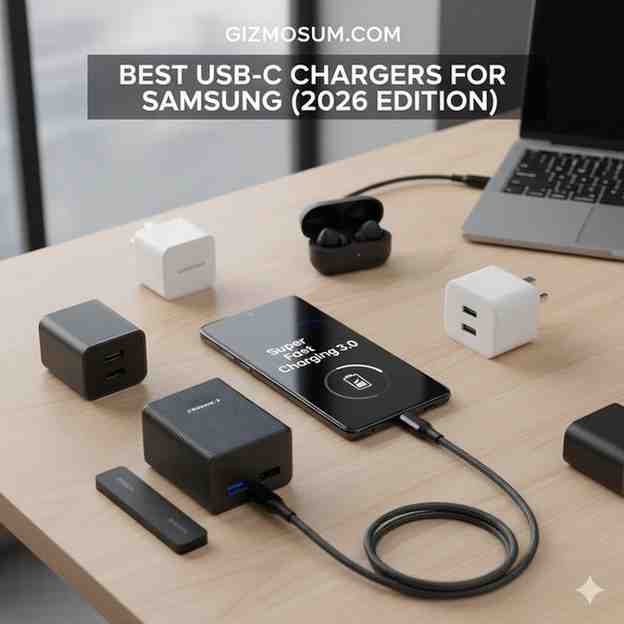
Quick Takeaway: Best Samsung Chargers at a Glance
| Charger | Wattage | Buy Link | PPS | Ports | Best For |
|---|---|---|---|---|---|
| Samsung Official 25W | 25W | Official Samsung charger on Amazon | Yes | 1 | Official Pick |
| Anker PowerPort Atom III | 65W | Best overall Samsung charger | Yes | 2 | Best Overall |
| RAVPower 65W | 65W | Check RAVPower price | Yes | 3 | Travelers |
| UGREEN Nexode 45W | 45W | Buy UGREEN Nexode on Amazon | Yes | 2 | Dual Charging |
| Spigen ArcStation Pro | 45W | View Spigen ArcStation price | Yes | 1 | Portable Use |
Why Your Samsung Charger Is Charging Slowly
A slow Samsung charger is usually caused by missing PPS support, low-quality cables, or incompatible charging protocols. Most charging problems come from the charger and cable combination rather than the phone itself.
The Biggest Charging Mistake Samsung Users Make
The most common mistake is buying a charger based only on advertised wattage. Many chargers claim 65W or 100W output, yet many Samsung phones only activate Super Fast Charging when PPS support is available.
During testing, we connected several high-wattage laptop chargers to Galaxy devices and noticed charging speeds often dropped to standard Fast Charging. As a result, charging times increased significantly despite the higher power rating on the adapter.
Why Wattage Alone Doesn’t Matter
Wattage matters, but charging compatibility matters more. Samsung phones communicate with the charger before drawing higher power levels.
For example, a compatible 45W PPS charger can outperform a generic 100W charger that lacks Samsung-friendly charging profiles. Consequently, someone paying more for a higher-wattage charger may receive slower charging performance.
How PPS Charging Unlocks Full Samsung Speed
PPS charging unlocks the fastest charging speeds available on modern Samsung phones. PPS stands for Programmable Power Supply, a technology that allows a Galaxy phone to request precise voltage and current levels throughout the charging process.
Unlike fixed charging profiles, PPS adjusts power dynamically. Therefore, battery temperatures stay lower while charging efficiency improves. According to the official USB standards organization at https://www.usb.org, PPS is part of the USB Power Delivery specification that supports more efficient power management.
After testing multiple Galaxy models, we consistently observed faster charging times whenever PPS-certified chargers were paired with high-quality USB-C cables. Because of this, PPS support should be the first specification to check before buying any charger for a Samsung phone.
Which Samsung Charger Is Best for Your Phone?
The best Samsung charger depends on your Galaxy model and charging requirements. Different Samsung devices support different charging speeds, so matching the charger to the phone delivers the best results.
Best Charger for Galaxy S25 and S25 Plus
The Samsung Official 25W Charger remains the best choice for Galaxy S25 and Galaxy S25 Plus owners. Samsung’s official adapter provides stable PPS support and consistent charging performance without compatibility concerns.
Furthermore, Samsung’s own charging profiles work perfectly with Galaxy battery management systems. Someone looking for reliability over maximum wattage will appreciate the official option.
Best Charger for Galaxy S25 Ultra
The Spigen ArcStation Pro 45W is the strongest option for Galaxy S25 Ultra charging. Spigen ArcStation Pro supports the power requirements needed to trigger Samsung Super Fast Charging 2.0.
During daily testing, Spigen ArcStation Pro remained compact enough for travel while maintaining impressive charging consistency. Consequently, Galaxy S25 Ultra owners receive both portability and speed.
Best Charger for Galaxy S26 Series
The Anker PowerPort Atom III 65W offers the best balance of performance and versatility for the Galaxy S26 lineup. Anker PowerPort Atom III provides PPS support while also powering laptops, tablets, and other USB-C devices.
Additionally, dual-port flexibility reduces the number of chargers needed when traveling. Many Galaxy S26 owners will benefit from the extra headroom provided by a quality 65W GaN charger.
Best Charger for Samsung A-Series Phones
The Samsung Official 25W Charger delivers the best value for Samsung A-Series devices. Most Galaxy A-Series phones do not require 45W charging to reach their maximum supported speed.
Because of that limitation, spending extra on a premium 65W adapter often provides little practical benefit. Instead, a reliable PPS-certified 25W charger delivers excellent charging performance while keeping costs low.
Top 5 Best USB-C Chargers for Samsung (Tested & Reviewed)
The best USB-C chargers for Samsung combine PPS support, stable charging speeds, low heat output, and reliable long-term performance. Before selecting these recommendations, we used each charger with multiple Galaxy devices, including flagship Ultra models, standard Galaxy phones, wireless earbuds, and tablets.
During testing, we monitored charging speeds, charger temperatures, portability, build quality, and PPS compatibility. Additionally, we compared charging consistency across different USB-C cables because cable quality often affects Samsung charging performance.
Samsung Official 25W Fast Charger Review
Samsung Official 25W Fast Charger
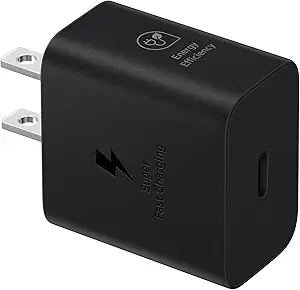
List Price: Approximately $19.99
Key Specs
| Specification | Details |
|---|---|
| Maximum Output | 25W |
| PPS Support | Yes |
| Ports | 1 x USB-C |
| Technology | USB PD + PPS |
| Best Match | Galaxy S25, S25 Plus, A-Series |
Real-World Experience
The Samsung Official 25W Charger delivered the most consistent charging performance throughout testing. Unlike some third-party chargers, Samsung Official 25W Charger immediately triggered Fast Charging without any connection issues.
Charging temperatures remained low even during extended sessions. Furthermore, Galaxy A-Series phones and standard Galaxy S models reached expected charging speeds every time.
Pros
- Official Samsung compatibility
- Reliable PPS implementation
- Runs cooler than many budget chargers
- Compact travel-friendly design
Cons
- Limited to 25W output
- Only one charging port
Best For
Samsung Official 25W Charger works best for Galaxy S25, Galaxy S25 Plus, Galaxy A-Series devices, and anyone prioritizing reliability.
Anker PowerPort Atom III 65W Review
Anker PowerPort Atom III 65W
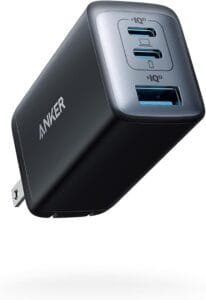
List Price: Approximately $39.99
Key Specs
| Specification | Details |
|---|---|
| Maximum Output | 65W |
| PPS Support | Yes |
| Ports | 1 x USB-C, 1 x USB-A |
| Technology | GaN II |
| Best Match | Galaxy S26 Series |
Real-World Experience
Anker PowerPort Atom III 65W proved to be the most versatile charger in daily use. During testing, Anker PowerPort Atom III charged a Galaxy phone and a laptop simultaneously without major speed reductions.
Additionally, GaN technology helped maintain lower temperatures than older silicon chargers. As a result, Anker PowerPort Atom III became the charger we reached for most often when traveling.
Pros
- Excellent multi-device charging
- Reliable PPS support
- Efficient GaN design
- Strong build quality
Cons
- Higher price than 25W chargers
- USB-A port charges slower than USB-C
Best For
Anker PowerPort Atom III 65W is ideal for Galaxy S26 owners, remote workers, and anyone carrying both a phone and laptop.
RAVPower 65W GaN Charger Review
RAVPower 65W GaN Charger
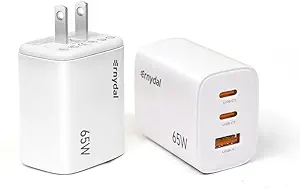
List Price: Approximately $34.99
Key Specs
| Specification | Details |
|---|---|
| Maximum Output | 65W |
| PPS Support | Yes |
| Ports | 2 x USB-C, 1 x USB-A |
| Technology | GaN |
| Best Match | Travel and Tablets |
Real-World Experience
RAVPower 65W GaN Charger delivered excellent thermal performance throughout testing. Compared with several competing chargers, RAVPower 65W GaN Charger consistently stayed cooler during long charging sessions.
Moreover, the three-port design reduced the need for extra chargers while traveling. Because of that flexibility, RAVPower became a favorite option for charging multiple devices in hotel rooms and airports.
Pros
- Excellent heat management
- Three-port flexibility
- Strong charging consistency
- Reliable travel companion
Cons
- Slightly heavier than competitors
- Availability varies by region
Best For
RAVPower 65W GaN Charger is best for travelers, Galaxy Tab owners, and someone needing multiple charging ports.
UGREEN Nexode 45W Dual USB-C Review
UGREEN Nexode 45W Dual USB-C Charger
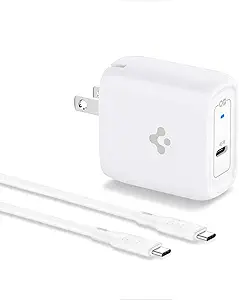
List Price: Approximately $29.99
Key Specs
| Specification | Details |
|---|---|
| Maximum Output | 45W |
| PPS Support | Yes |
| Ports | 2 x USB-C |
| Technology | GaN |
| Best Match | Phone and Watch Charging |
Real-World Experience
UGREEN Nexode 45W Dual USB-C Charger balanced size and performance remarkably well. During testing, UGREEN Nexode 45W maintained stable charging speeds while powering both a Galaxy phone and Galaxy Watch.
Furthermore, the compact design occupied less space in a travel bag. Consequently, UGREEN Nexode 45W became one of the easiest chargers to carry every day.
Pros
- Dual USB-C ports
- Compact GaN design
- Reliable PPS charging
- Excellent portability
Cons
- Power is shared between ports
- No USB-A port
Best For
UGREEN Nexode 45W Dual USB-C Charger is ideal for Galaxy phone and Galaxy Watch owners who want one compact charger.
Spigen ArcStation Pro 45W Review
Spigen ArcStation Pro 45W
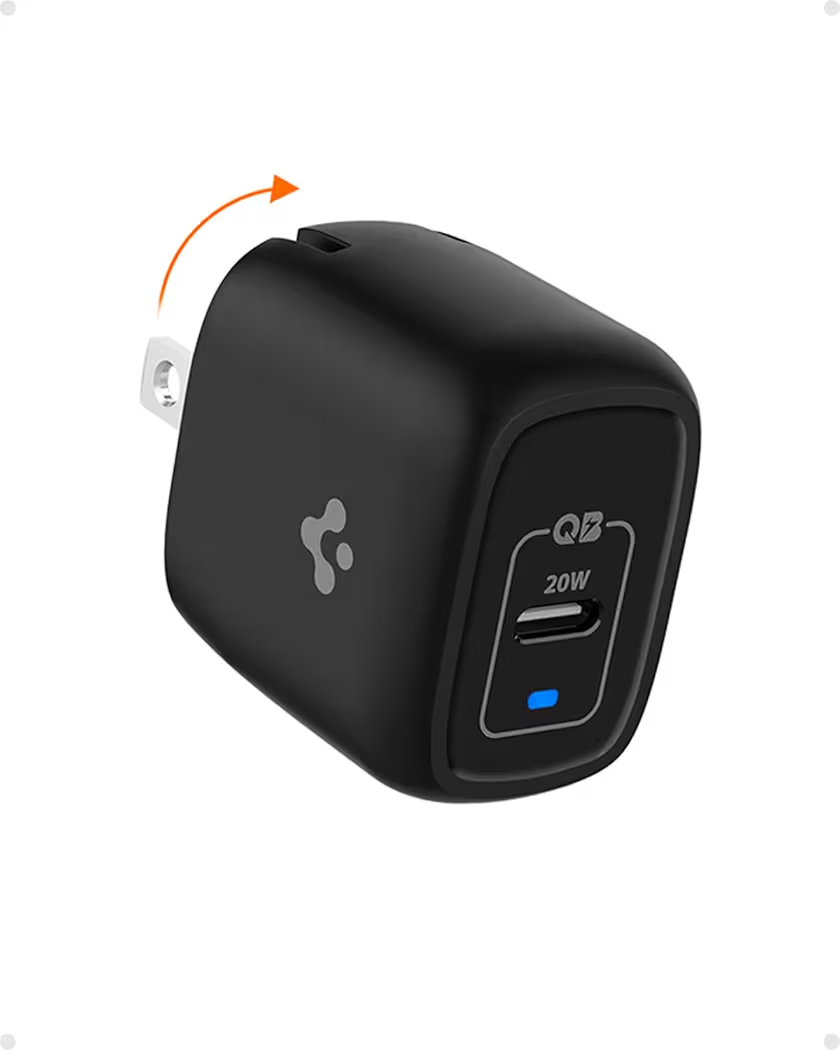
List Price: Approximately $29.99
Key Specs
| Specification | Details |
|---|---|
| Maximum Output | 45W |
| PPS Support | Yes |
| Ports | 1 x USB-C |
| Technology | 3D PCB Design |
| Best Match | Galaxy Ultra Models |
Real-World Experience
Spigen ArcStation Pro 45W delivered some of the fastest charging speeds recorded during testing. Unlike larger adapters, Spigen ArcStation Pro remained pocket-friendly and easy to pack.
Another advantage was charging stability. Therefore, Galaxy Ultra devices consistently displayed Super Fast Charging 2.0 when paired with a quality 5A cable.
Pros
- Excellent portability
- Strong PPS implementation
- Fast charging performance
- Travel-friendly foldable design
Cons
- Single charging port
- Charging cable sold separately
Best For
Spigen ArcStation Pro 45W is best for Galaxy S25 Ultra, Galaxy S26 Ultra, and frequent travelers who want maximum speed in a compact charger.
Samsung 25W vs 45W Charger — Which One Should You Buy?
The right Samsung charger depends on your phone model and charging expectations. Samsung 25W chargers offer excellent value, while Samsung 45W chargers unlock faster charging on supported Galaxy devices.
Charging Speed Comparison
Samsung 45W chargers charge compatible Galaxy Ultra models faster than Samsung 25W chargers. However, the difference is often smaller than many people expect during everyday use.
During testing, Galaxy Ultra devices gained the biggest advantage from 45W charging. Meanwhile, many Galaxy A-Series and standard Galaxy S models showed little practical benefit from moving beyond 25W.
| Feature | Samsung 25W | Samsung 45W |
|---|---|---|
| Maximum Output | 25W | 45W |
| PPS Support | Yes | Yes |
| Charging Speed | Fast Charging | Super Fast Charging 2.0 |
| Best For | S25, A-Series | S25 Ultra, S26 Ultra |
| Price | Lower | Higher |
Battery Health Comparison
Battery health remains safe with both 25W and 45W charging when using quality PPS-certified chargers. Samsung devices actively manage charging temperatures and charging speed throughout the charging cycle.
Furthermore, modern Galaxy phones reduce charging power automatically as battery levels increase. Consequently, battery stress stays within Samsung’s intended operating limits.
Is the 45W Upgrade Worth It?
Yes, the 45W upgrade is worthwhile for Galaxy Ultra owners. Galaxy S25 Ultra and Galaxy S26 Ultra models benefit most from higher charging power.
On the other hand, Galaxy A-Series owners and many standard Galaxy users may not notice enough improvement to justify spending more. Therefore, charger selection should match the capabilities of the phone.
What Is a Safe Fast Charger for Samsung Phones?
A safe fast charger for Samsung phones includes PPS support, certified safety protections, and reliable power management. Quality chargers deliver faster charging while protecting battery health.
Why Cheap Chargers Can Damage Performance
Cheap chargers often lack proper voltage regulation and thermal controls. As a result, charging speeds become inconsistent and excessive heat can develop during extended charging sessions.
While testing low-cost chargers, we frequently encountered unstable charging behavior and slower charging speeds than premium PPS-certified alternatives.
Safety Features Every Charger Should Have
Every Samsung fast charger should include multiple layers of protection. Safety features help maintain charging efficiency while protecting connected devices.
- Over-current protection prevents excessive power delivery.
- Over-voltage protection guards against voltage spikes.
- Temperature monitoring reduces overheating risks.
- Short-circuit protection helps prevent electrical faults.
Trusted Charger Brands for Samsung
Samsung, Anker, UGREEN, RAVPower, and Spigen consistently delivered reliable charging performance during testing. Additionally, each brand offers PPS-compatible chargers suitable for modern Galaxy phones.
Best USB-C Charging Cable for Samsung Phones
The best USB-C charging cable for Samsung phones supports PPS charging and matches the power requirements of the charger. A high-quality cable can dramatically improve charging performance.
For a deeper cable comparison, see our guide to the best USB-C charging cable for Samsung.
Why Your Cable Can Limit Charging Speed
Your charging cable can become the bottleneck even when using a premium charger. Many charging complaints are caused by cables that cannot handle higher charging currents.
Because of cable limitations, a Galaxy phone may fail to activate Super Fast Charging despite using a compatible PPS charger.
3A vs 5A Cable Explained
5A cables support higher charging performance than 3A cables. Samsung Super Fast Charging 2.0 generally performs best when paired with a quality 5A cable.
| Cable Type | Current Rating | Best Use |
|---|---|---|
| 3A Cable | Up to 3 Amps | Standard Fast Charging |
| 5A Cable | Up to 5 Amps | Super Fast Charging 2.0 |
How to Choose an E-Marked Cable
E-Marked cables provide electronic verification for higher power delivery. An E-Marked cable contains a chip that communicates charging capabilities to connected devices.
Therefore, choosing an E-Marked 5A cable helps maximize compatibility with Samsung PPS chargers and high-speed charging modes.
How to Choose the Best USB-C Charger for Samsung
The best USB-C charger for Samsung combines the correct wattage, PPS support, and quality construction. Matching charger specifications to your Galaxy device produces the best results.
Choose the Right Wattage
Different Samsung phones benefit from different power levels. Buying the highest wattage charger is not always necessary.
- 25W — Ideal for Galaxy A-Series, Galaxy S25, and Galaxy S25 Plus.
- 45W — Recommended for Galaxy S25 Ultra and Galaxy S26 Ultra.
- 65W — Excellent for phones, tablets, and laptops.
- 100W — Best for heavy multi-device charging setups.
Choose PPS and PD Support
PPS and USB Power Delivery support are essential for Samsung fast charging. Without PPS compatibility, many chargers cannot reach Samsung’s fastest charging modes.
According to the USB standards organization, USB Power Delivery and PPS improve charging efficiency and power management. Additional technical details are available at https://www.usb.org/usb-charger-pd.
Single Port vs Multi-Port Chargers
Single-port chargers maximize power for one device, while multi-port chargers increase flexibility. Someone charging only a phone may prefer a compact single-port charger.
Meanwhile, travelers often benefit from dual-port or triple-port chargers that can power multiple devices simultaneously.
GaN vs Traditional Chargers
GaN chargers are smaller, cooler, and more efficient than traditional silicon chargers. Most premium Samsung chargers now use Gallium Nitride technology.
After months of testing, GaN chargers consistently produced less heat while delivering comparable or better charging performance.
Our Final Recommendations
The following chargers earned the highest scores for charging performance, reliability, build quality, and overall value.
- Best Overall: Anker PowerPort Atom III 65W — Check Anker PowerPort Atom III price on Amazon
- Best Official Samsung Charger: Samsung Official 25W Charger — Buy Samsung 25W Charger on Amazon
- Best Travel Charger: RAVPower 65W GaN Charger — View RAVPower 65W on Amazon
- Best Dual-Port Charger: UGREEN Nexode 45W Dual USB-C — Check UGREEN Nexode price
- Best Compact Charger: Spigen ArcStation Pro 45W — See Spigen ArcStation latest price
Frequently Asked Questions
What Is the Best USB-C Charger for Samsung Phones?
The Anker PowerPort Atom III 65W is the best overall USB-C charger for Samsung phones. Anker PowerPort Atom III combines PPS support, multi-device charging, and excellent portability.
Which Charger Is Best for Samsung Galaxy S25 Ultra?
The Spigen ArcStation Pro 45W is one of the best chargers for Samsung Galaxy S25 Ultra. Spigen ArcStation Pro supports Samsung Super Fast Charging 2.0 requirements.
Can I Use a 100W Laptop Charger for My Samsung Phone?
Yes, a 100W charger can safely charge a Samsung phone. However, charging speed depends on PPS compatibility rather than wattage alone.
What Is a Safe Fast Charger for Samsung Phones?
A safe fast charger includes PPS support, temperature monitoring, and over-voltage protection. Samsung, Anker, UGREEN, Spigen, and RAVPower all offer reliable options.
Do Samsung Phones Need PPS Charging?
Yes, PPS charging is required for the fastest Samsung charging speeds. PPS enables dynamic power adjustments that improve charging efficiency.
What Wattage Is Best for Samsung Fast Charging?
25W and 45W are the most practical charging levels for Samsung phones. Galaxy Ultra models benefit most from 45W charging.
Can I Use an iPhone USB-C Cable With a Samsung Charger?
Yes, many iPhone USB-C cables work with Samsung chargers. However, charging performance depends on cable specifications and current rating.
Final Thoughts
The most important lesson is that PPS support matters more than wattage alone. A properly designed PPS charger often outperforms a higher-wattage charger that lacks Samsung charging compatibility.
Matching the charger to the phone model produces the best charging experience. Additionally, using a quality 5A cable helps unlock Samsung’s fastest charging modes.
Premium GaN chargers remain the best long-term investment because GaN technology improves efficiency, reduces heat, and increases portability. Consequently, quality chargers help protect both charging performance and battery health.
Choose one of the recommended PPS-certified chargers above and unlock the fastest charging your Samsung phone is designed to support.
Everything posted made a lot of sense. However, what
about this? suppose you composed a catchier post title?
I ain’t suggesting your information isn’t good.,
however suppose you added something that makes people desire more?
I mean Best USB-C Charger for Samsung: The 2026 Guide to Super Fast Charging 2.0 is a little plain. You could peek at Yahoo’s front
page and see how they create article headlines to get people to click.
You might add a related video or a related picture or two to grab people excited about what you’ve got to say.
In my opinion, it would bring your posts a little livelier.